Link Lock Security Feature Chapter 8
FA4800 User Manual Release 1.9.40 8-11
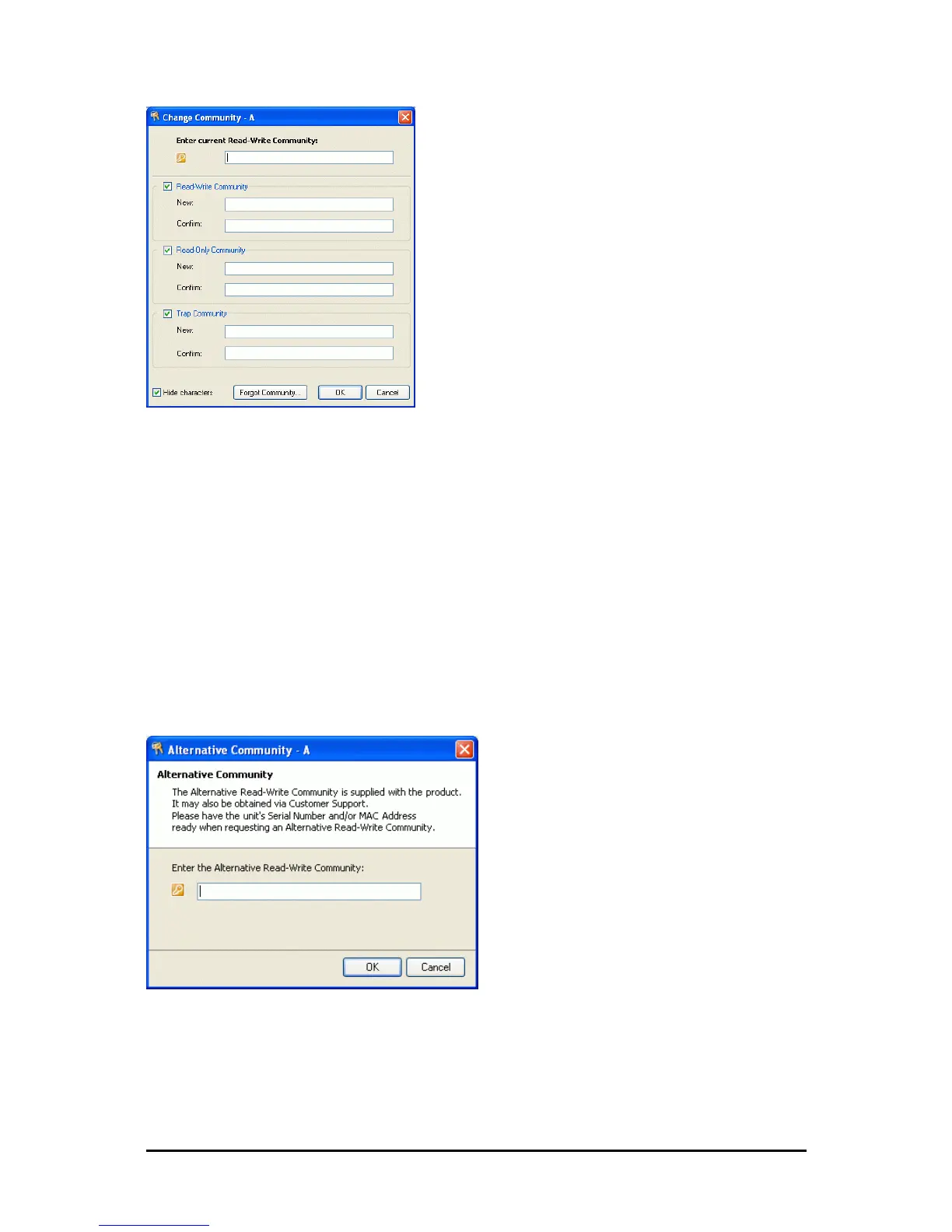
Figure 8-9: Changing the Community String
Forgotten Community string
If the read-write Community string is unknown, an alternative Community key can be used.
The alternative Community key is unique per ODU and can be used only to change the Com-
munity strings. The alternative Community key is supplied with the product, and should be
kept in a safe place.
If both the read-write Community and the alternative Community key are unavailable, then
an alternative Community key can be obtained from Ceragon Customer Support using the
ODU serial number or MAC address. The serial number is located on the product label. The
serial number and the MAC address are displayed in the Site Configuration inventory tab.
When you have the alternative Community key, click the Forgot Community button and
enter the Alternative Community key (Figure 8-10). Then change the read-write Community
string.
Figure 8-10: Alternative Community Dialog box
Link Lock Security Feature
Link Lock is a part of Ceragon’s security concept intended to meet a form of abuse
encountered in the field. It is designed to prevent the situation where a remote ODU
can be stolen and used as a “pirate” link to steal services or information. The Link



 To Next Page