Setting the Events Preferences Chapter 9
FA4800 User Manual Release 1.9.40 9-16
Setting the Events Preferences
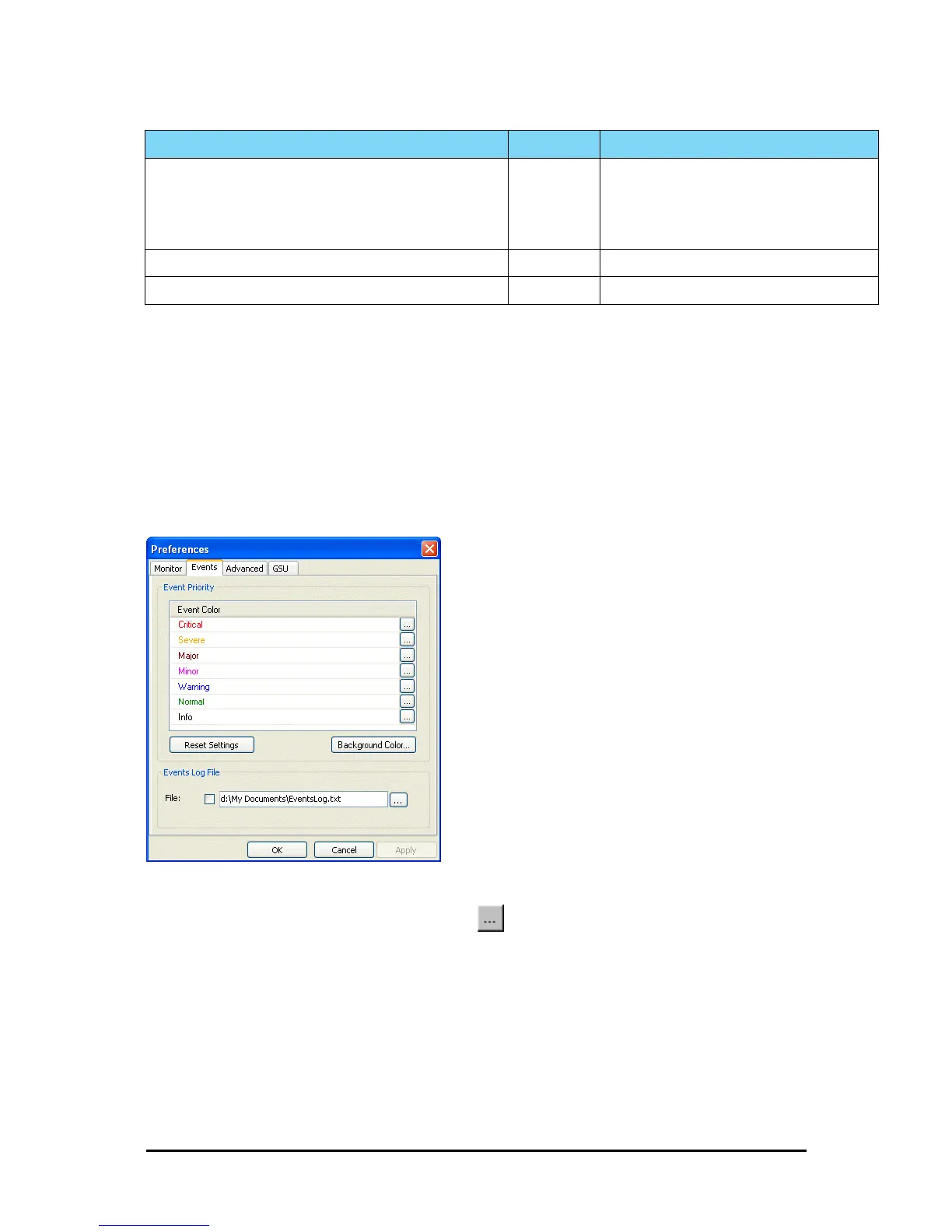
You can define a color for the messages to be displayed in the Event Log window, according
to the severity of the event. The severity is predefined.
To set the Message color:
1. From the Tools menu, choose Preferences.
The Preferences dialog box appears.
2. Click the Events Tab:
Figure 9-17: Preferences dialog box - Event tab
3. Select the event type and click on the button.
A color chart opens.
4. Select the required color.
5. Repeat for each of the event types.
To set the message background color:
• Click Background Color to change the text background.
Newer Version identified at the <local_site_name> site. Warning ODU release is newer than FibeAir2000 Manager
release.
Wizards are not available. FibeAir2000 Manager
will be used just for monitoring. Upgrade the
FibeAir2000 Manager.
Newer Version identified at the <remote_site_name> site. Warning
Newer Version Identified! Warning
Table 9-5: FibeAir2000 Manager Trap Messages (Continued)
Trap Message Severity Remarks



 To Next Page