Using FibeAir2000 Manager to Set up a Ring Chapter 13
FA4800 User Manual Release 1.9.40 13-8
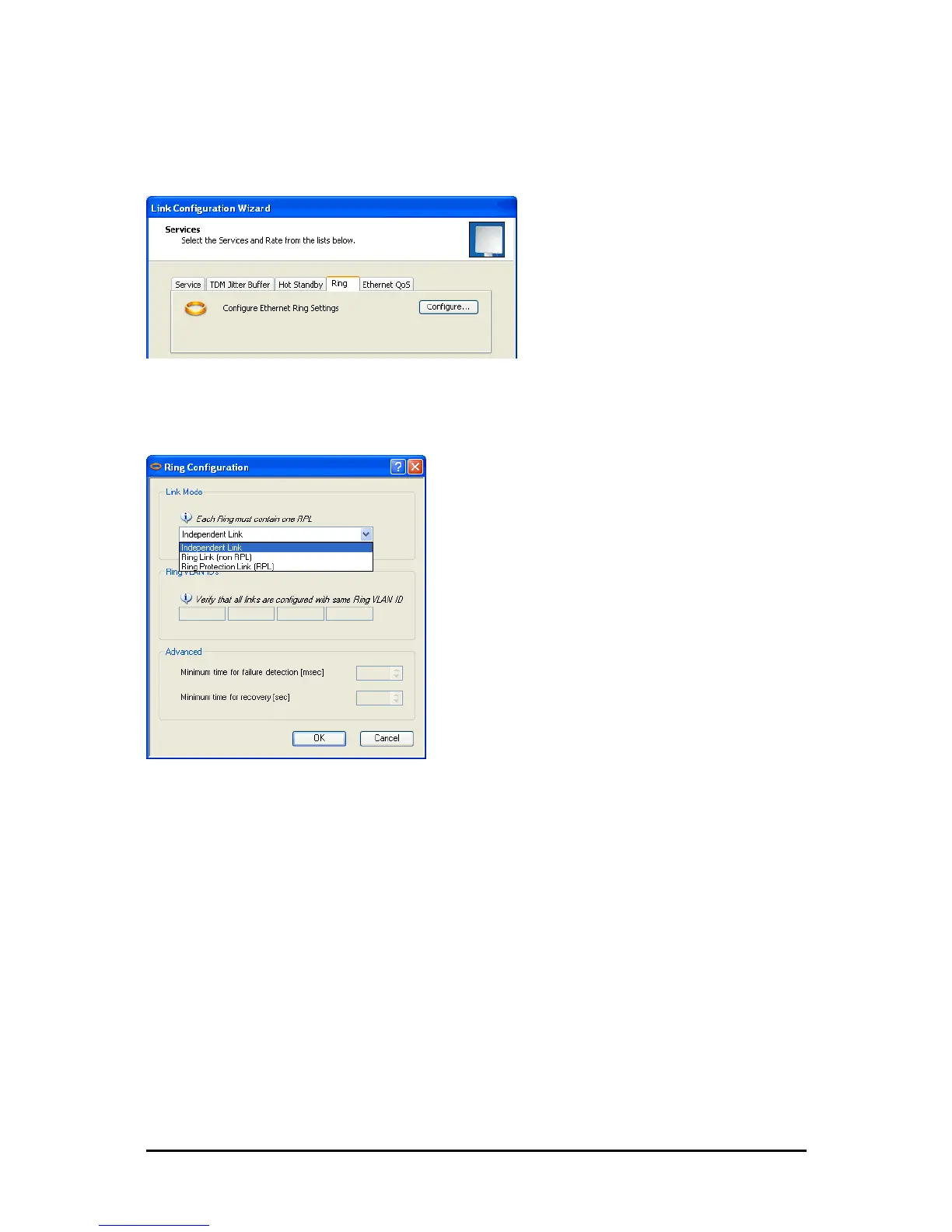
To integrate a link into an Ethernet Ring:
1. Using either the Installation or Configuration wizards, navigate to the Services win-
dow and chose the Ring tab.
Figure 13-5: Services window with Ring selected
2. Click Configure. The Ring definition window is displayed. The default is Indepen-
dent Link and is used when the link is not part of any Ring.
Figure 13-6: Ring Options
3. To configure the link as a regular Rink link, click Rink Link (Non- RPL) and enter
the ring LAN VIDs (at least one) to which it belongs and click OK:



 To Next Page