Local Internal Loopback Chapter 9
FA4800 User Manual Release 1.9.40 9-7
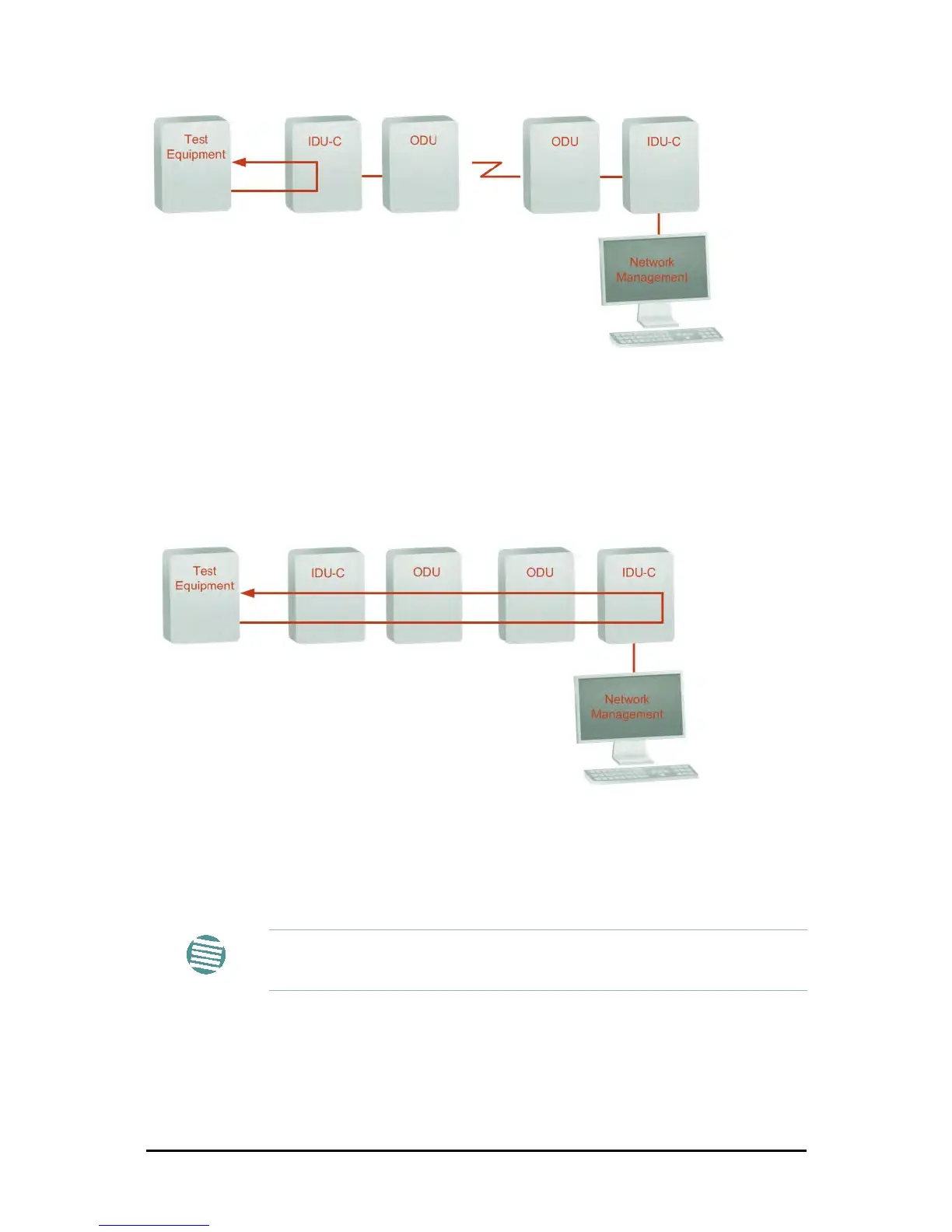
Figure 9-9: Remote Line Loopback
Local Internal Loopback
The local unit can be set to close a remote loopback to test connection between the local and
remote units and between the remote E1/T1 port and its connection to the remote user
equipment. In this mode, data coming from the remote user equipment is looped back to it
locally. This loopback is initiated by the managing computer connected to the local unit.
Figure 9-10: Local Reverse Loopback
Reinstalling and Realigning a Link
It may be necessary to reinstall the link if the ODUs need to be realigned.
To reinstall the link:
1. Choose a site.
The Configuration dialog box opens.
2. In the Configuration dialog box, click the Install Mode button.
Note
Activating Install Mode causes both sites to go into install mode, causing
disruption in service for approximately fifteen seconds.



 To Next Page