Using FibeAir2000 Manager to Set up a Ring Chapter 13
FA4800 User Manual Release 1.9.40 13-7
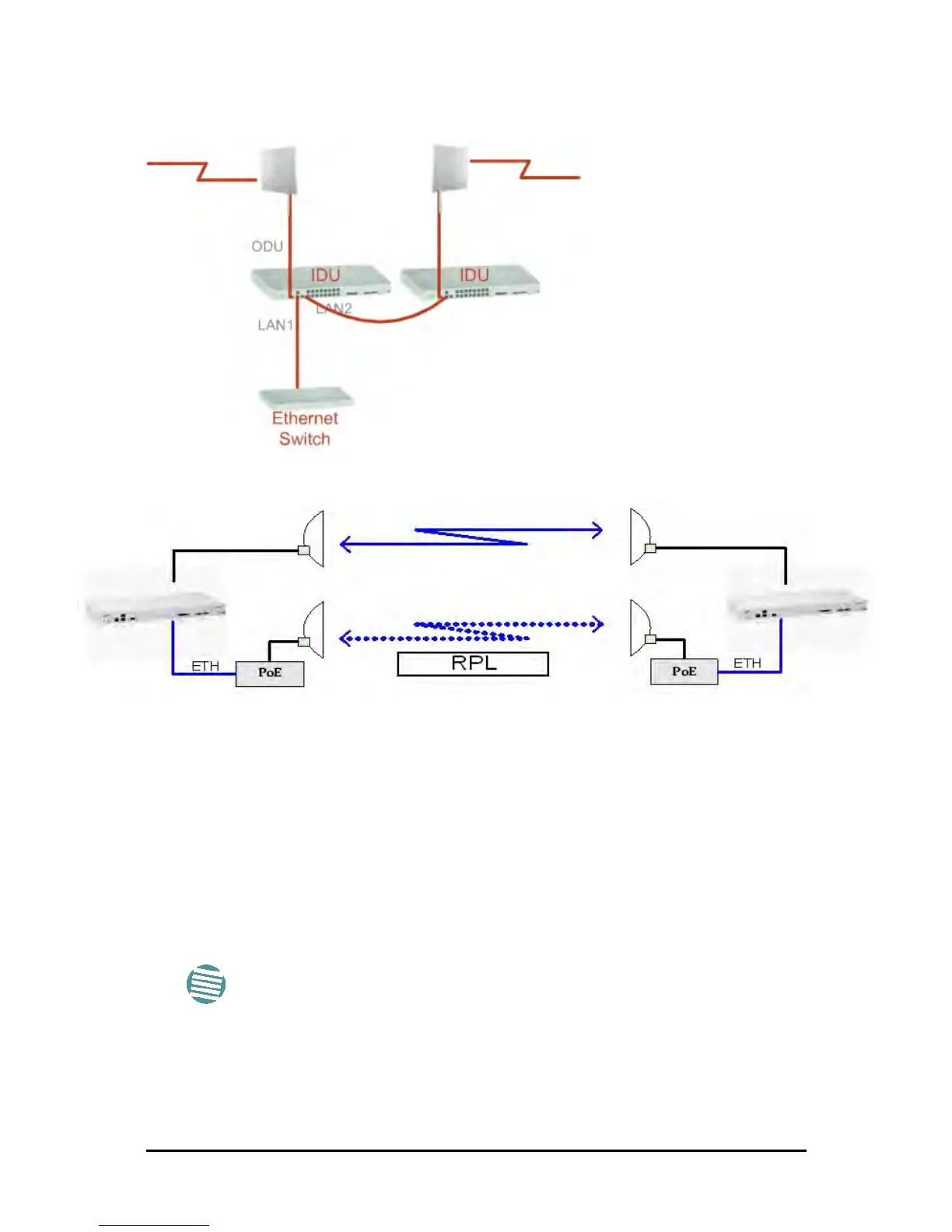
The equipment in a 1+1 Ethernet installation is as follows:
Figure 13-3: 1+1 Ethernet
Figure 13-4: Using IDU-C or IDU-E with PoEs for the RPL
Notice that link content drops from four PoEs plus two switches to two PoEs and two IDU-Cs
or IDU-Es.
Using FibeAir2000 Manager to Set up a Ring
Creating a Ring using FibeAir2000 Manager requires two stages:
6. Set up each participating link separately, in the usual way
7. For each link, run the Configuration wizard to define it as RPL or a Ring Link
Here then, is step 2 in more detail:
Note
• The Ring uses a VLAN ID for the RPL. It is used to manage the Ring
and nothing else; it is completely separate from the management
and traffic VLANs referred to elsewhere
• A regular Ring Link may be a member of up to four rings and each of
their RPL VLAN IDs must be configured



 To Next Page