The Events Log Chapter 9
FA4800 User Manual Release 1.9.40 9-14
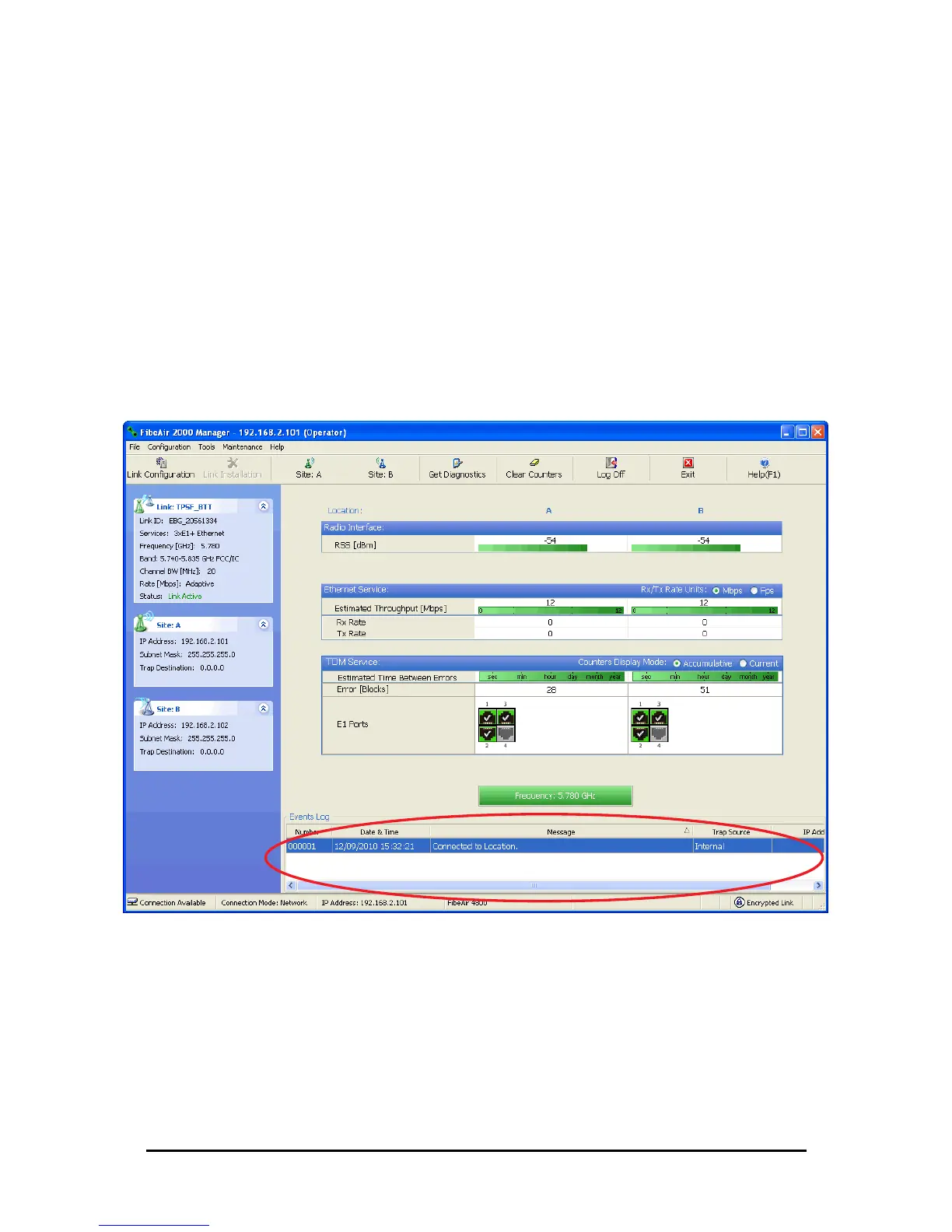
Alarms (traps) are displayed in the Events Log in the lower panel of the main window. The
Events Log may be saved as a text file.
The Events Log includes the following fields:
» Sequential number (ID)
» Date and time stamp
» Message
» Trap source
» IP address of the ODU that initiated alarm.
For complete information about traps and alarms see Appendix E.
The events are displayed in the Events Log in the lower right-hand panel of the FibeAir2000
Manager main window:
Figure 9-16: Events Log Display
To save the Events Log:
1. From the Tools menu, choose Preferences.
The Preferences dialog box appears
2. Click the Events Tab.
3. Select the file to save.
4. Click the check box to open the file for saving.



 To Next Page