The procedure Chapter 20
FA4800 User Manual Release 1.9.40 20-4
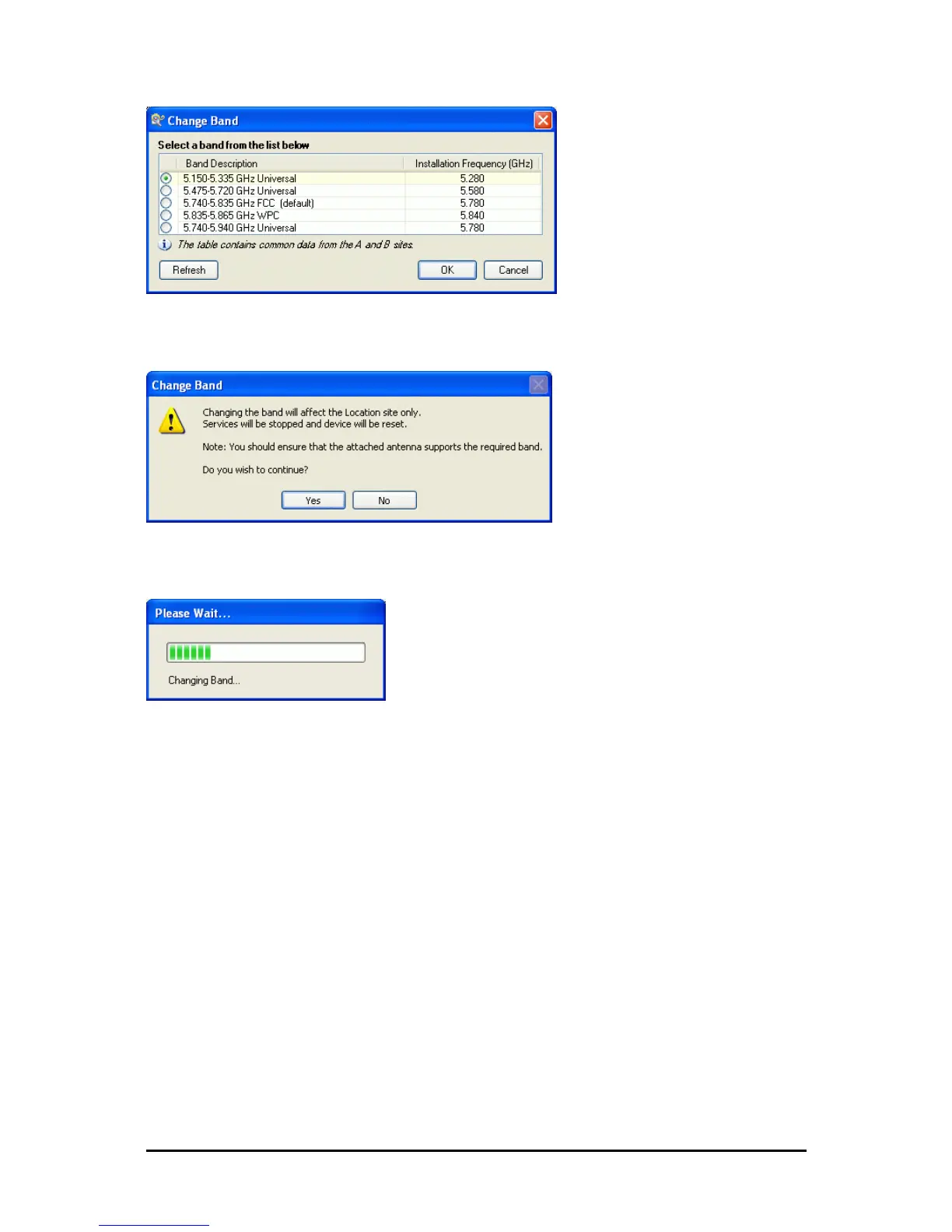
Figure 20-4: A different band selected
9. The Change Band warning is displayed. Click Yes to continue.
Figure 20-5: Change Band confirmation
The change, which may take some time, is carried out:
The result is reflected in the FibeAir2000 Manager main window:



 To Next Page