Upgrading an Installed Link Chapter 15
FA4800 User Manual Release 1.9.40 15-2
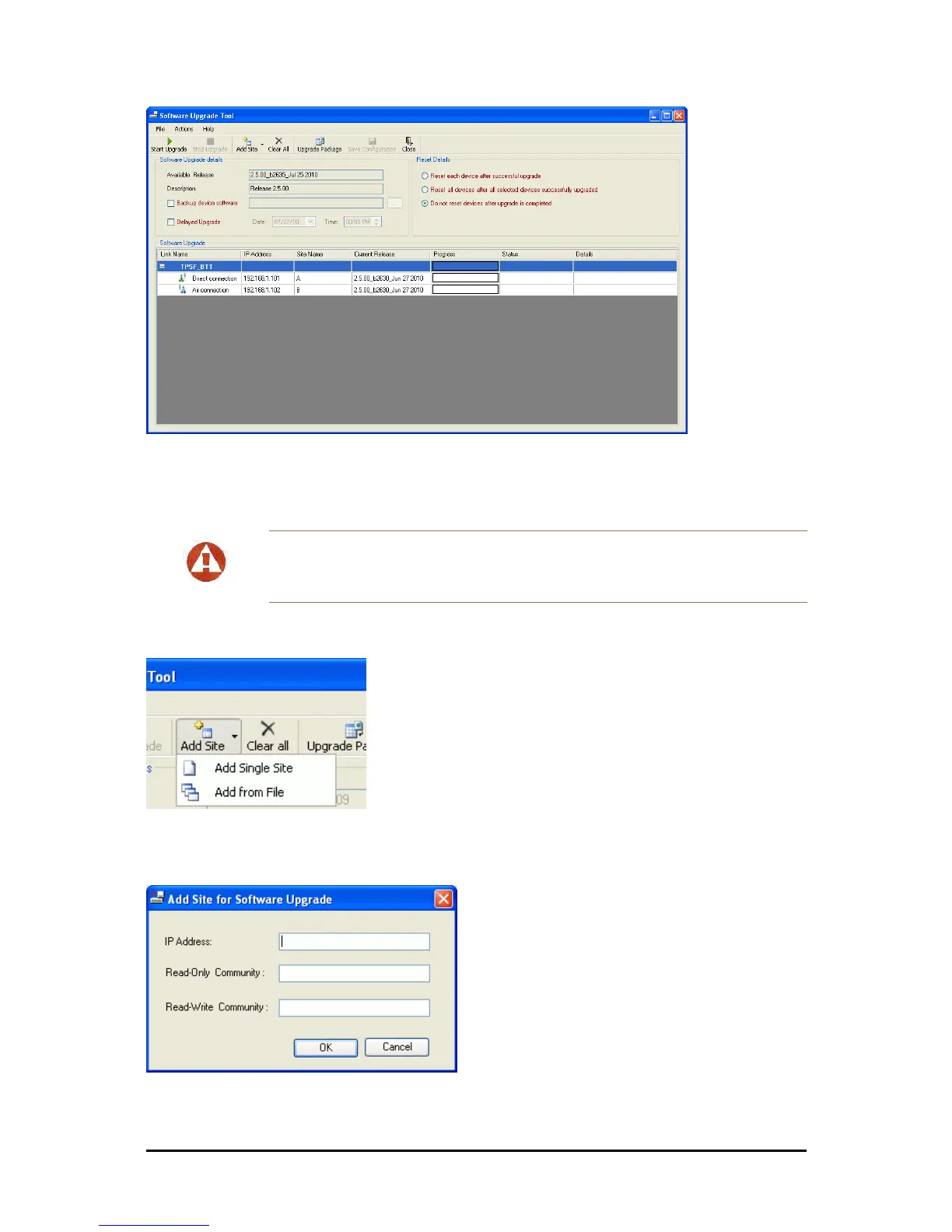
Figure 15-1: Software Upgrade Utility - Main window
The default sites shown in the Software Upgrade list panel belong to the currently
link. The list may be empty if you are running the FibeAir2000 Manager “offline”.
2. Click Add Site to add additional sites for upgrade.
Figure 15-2: Add site options
Click Add Single Site for one site only:
Figure 15-3: Adding a single site for upgrade
Warning
What follows about adding sites manually or from a list file, assumes that all
sites to be upgraded are of the same type - either FA4800 or FibeAir 2000.
but not both. This will not work with a mixed list.



 To Next Page