The procedure Chapter 19
FA4800 User Manual Release 1.9.40 19-4
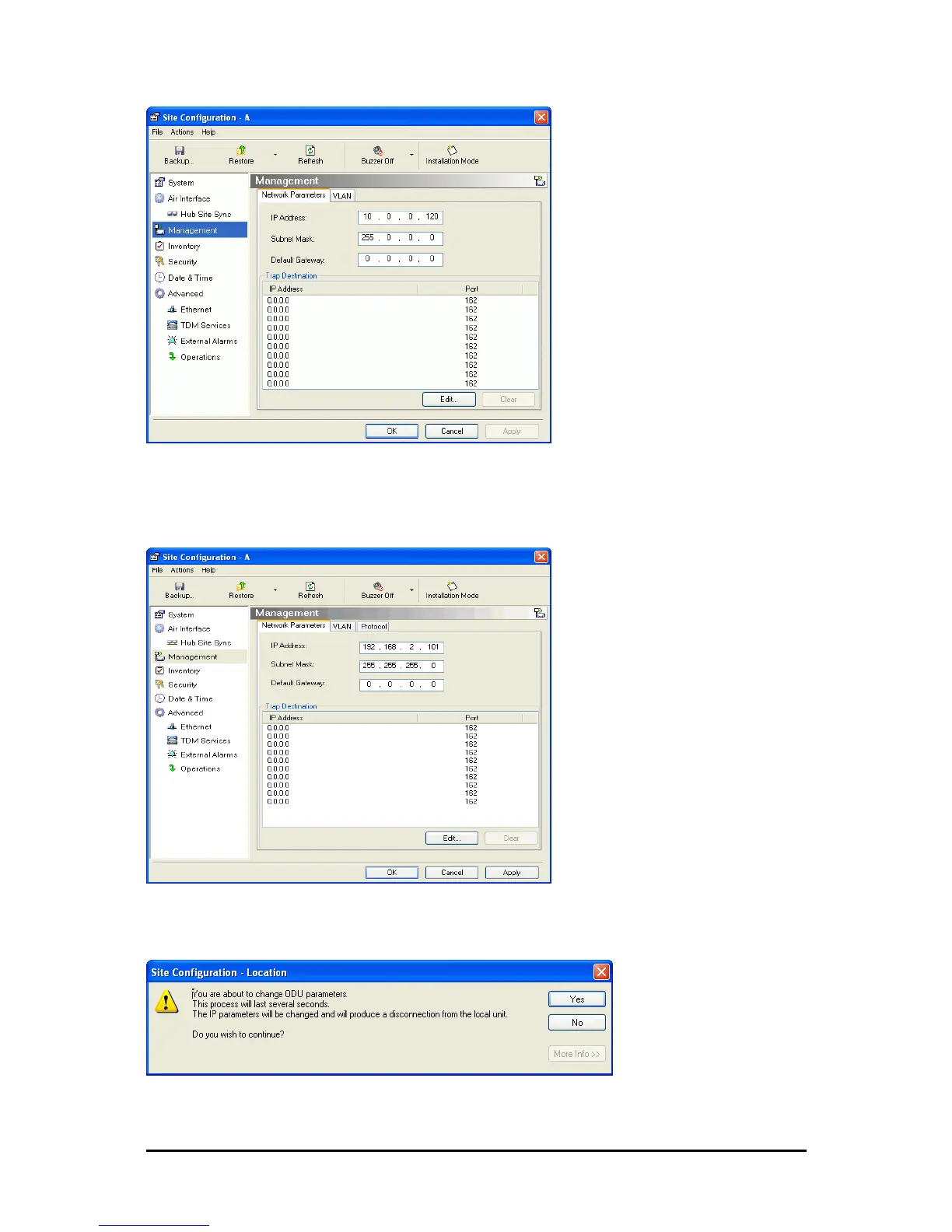
Figure 19-4: Management Addresses - Site Configuration dialog box
10. Enter the IP Address, Subnet Mask and Default Gateway as requested. For example,
the ODU used here is to be configured as follows:
Figure 19-5: ODU with IP Addressing configured
11. Click OK. You are asked to confirm the change:
Figure 19-6: Confirmation of IP Address change



 To Next Page