The FibeAir2000 Manager Toolbar Chapter 6
FA4800 User Manual Release 1.9.40 6-2
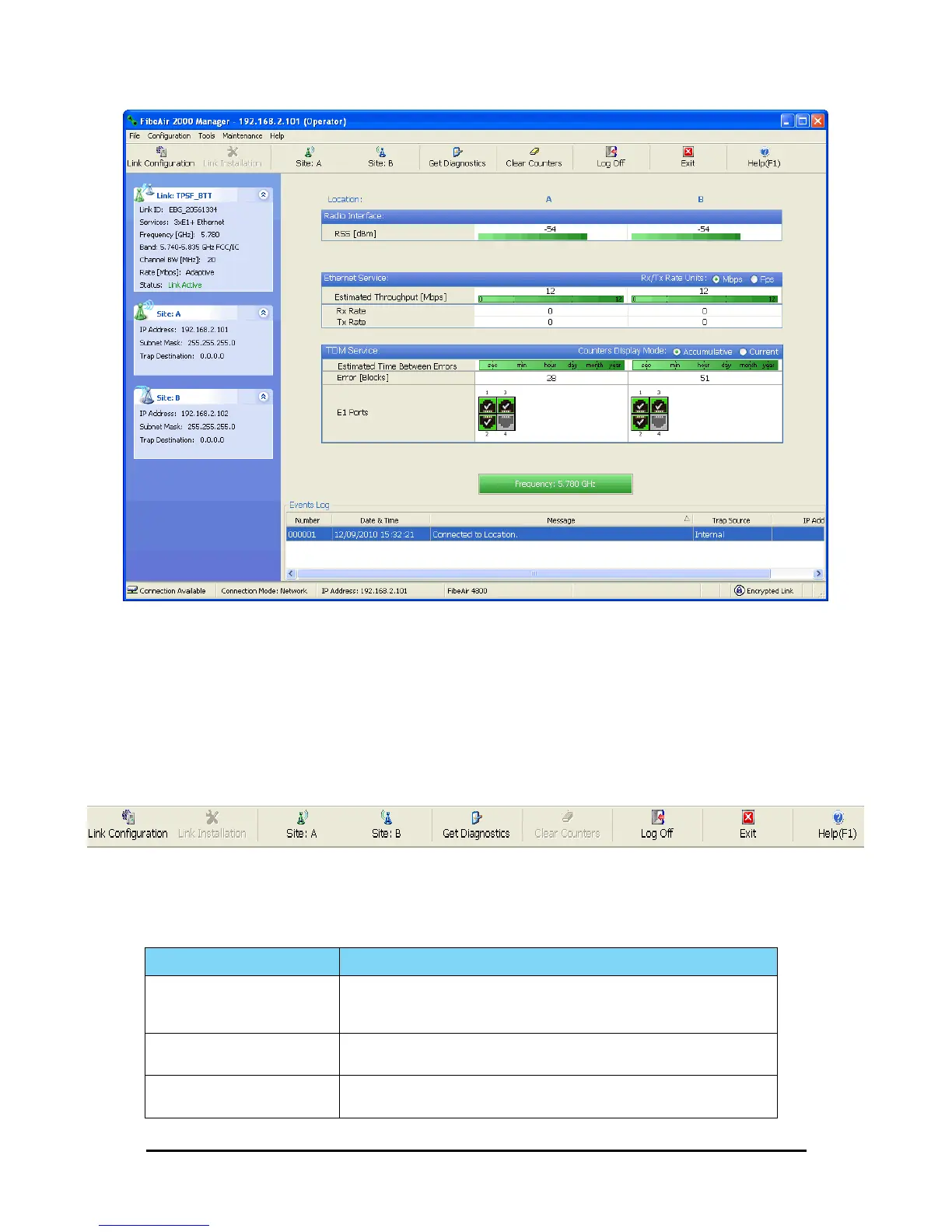
Figure 6-1: Main window, Wireless Link is Active
The main window of the FibeAir2000 Manager contains a large amount of information about
the link. Before proceeding to details of link configuration we set out the meaning of each
item in the main window.
The FibeAir2000 Manager Toolbar
In configuration mode, the FibeAir2000 Manager toolbar contains the following buttons:
In Installation mode, Link Configuration is grayed out and Link Installation is open.
The button functions are set out in Table 6-1:
Table 6-1: FibeAir2000 Manager Toolbar
Item Description
Link Configuration
Changes configuration parameters of an operating wireless link; assigns text files
for storing alarms, statistics and configuration data. This button is disabled
until a link installation has been completed
Link Installation
Performs preliminary configuration of the system. This button is disabled after
the link is installed
Site: <Site 1 name>
Opens the Site configuration dialog for Site 1. Same as Configuration | 1
Configure <Site 1 name>



 To Next Page