VLAN Availability Chapter 14
FA4800 User Manual Release 1.9.40 14-5
VLAN Availability
VLAN is available for links using either FA4800 or FibeAir 2000 radios. VLAN support requires
the use of IDU-Cs or new style IDU-Es.
VLAN Configuration Using the FibeAir2000 Manager
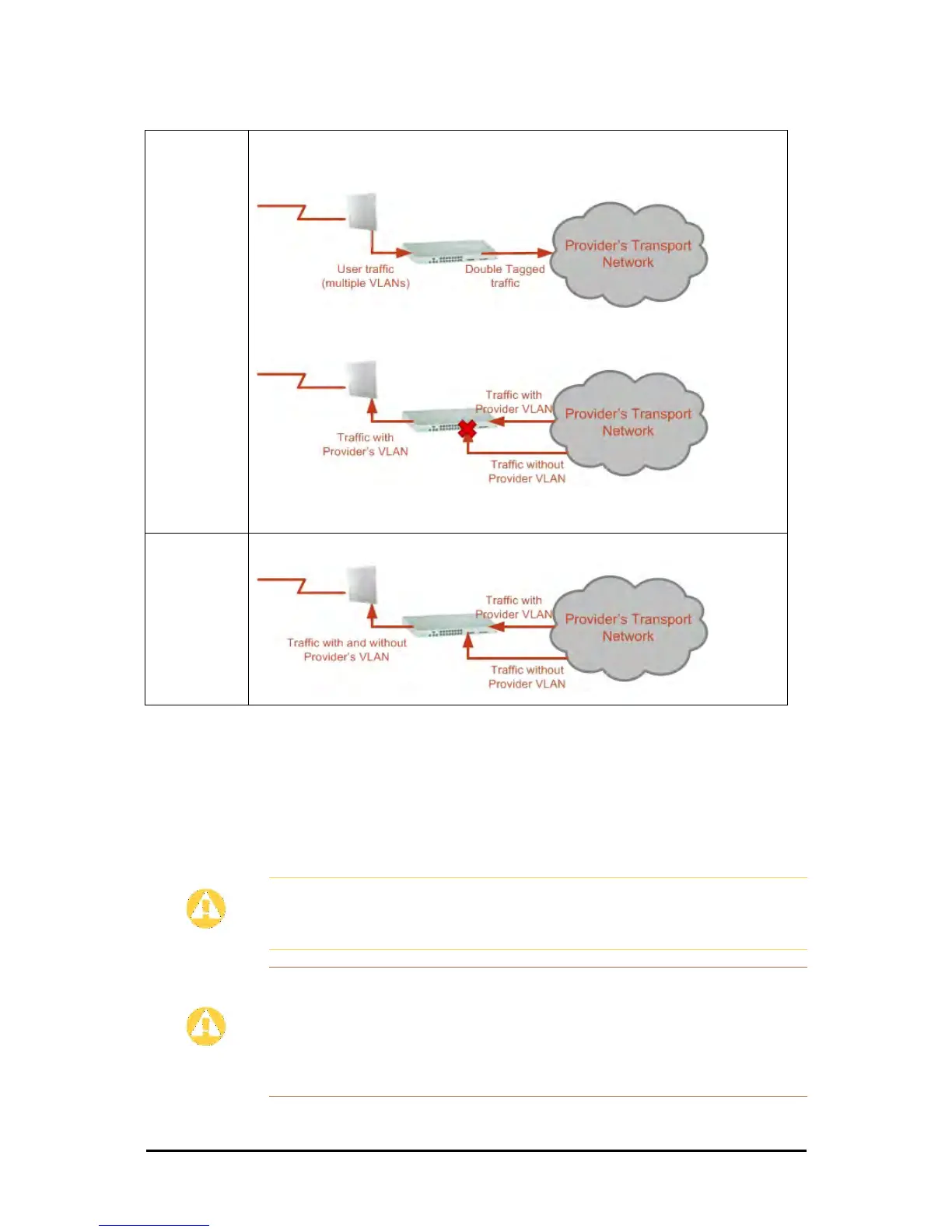
Provider
tagging
With Provider tagging, the system double-tags egress frames towards the provider’s network. All
frames are tagged QinQ with a VLAN ID, which is configured by the service provider (Provider VLAN
ID).
With this setting, ingress frames which are not tagged with the configured Provider VLAN ID are
blocked (filtered).
Note: Each port can be configured independently to a tagging mode. However, only a single Provider
VLAN ID can be defined per IDU.
Provider
tagging without
filter
This setting functions like Provider tagging. However, all ingress frames are passed through.
Caution
VLAN IDs are used by Ceragon products in three separate contexts:
Management VLAN, Traffic VLAN and Ethernet Ring. It is recommended that
you use different VLAN IDs for each context.
Disclaimer
If you are not a VLAN expert, please be aware that incorrect VLAN
configuration may cause havoc on your network. The facilities described
below are offered as a service to enable you to get best value from your
FA4800 links and are provided “as is”. Under no circumstances does
Ceragon accept responsibility for network system or financial damages
arising from incorrect use of these VLAN facilities.
Table 14-2: Port settings - Egress direction (Continued)



 To Next Page