FCC/IC 5.4/5.3 GHz Link Activation Chapter 16
FA4800 User Manual Release 1.9.40 16-3
8. Click OK. The following window appears:
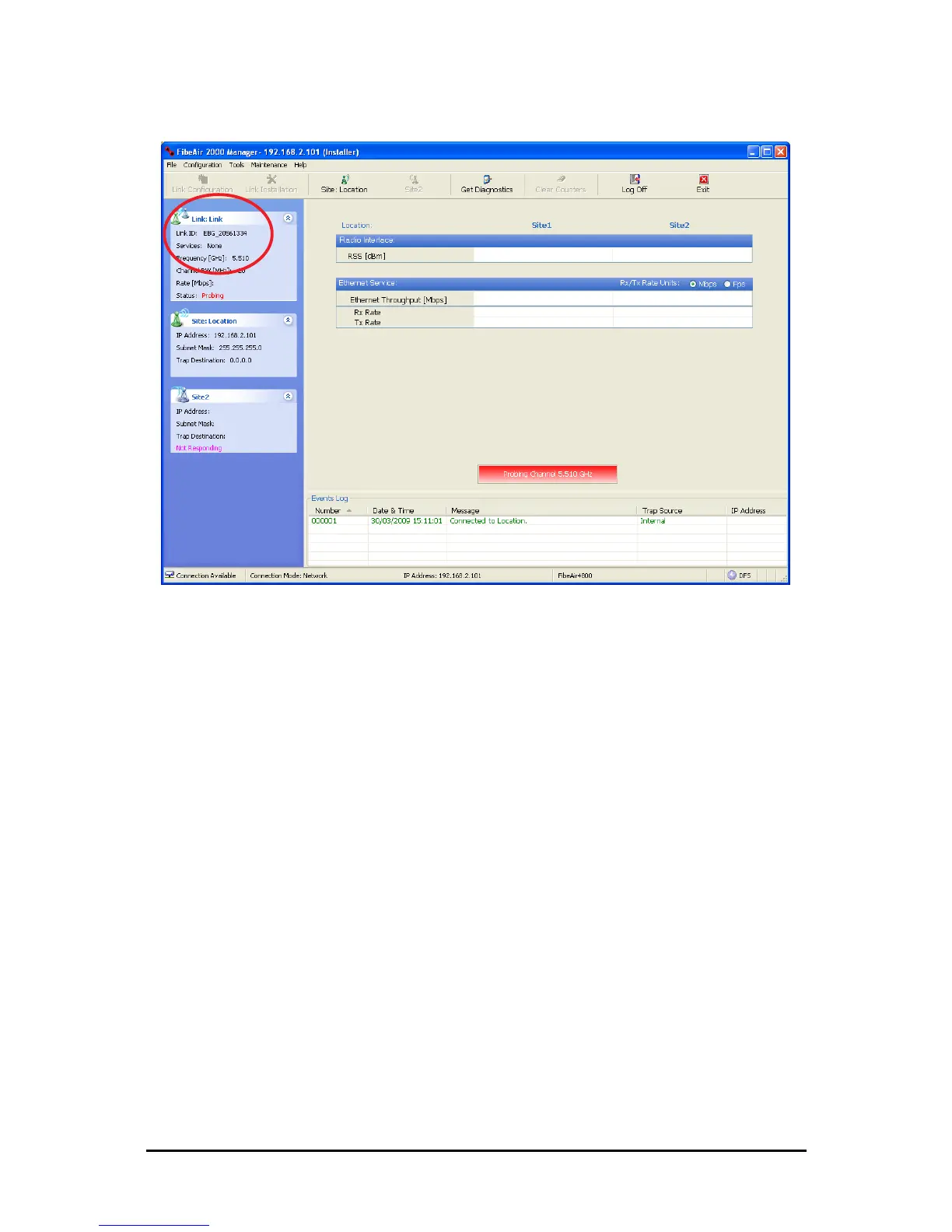
Figure 16-3: The local ODU after activation - Probing
Notice that the Link ID is shown in the Link details pane (circled).
9. Repeat the above procedure for the remote ODU, ensuring that in the Air Interface
window, that you enter exactly the same Link ID, but this time that you check the
Slave radio button.
If both ODUs are powered up, after a minute or so a link will be established. If you
are still connected to the remote site (from the previous steps), the window of
Figure 16-3 will look like this:



 To Next Page