FCC/IC 5.4/5.3 GHz Link Activation Chapter 16
FA4800 User Manual Release 1.9.40 16-2
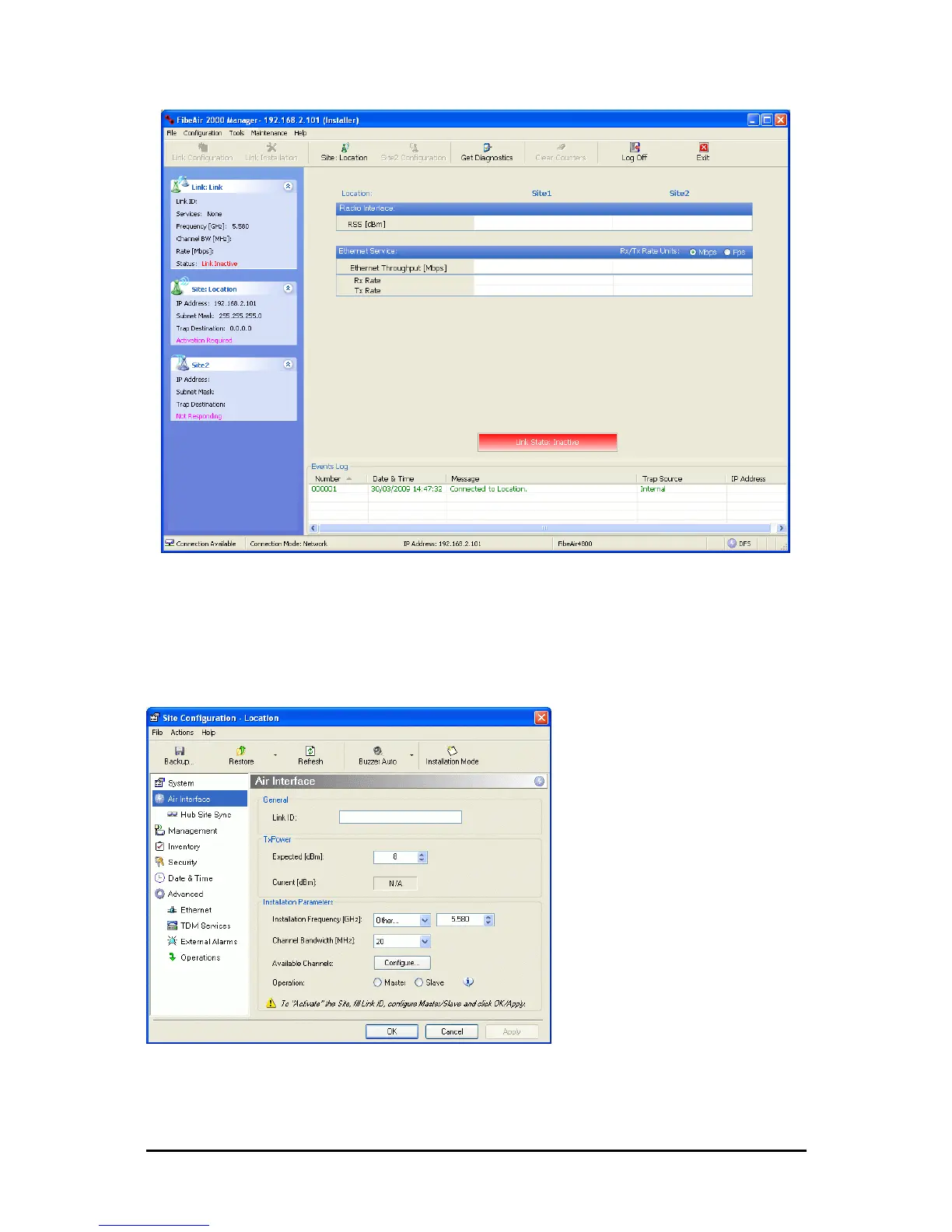
Figure 16-1: Activating an ODU - Inactive link
When the Manager Main Screen is displayed it appears with the Link Status label red
and showing Inactive.
4. Click Site:Location | Air Interface for the logged in site.
5. The Air Interface dialog box opens:
Figure 16-2: Air Interface dialog box
6. Enter the Link ID and note it for use with the second site of the link.
7. Check the Master radio button.



 To Next Page