Installation Chapter 5
FA4800 User Manual Release 1.9.40 5-16
The optimum transmission rate for the selected services is evaluated.
Following a short delay for processing, Back and Next are enabled.
4. Click Next to continue.
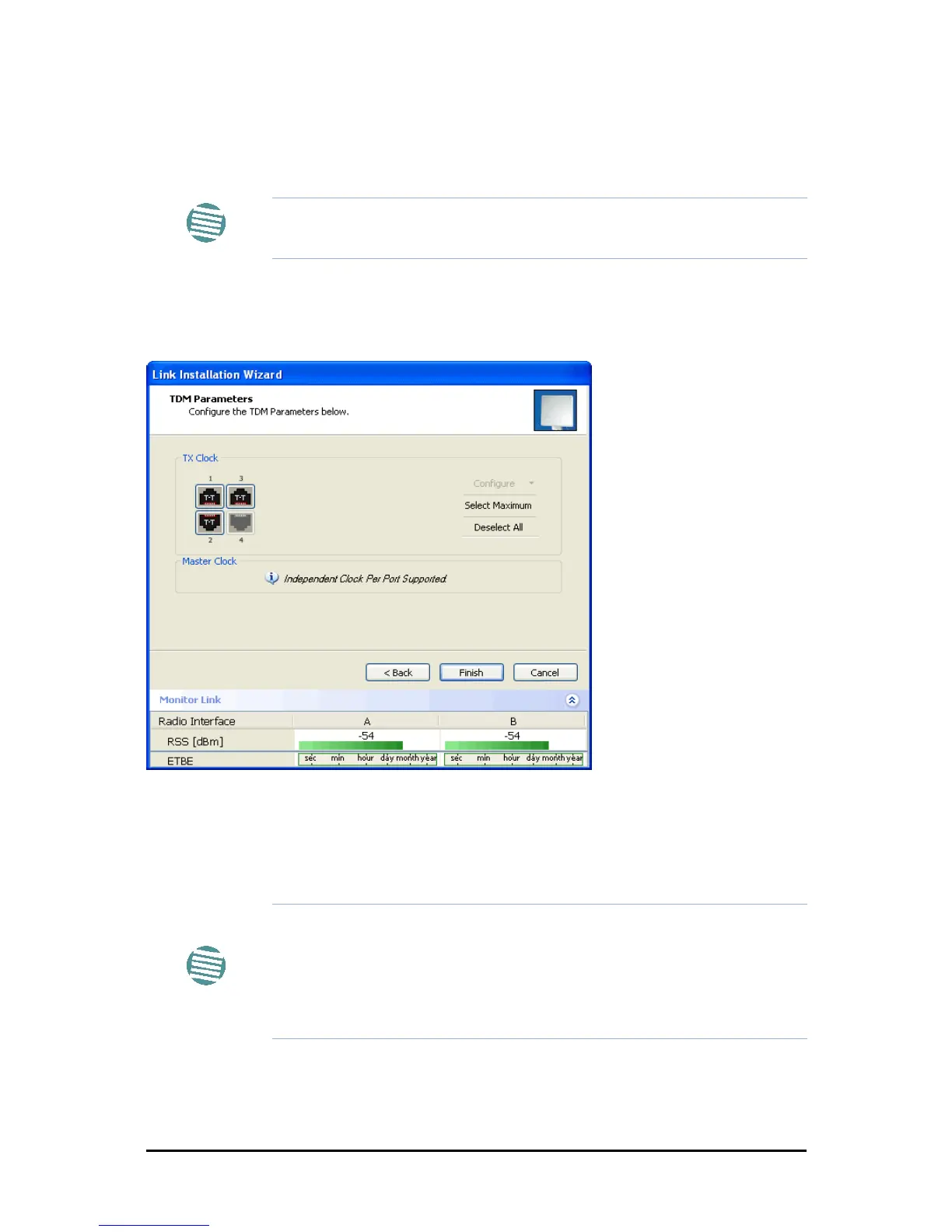
Step 6, TDM Clock Configuration
The following dialog is displayed:
Figure 5-19: TDM Parameters Configuration (1)
To configure TDM clock parameters:
1. For any individual port, click it. For the same parameters for all ports, click
the Select Maximum tag.
2. Click Configure. The following drop down list is displayed:
Note
The transmission rates used by FA4800 are shown in Table 5-4 above.
Note
• Select Maximum will select the maximum number of services that
were configured for the air interface for configuration
• Deselect All unconditionally deselects all of the services for configu-
ration
• Without selecting anything, right-clicking any port will cause the
appearance of the drop down list of Figure 5-30 below



 To Next Page