Mounting the IDU-C Chapter 3
FA4800 User Manual Release 1.9.40 3-10
Mounting the IDU-C
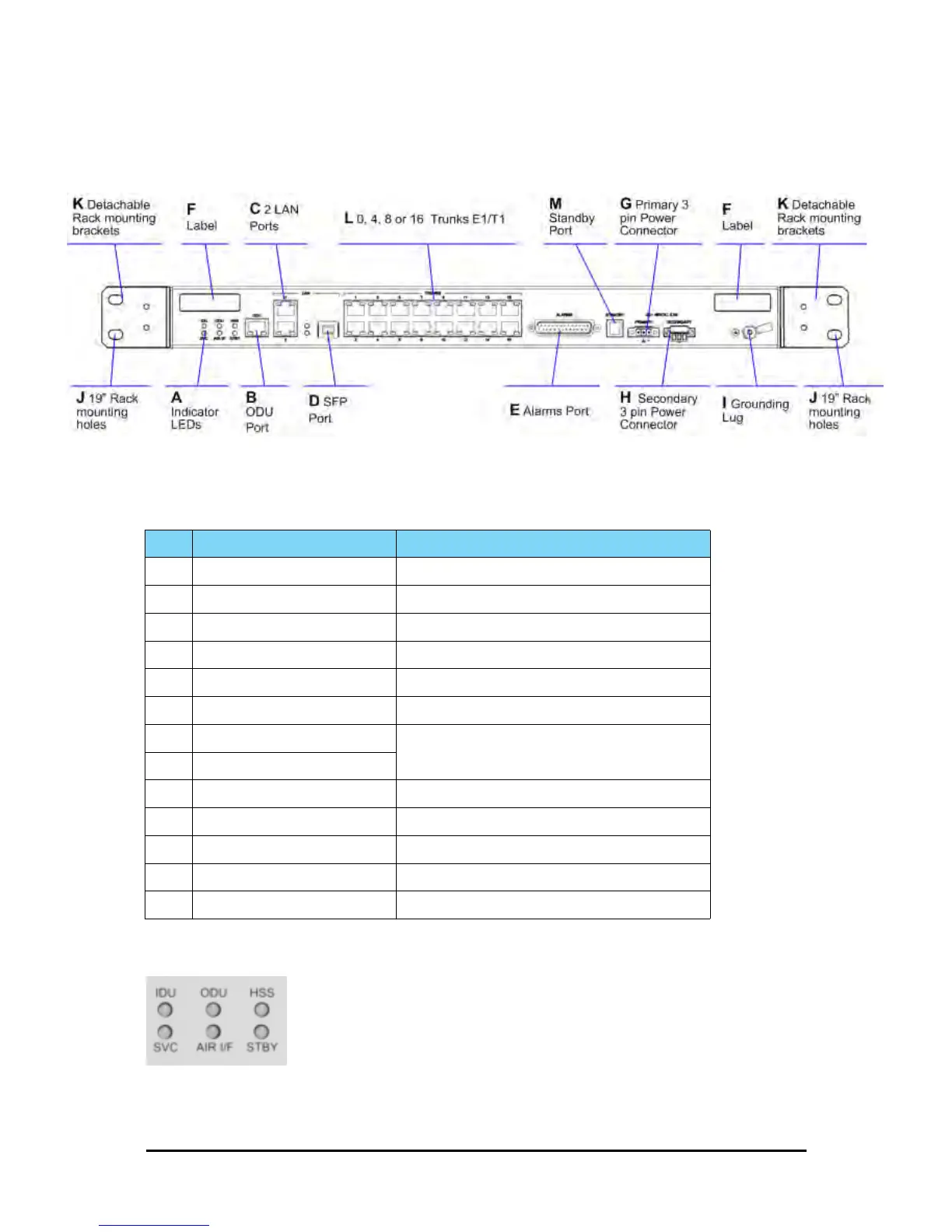
IDU-Cs are all rack mountable, as shown in Figure 3-12. A front panel keyed schematic of a
rack mounted IDU-C is shown in the figure below.
Figure 3-12: IDU-C front panel
Further description of the keyed items in Figure 3-12 is shown in Table 3-1 below:
The Indicator LEDs (Item A in Table 3-1 above) are shown in more detail below:
Figure 3-13: IDU-C Front Panel LEDs
The IDU-E Front Panel LEDS look like this and are functionally the same as the IDU-C LEDs.
Table 3-1: Components of an IDU-C front panel
Key Label Remarks
A Indicator LEDs See Figure 3-13.
B ODU Port RJ-45 connector, see Table B-1.
C LAN RJ45Ports Ethernet, RJ-45 connector, see Table B-3.
D LAN SFP Port See Appendix C.
E Alarm Ports Standard DB25 female connector, see Table B-7.
F Label indent Place for adhesive identification labels.
G Primary 3 pin Power Connector
Standard 3 pins in line power connector, see Table B-8.
H Secondary 3 pin Power Connector
I Grounding Lug Use the lug supplied.
J Rack mounting holes
K Detachable Rack mounting brackets
L 0, 4, 8 or 16 E1/T1 Ports See Table B-5.
M Standby Port Hot Standby ready: HSB cable socket, see Table B-6.



 To Next Page