IDU Detection Chapter 8
FA4800 User Manual Release 1.9.40 8-23
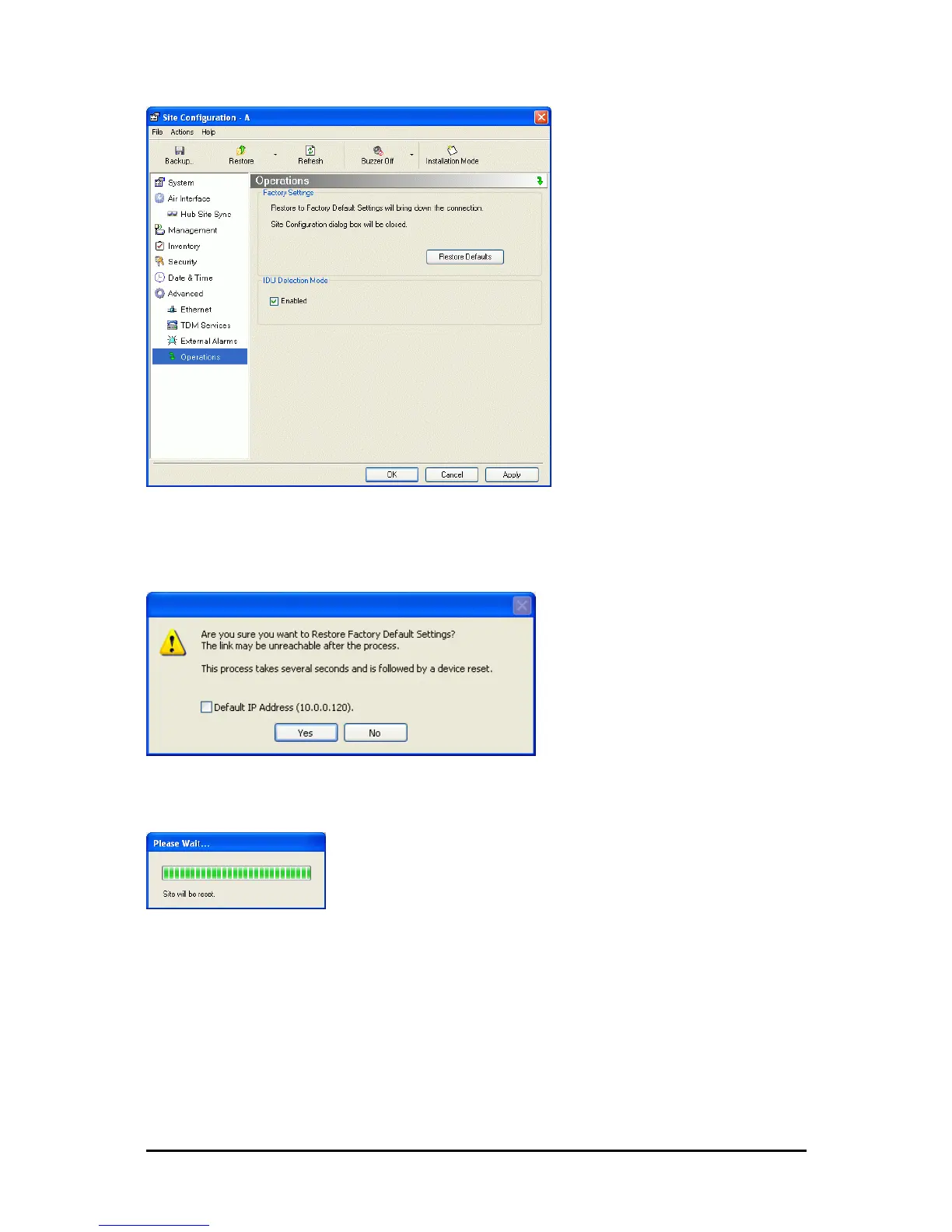
Figure 8-20: Site Configuration - Reset to factory defaults
3. Click the Restore Defaults button.
A message box asking if you want to restore factory default settings appears.
4. Click the check box if you want to keep the current IP address settings.
5. Click Yes to continue.
After a few moments the site will be reset and you will need to log on to it to re-
install the link.
IDU Detection
An ODU always tries to detect the IDU to which it is connected. IDU Detection is effected by
an IDU responding to special ODU packets.
If a PoE device is in use, the detection packets spread to the containing network and may
cause flooding. In such a case, the IDU Detection feature, (Figure 8-20), should be dis-
abled.



 To Next Page