TDM Loopbacks Chapter 9
FA4800 User Manual Release 1.9.40 9-5
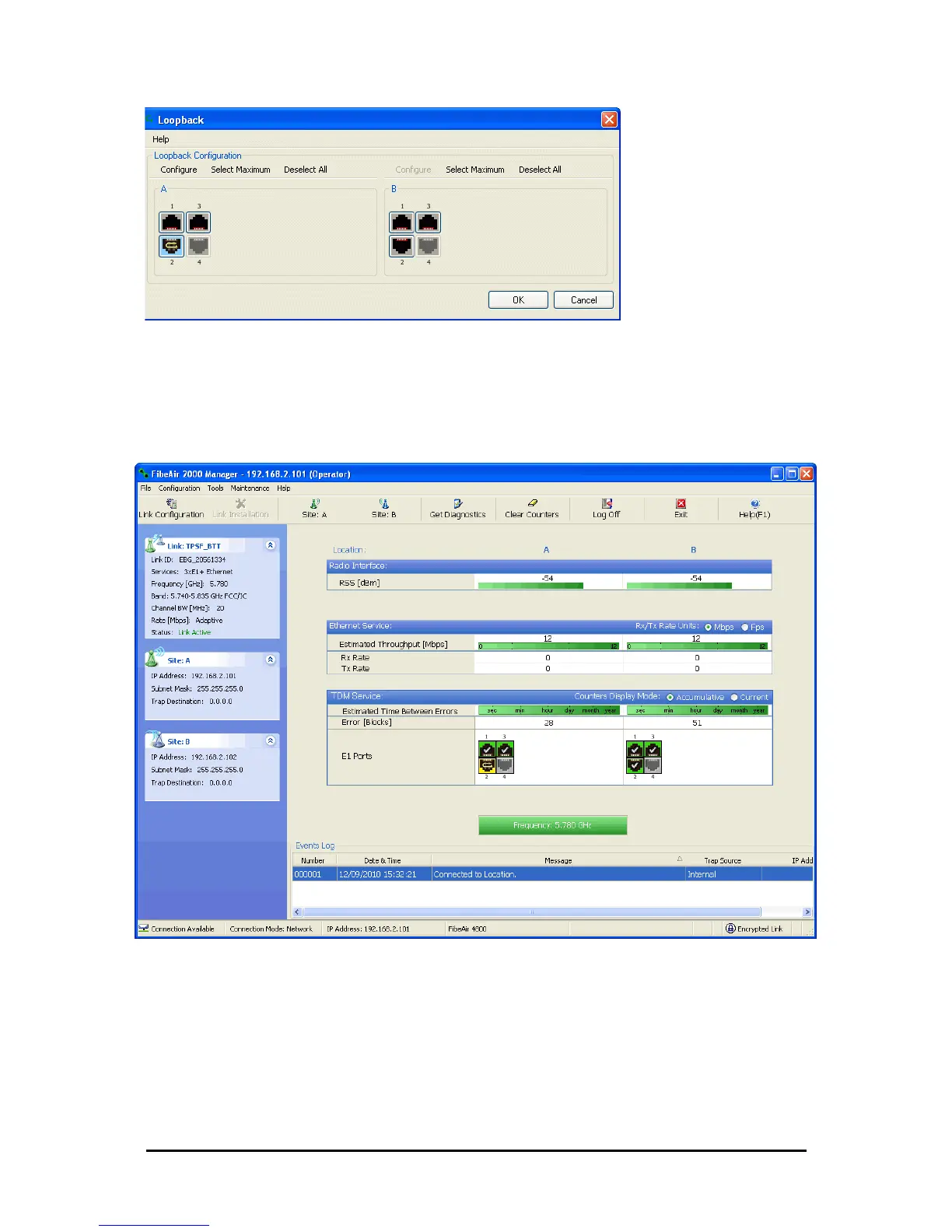
Figure 9-5: Loopback defined
5. Click OK to activate the selected loopback(s).
This activates selected loopback(s). The corresponding service port icon
changes color and appearance to indicate an active loopback.
Figure 9-6: Site A port 2 set to loopback
To deactivate a loopback:
• Return to the situation of Figure 9-4 and click None.
When a loopback is deactivated, the corresponding icon in Figure 9-6
reverts to its previous state (like the right side of the figure).



 To Next Page