VLAN Tagging for Ethernet Service: Configuration Chapter 8
FA4800 User Manual Release 1.9.40 8-18
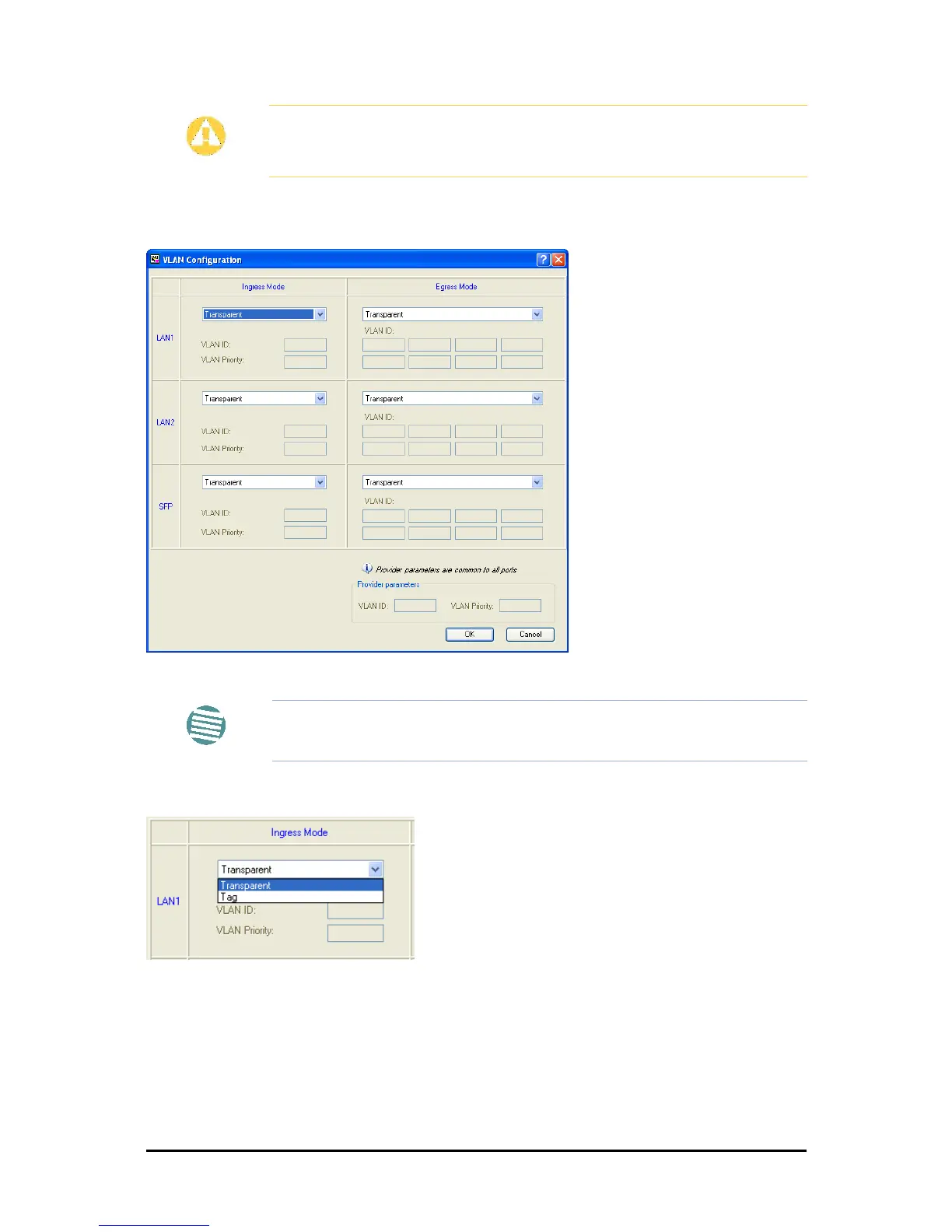
To set up VLAN tagging for Ethernet Service, click the VLAN Configuration... button in
Figure 8-14. The following window is displayed:
Figure 8-15: VLAN tag settings
The choices for Ingress Mode are -
and for Egress Mode are -
Caution
VLAN IDs are used by Ceragon products in three separate contexts:
Management VLAN, Traffic VLAN and Ethernet Ring. It is recommended that
you use different VLAN IDs for each context.
Note
If you are using a new style IDU-E, the SFP row will not appear.



 To Next Page