Using FibeAir2000 Manager to Set up a Ring Chapter 13
FA4800 User Manual Release 1.9.40 13-10
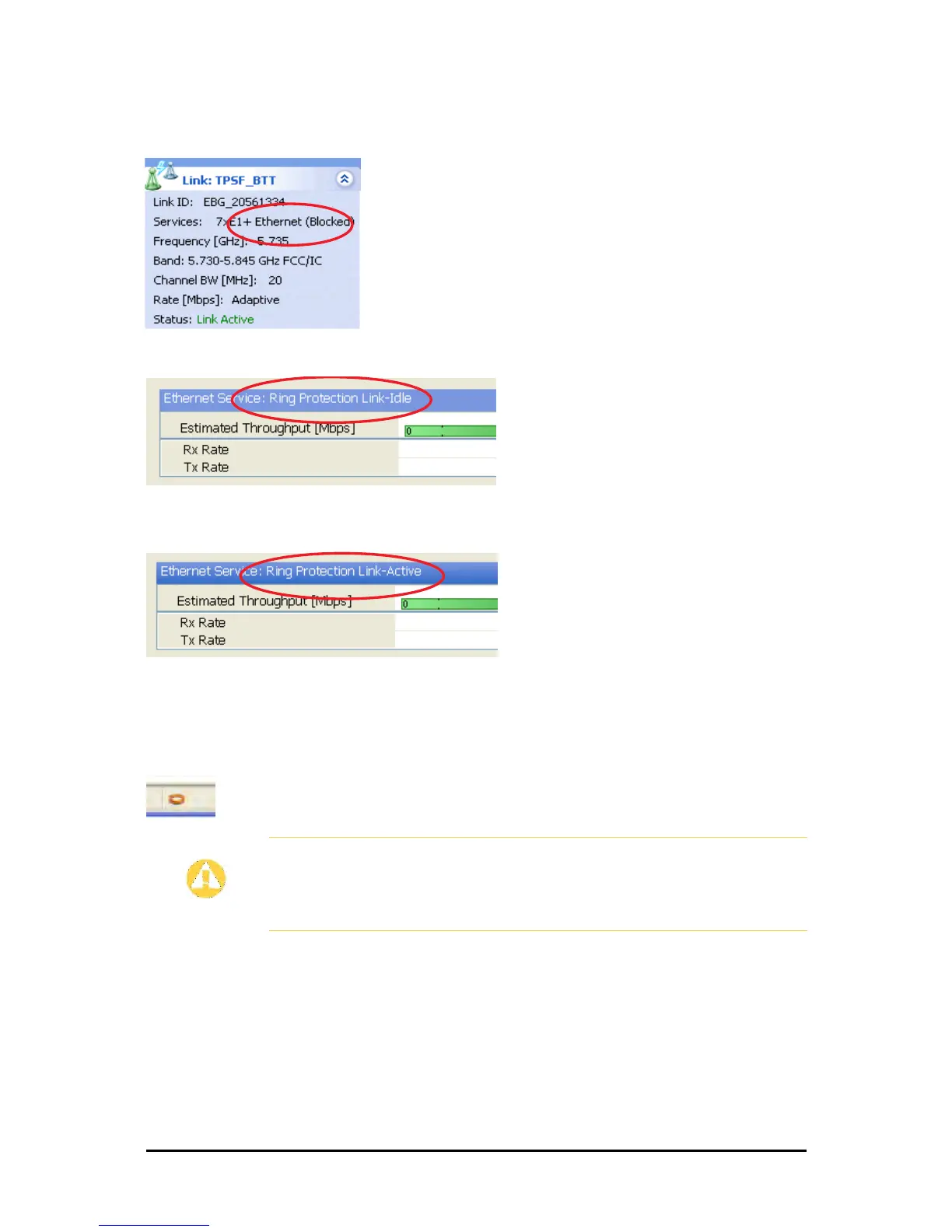
The RPL will be clearly indicated in the FibeAir2000 Manager. In the Link status area
on the top left, you will see an Ethernet (Blocked) notice:
A Link-Idle message is displayed on the Ethernet Services Bar:
When the RPL cuts in as a result of a failure, the “Ethernet (Blocked)” notice disap-
pears. The Ethernet Services Bar indicated that the RPL is active:
Upon restoration of the broken link, the RPL returns to idle status with the appropri-
ate indications on the FibeAir2000 Manager main window.
On the status bar for all ring member links, you will see the ring membership indica-
tor icon:
Caution
• Do not configure more than one RPL. If you do, you will break the
Ring
• If you forget to configure one RPL in a Ring, you will introduce a loop
into your network



 To Next Page