Configuration with the web interface
6-38 Chapter 6: Configuration 98-150471-A02
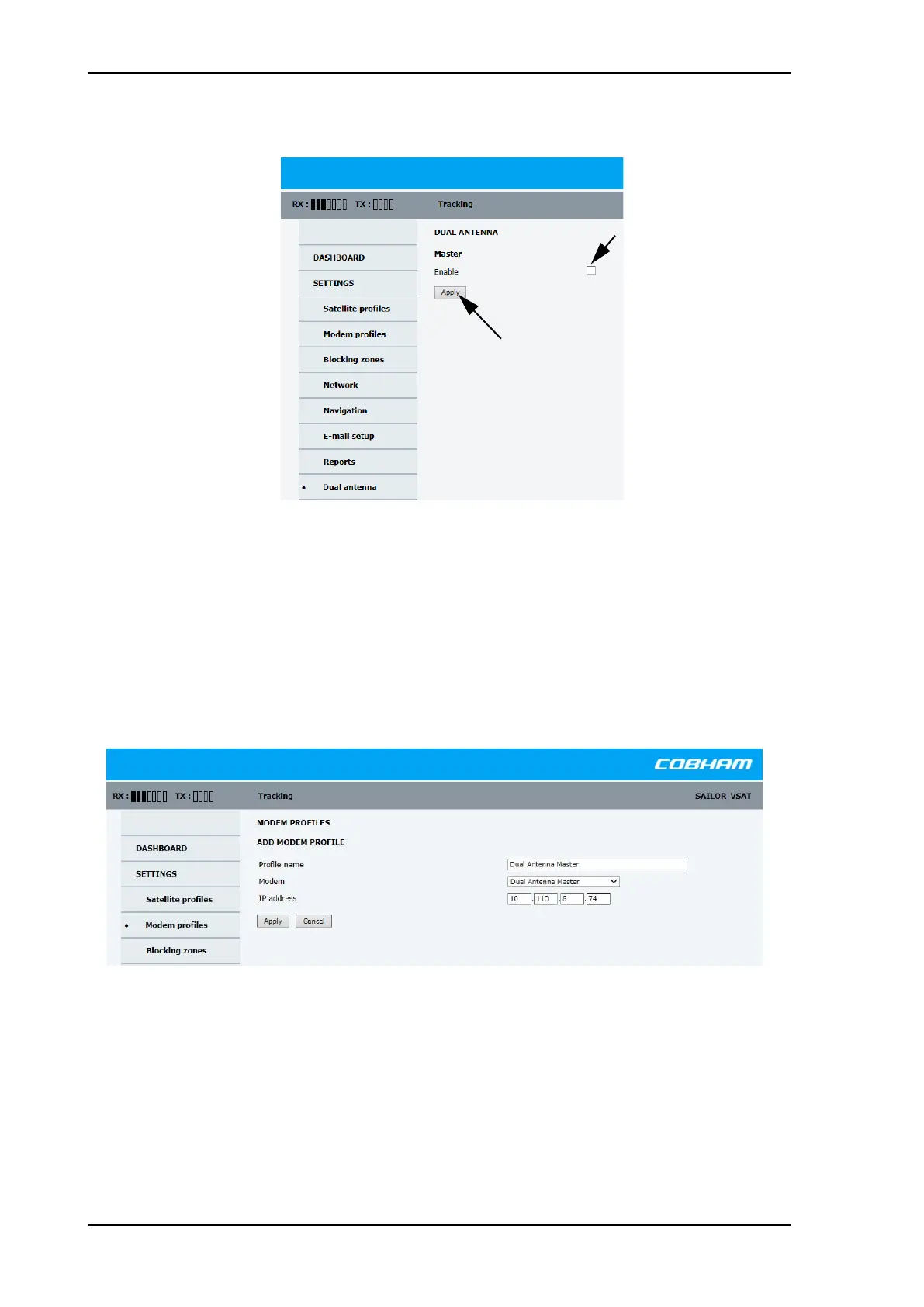
2. Select Enable and click Apply.
The SAILOR 900 VSAT High Power is now ready to act as Master ACU.
To configure the Slave ACU
The Slave ACU is configured to use the Master ACU as VSAT modem profile. The VSAT
modem profile must point to the IP address of the Master ACU, that is the IP address of the
LAN port at which the Master/Slave communication cable is connected.
1. Add a specific VSAT modem profile for dual-antenna mode, go to SETTINGS >
Satellite profiles > VSAT modem profiles > New entry.
2. Enter the profile name, for example Dual Antenna Master.
3. As modem select Dual Antenna Master.
4. IP address: this is the IP address of the LAN connector at the Master ACU. See To
configure the LAN network on page 6-30.
5. Click Apply.
Figure 6-28: Enabling dual-antenna mode in Master ACU
Figure 6-29: Dual-antenna mode, add modem profile for slave ACU (example)
SAILOR900HP.book Page 38 Monday, July 18, 2016 12:44 PM










 To Next Page