Software update
98-150471-A02 Chapter 8: Service 8-5
Software recovery procedure (SAFE MODE)
To recover from a failed software upload, turn off the ACU and turn it on again. Then repeat
the upload procedure as described in Software update on page 8-4. If this does not help
use the following recovery procedure:
1. Switch off the ACU.
2. Press and hold down the arrow keys and on the keypad.
3. Switch the ACU on and wait for the display to show with a small font size SAFE MODE
in the top left corner.
4. Release the arrow keys and .
5. Connect a PC to LAN port 3 of the ACU.
6. Set the IP address of the PC to static: IP:192.168.0.2, Subnet: 255.255.255.0
7. Open an Internet browser and type http://192.168.0.1 (Default IP address of the ACU).
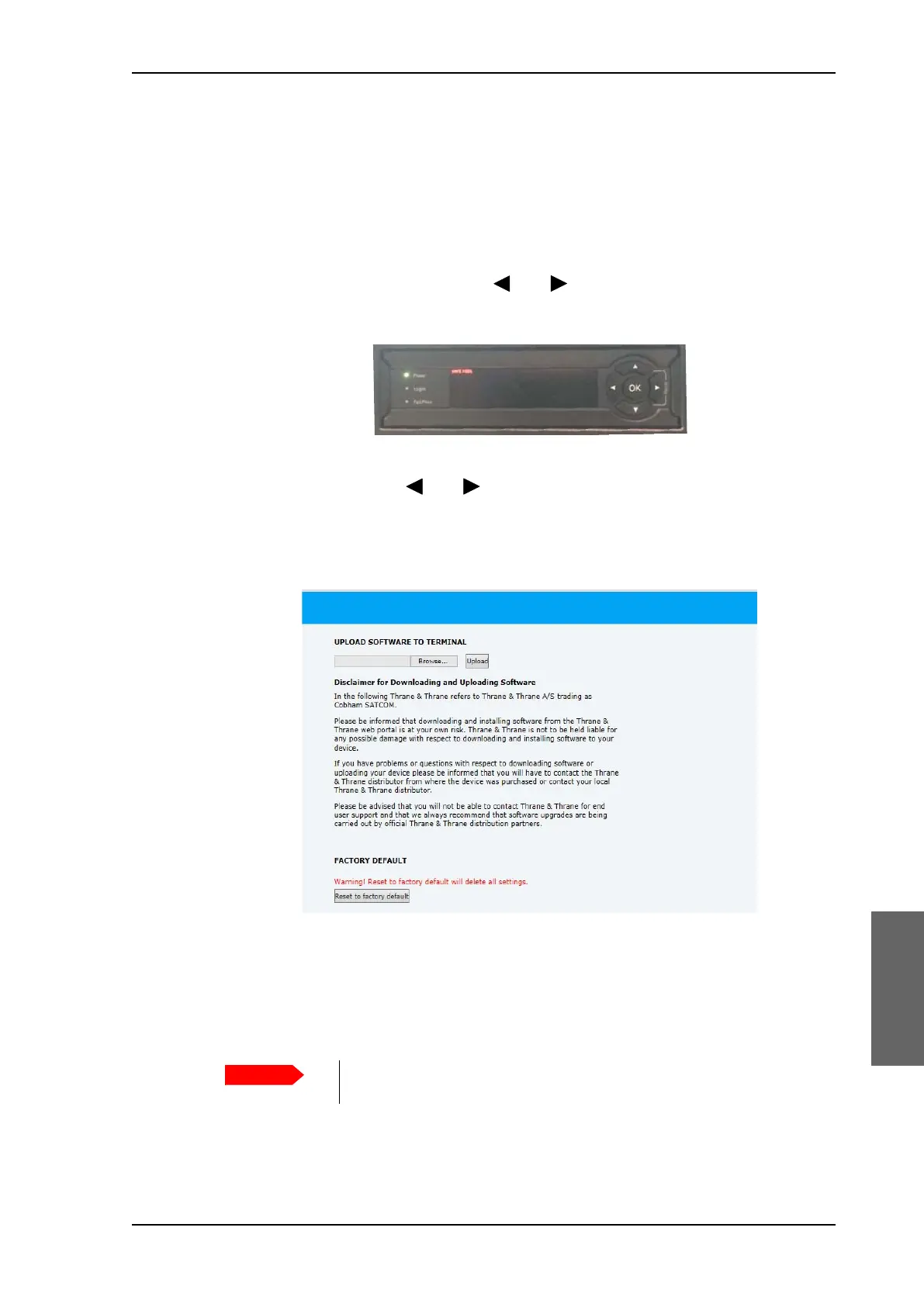
8. Click Browse... and locate the software file.
9. Click Upload.
The upload procedure takes a couple of minutes. When done, the ACU automatically
restarts with the new software version.
Figure 8-2: Recovery procedure after failed software upload
Figure 8-3: Upload software to terminal
Do not browse away from the upload page. This will terminate the
upload process. Wait for the browser to reload automatically.
SAILOR900HP.book Page 5 Monday, July 18, 2016 12:44 PM










 To Next Page