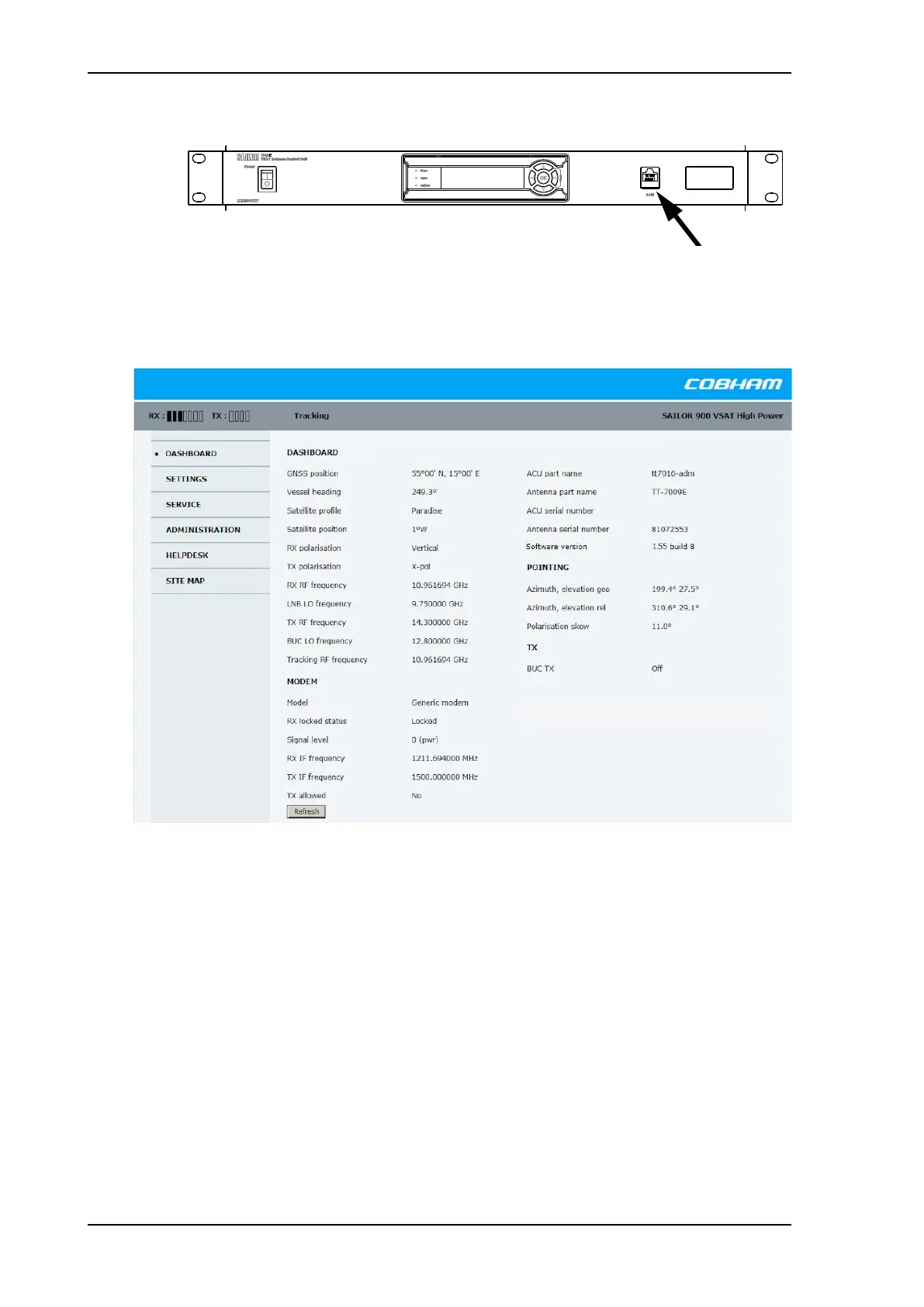
Introduction to the built-in web interface
6-2 Chapter 6: Configuration 98-150471-A02
2. Open your Internet browser and enter the IP address of the ACU. The default IP address
is http://192.168.0.1.
3. The web interface shows the DASHBOARD page.
When the Dashboard is displayed you have verified that the connection to the SAILOR 900
VSAT High Power can be established. The web interface is ready for use. You can continue
to configure the system.
If you cannot establish a connection there might be problems with the Proxy server
settings of your PC. See Proxy server settings in your browser on page 6-20 for further
information. For a detailed introduction to the web interface see Overview and dashboard
on page 6-18. If you want to use another LAN port you must configure it according to your
network requirements. For information how to configure the LAN connectors see To
configure the LAN network on page 6-30.
For a detailed introduction to the web interface see Overview and dashboard on page 6-
18.
Figure 6-1: SAILOR 900 VSAT High Power ACU
Figure 6-2: Dashboard
SAILOR900HP.book Page 2 Monday, July 18, 2016 12:44 PM










 To Next Page