Gilat SkyEdge II VSAT modem
C-26 Appendix C: VMU settings 98-150471-A02
C.7 Gilat SkyEdge II VSAT modem
C.7.1 Interfaces and VSAT modem configuration
The following sections describe how to connect an ACU to a Gilat SkyEdgeII VSAT modem.
The Gilat SkyEdge II and the SAILOR 900 VSAT High Power are fully integrated and require
only little user setup.
Connections
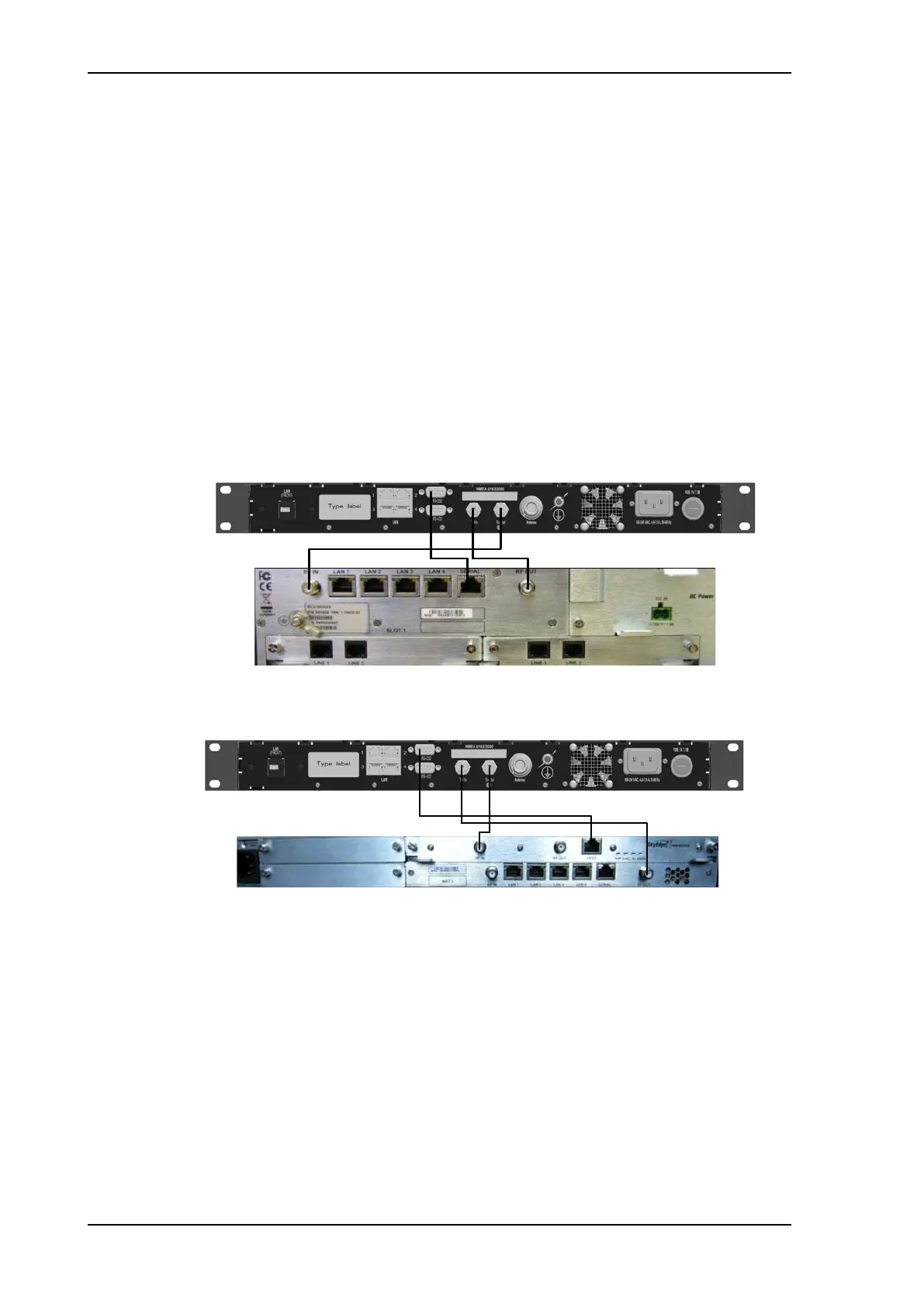
Connect the ACU and Gilat SkyEdge II with the following cables:
• 75 Ohm RF cables F-F connectors for RX and TX frequencies
• Serial cable for communication with the modem. Connect SERIAL on the VSAT modem
to RS-232 on the ACU. You can use the cable described in Modem Cable iDirect Serial
and RSSI on page B-3.
Modem configuration requirements
1. Connect a PC with an Ethernet cable to LAN port 1 of the VSAT modem.
2. Set the PC to static IP address: 192.168.1.2
3. Start an Internet browser (e.g. Internet Explorer) and go to URL://192.168.1.1 in order to
get access to the web server of the VSAT modem.
4. Login with: User name: inst and Password: $Sat2598$
Figure C-20: Connecting Gilat SkyEdge II VSAT modem to the ACU
Figure C-21: Connecting Gilat SkyEdge II VSAT modem (rack) to the ACU
SAILOR900HP.book Page 26 Monday, July 18, 2016 12:44 PM










 To Next Page