Calibration
98-150471-A02 Chapter 6: Configuration 6-15
6.2.7 To make a line up procedure
The SAILOR 900 VSAT High Power has been tested at the factory and online on a live
satellite link to calibrate the TX polarisation unit. You can fine-tune the TX polarization by
doing a line up as described below. To do the line up, do as follows:
1. Open your Internet browser and enter the IP address of the ACU. The default IP address
is http://192.168.0.1.
2. Create a VSAT modem profile and a satellite profile using the previously created VSAT
modem profile (See To set up a service profile for calibration on page 6-10).
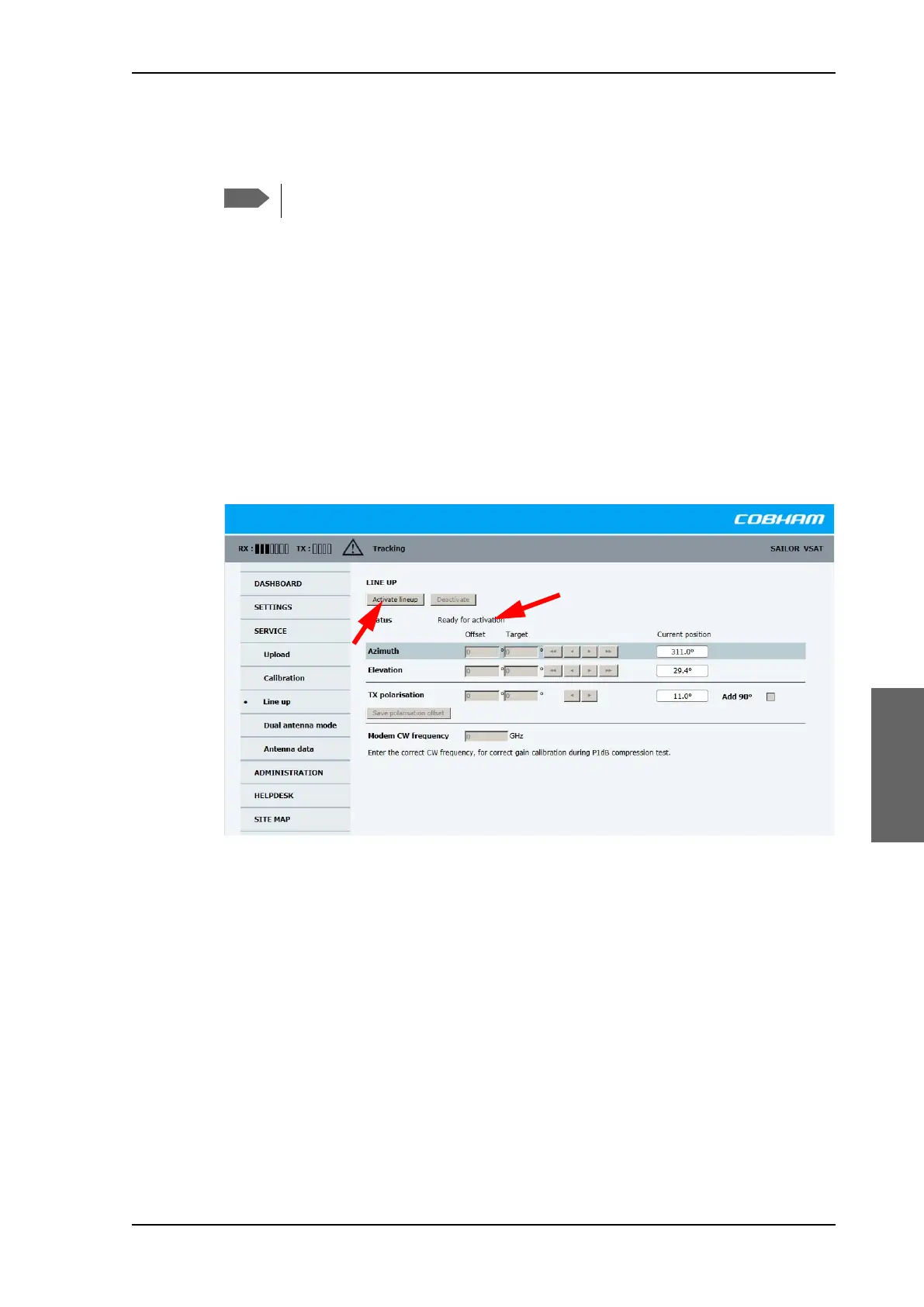
3. Go to the page SERVICE > Line up. As soon as the antenna is in tracking mode and
points to the satellite, the text next to Status shows: Please wait. Improving
tracking. This may take up to 2 minutes.
4. Wait until the text shows: Ready for activation.
5. Click the button Activate lineup and wait until the status field shows Antenna ready.
Follow the instructions from your service provider.
The ship must not move during the line-up procedure.
Figure 6-11: Web interface: SERVICE, Line up: Ready for activation
SAILOR900HP.book Page 15 Monday, July 18, 2016 12:44 PM










 To Next Page