Configuration with the web interface
6-24 Chapter 6: Configuration 98-150471-A02
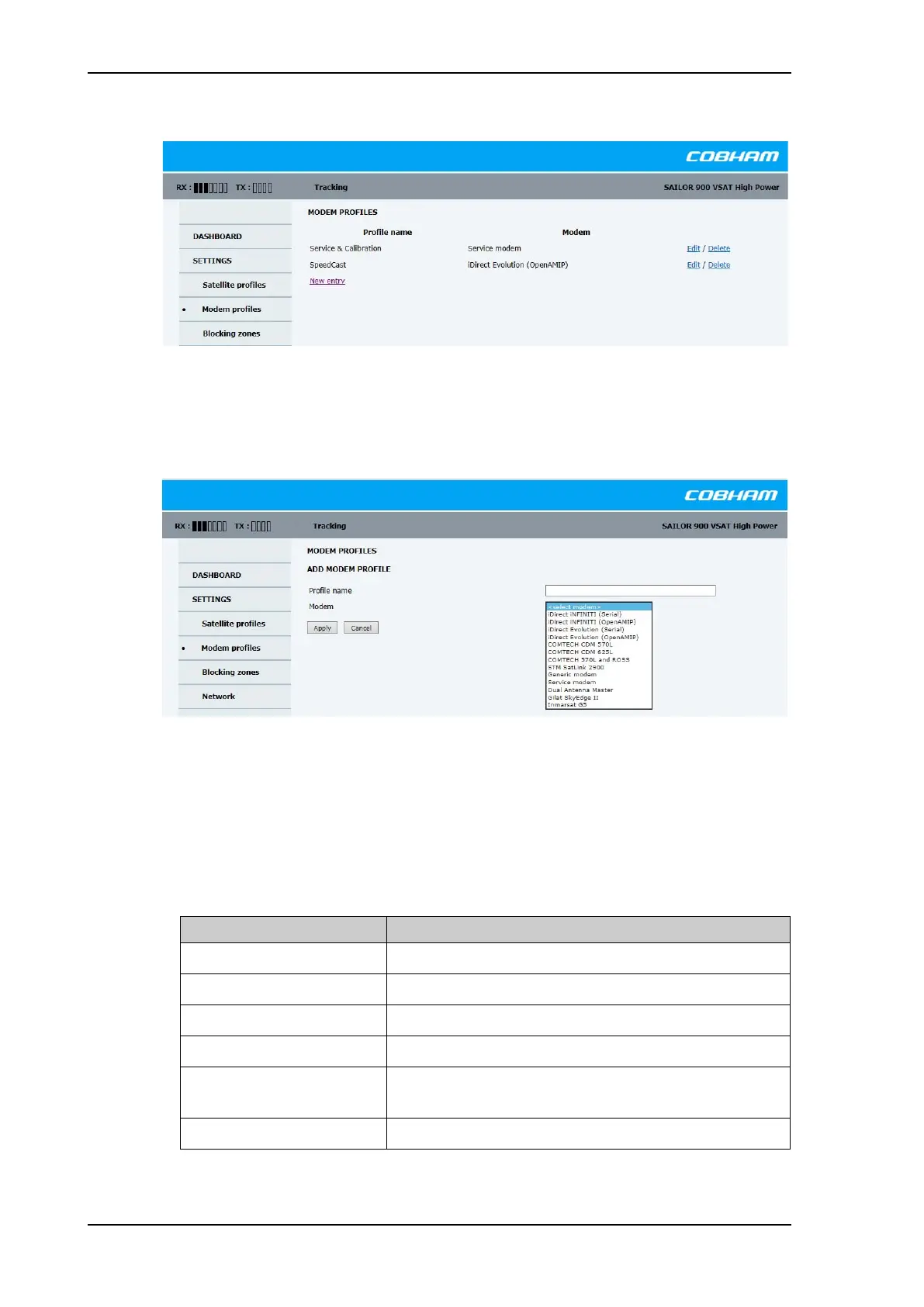
To add or edit a modem profile, do as follows:
1. Go to SETTINGS > Modem profiles and click New entry or Edit. The supported
modem profiles are listed in the drop-down list VSAT modem profile.
2. Fill in a VSAT modem profile name of your own choice.
3. Select one of the supported modems from the drop down list. Once you have selected a
modem, entry fields required for this modem are displayed.
Generic modem: If you have a modem that is not included in the list, select the generic
modem.
4. Fill in or edit the data provided by your VSAT service provider.
The following configuration data may be needed by the modem:
Figure 6-16: Web interface: SETTINGS, VSAT modem profiles — list (example)
Figure 6-17: Web interface: SETTINGS, Modem profile – supported modems
Parameter Description
IP address Enter the IP address for the dual antenna master.
Port Enter the modem IP port number.
VSAT modem root password iDirect serial login. Default: P@55w0rd!
VSAT modem user password iDirect serial login. Default: iDirect
Baud rate Select the baud rate for the modem communication or
modem GPS input.
GPS output Disable GPS output or select the appropriate baud rate.
Table 6-12: Modem configuration data
SAILOR900HP.book Page 24 Monday, July 18, 2016 12:44 PM










 To Next Page