Adjustable Steering Column
Controls
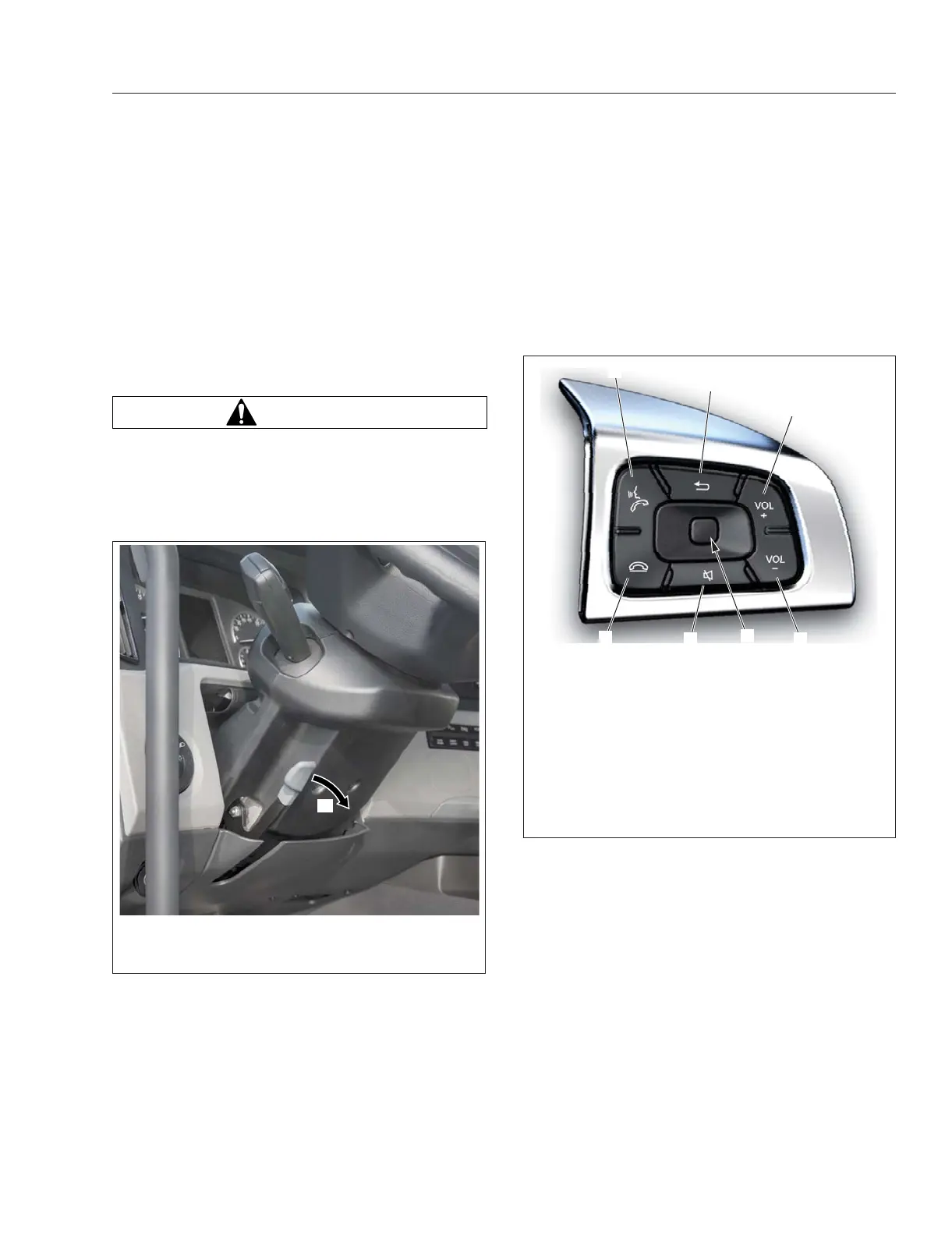
To unlock the steering column to adjust it, pull the
steering column locking lever out and away from the
column. See
Fig. 4.31. With the column unlocked,
the steering wheel can be adjusted up-and-down and
tilted fore-and-aft. Once the wheel is in the desired
position, lock the position by pushing the lever in to-
ward the column until it goes no further and is paral-
lel to the column itself.
WARNING
Make sure that the steering column is locked be-
fore driving the vehicle. Never attempt to adjust
the column while driving the vehicle. Doing so
could cause loss of vehicle control, personal in-
jury, and property damage.
Radio Controls
Vehicle radio controls are a mix of both physical and
electronic.
Physical radio volume controls are located on the
steering wheel. ICUC volume up and down switches
are on the left-hand switch pod. ICC5 volume up and
down buttons are on the right-hand switch pod. See
Fig. 4.32.
Other radio controls--muting the volume, choosing an
audio source or radio station, or saving a station as a
favorite can be done via the vehicle ICU.
For additional radio operating instructions, see the
infotainment section in
Chapter 3 Instruments.
Climate Controls
NOTE: See Chapter 8 Climate Controls for de-
tailed climate control panel operating instruc-
tions.
Cab Climate Control
NOTE: On vehicles equipped with the ICC5, the
fan speed, set temperature, and ventilation
mode temporarily appear on infotainment screen
when these items are adjusted.
f46230109/14/2016
A
A. Pull the steering column locking lever out and away
from the column.
Fig. 4.31, Unlocking the Steering Column
f611531b10/25/2018
1
2
3
4
5
6
A
A. Menu Button—Press the button to access
instrument panel menus. When the button is
pressed, information appears on the 10-inch head
unit screen.
1. Phone Pick-Up
2. Back Button
3. Volume Increment Up
4. Volume Increment Down
5. Mute Button
6. Phone Hang-Up/Reject
Fig. 4.32, Steering-Wheel-Mounted Right-Hand Pod -
ICC5
Driver Controls
4.16



 To Next Page