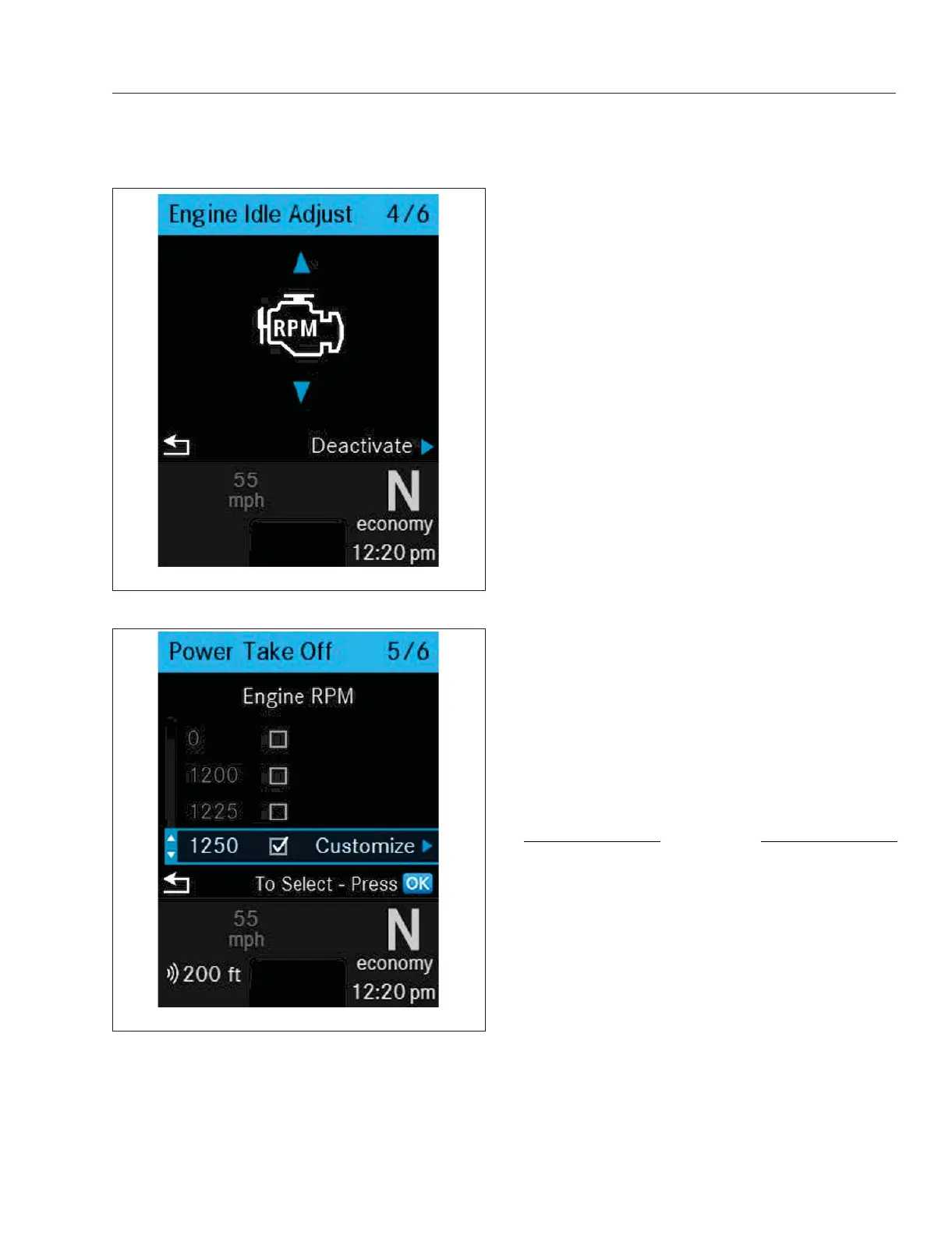
The Optimized Idle screens allow the driver to
choose the optimized idle mode and enable or dis-
able the feature. For more information see "Instru-
ments and Systems: ICUC" in this chapter
Digital Gauges and System
Monitors: ICUC
ICUC Gauges
In the ICUC there are six digital gauges and three
sets of system screens for the Diesel Particulate Fil-
ter (DPF), Eco Driver Feedback (EDF), and the Tire
Pressure Monitoring System (TPMS).
The six digital gauges under the Vehicle Operations
menu of the driver display are:
•
Engine Oil Temperature
•
Turbo Boost Pressure
•
Transmission Oil Temperature
•
Front Axle Oil Temperature
•
Rear Axle Oil Temperature
•
Application Air Pressure
In the ICUC, if a value measured by a digital gauge
exceeds the normal range, an amber caution or red
danger popup message will appear. However the bar
graph color will remain green and the bar graph
icons will remain white.
NOTE: The order of ICUC digital gauges and
therefore the screen on which they display can
be changed under Gauge Settings under Set-
tings.
Engine Oil Temperature Gauge
NOTICE
A sudden increase in oil temperature that is not
caused by a load increase may indicate mechani-
cal failure. Bring the vehicle to a safe stop and
investigate the cause to prevent further damage.
Do not operate the engine until the cause has
been determined and corrected.
During normal operation, the optional engine oil tem-
perature gauge (
Fig. 3.23) should read in the follow-
ing temperature range:
•
200 to 260°F (93 to 126°C) for Detroit and
Cummins engines
f61164004/29/2019
Fig. 3.21, Quick Access Screen: Engine Idle Adjust
f61164104/29/2019
Fig. 3.22, Quick Access Screen: Power Take Off (PTO)
Instruments
3.12



 To Next Page