System Overview
The New Cascadia has a multiplex electrical system.
By transmitting multiple electronic messages through
the same wire, a multiplex system reduces the num-
ber of interconnected wires, allows for more precise
control of the electrical system, and makes it easer
and quicker to diagnose electrical faults and add op-
tional equipment.
In addition, the wiring harnesses are developed for
the maximum number of options, meaning that space
for additional wires is available within the wiring har-
ness regardless of the number of optional features
on the vehicle. This design provides a cleaner main
harness and is meant to eliminate the need for wiring
overlays
Traditional power distribution devices are replaced
with electronic control modules (ECUs). These coor-
dinate power to outputs such as lighting, displays,
gauges, and indicators and control power distribution
by monitoring inputs such as sensors and switches.
Power is supplied by the vehicle power distribution
module (VPDM).
The ECUs also continuously monitor the status of all
input devices and transmit messages over multiple
control area networks (CANs), reducing the number
of sensors required for operation.
The Instrumentation Control Unit
(ICU) and Fault Codes
NOTE: Some non-critical faults may be sup-
pressed and will not appear during an instru-
mentation control unit (ICU) self-check.
The majority of electrical and electronic issues on the
vehicle will have an associated fault code, which will
be displayed on the ICU.
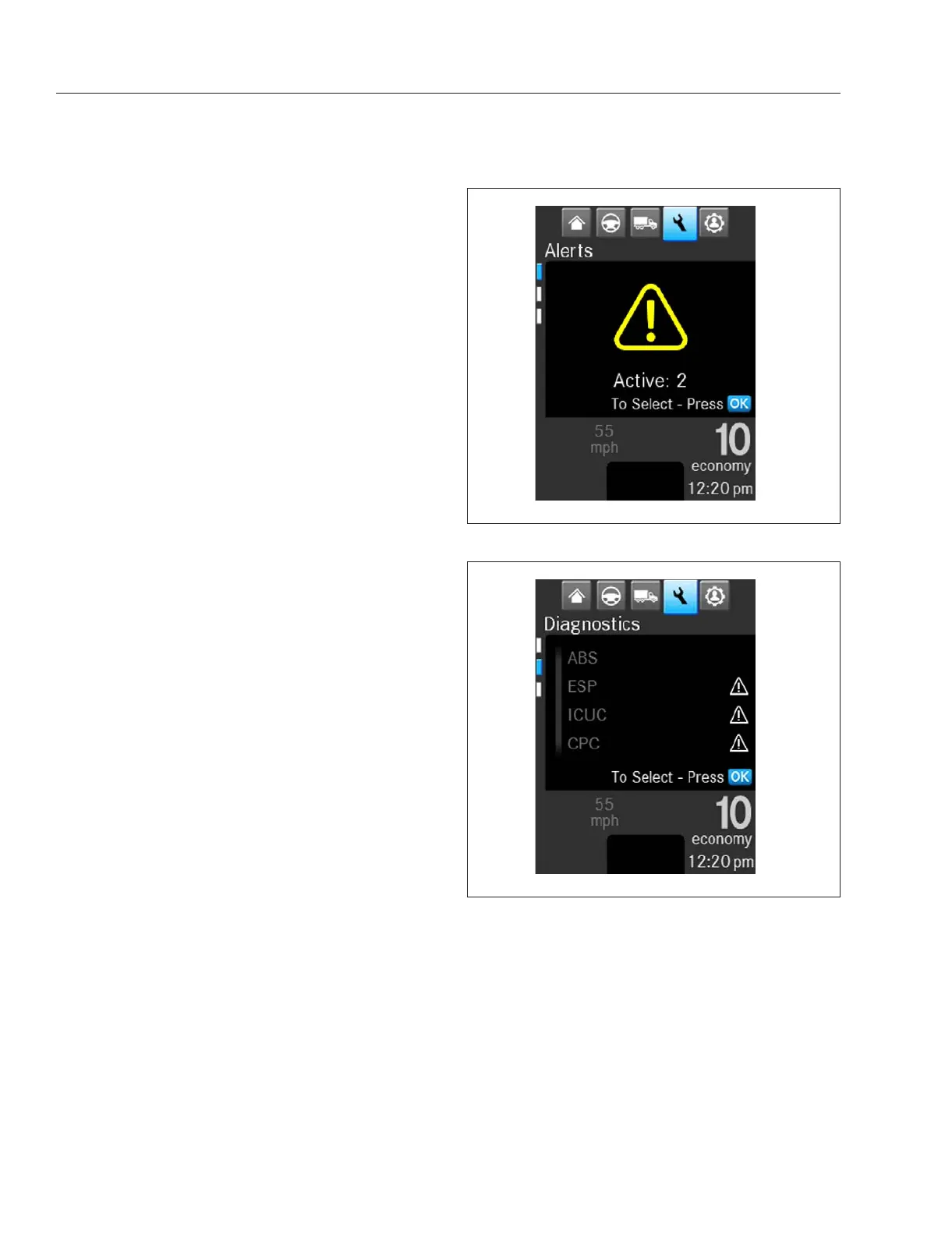
If the ICU receives active fault codes during the ICU
self-check, it displays them one after the other until
the parking brake is released or the ignition is turned
off. Once the parking brake is completely released,
the ICU displays alerts until acknowledged. See
Fig. 11.1. If there are no active faults, the ICU dis-
plays the home screen after the self-check com-
pletes.
When there is an active vehicle fault code, a popup
will appear on the ICU message screen.
To access fault codes in the ICU:
1.
Use the buttons on the left-hand steering wheel
to navigate to the wrench icon and press OK.
2.
ECUs with active faults will have an exclamation
point next to them. Use the down arrow to select
the affected ECU from the list, then press OK.
Refer to the ECU acronyms list for the full names
of acronyms on the ICU screen. See
Table 11.1.
3.
Locate the code to troubleshoot from the list of
active fault codes, then press OK to access the
information screen. See
Fig. 11.3.
f61143808/25/2016
Fig. 11.1, ICUC Active Faults Alert Screen
f61143908/25/2016
Fig. 11.2, Electronic Control Unite (ECU) List in the
ICUC
Electrical System
11.1



 To Next Page