vehicle is equipped with a tachograph only the
time zone can be changed.
ICC5 time and alarm clock settings can be found
under the Settings menu. See the appropriate Driver
Display section for details.
The correct time and date is required for the follow-
ing ICC5 functions to work:
•
Alarm clock
•
Navigation guidance with time-dependent traffic
routing
•
Calculation of the expected time of arrival
•
Maintenance
•
Prognostics
Software Updates
A software update consists of three steps:
1.
Downloading the software.
2.
Installing the software.
3.
Activating the software by restarting the system.
A popup message and a blue folder will appear in
one of the dynamic telltale locations on the driver
display (see
Fig. 3.53, callout 18) when an update is
available. In addition the software update option in
the diagnostics menu will be active.
The vehicle must be in neutral gear, the parking
brake set, and the engine off before a software up-
date can start. Once started, a software update can-
not be cancelled.
During the software update process, progress mes-
sages will be provided.
If a software update is interrupted, the system will
ask if you want to restart the process or inform you
that the vehicle cannot be driven until the update is
complete. If a software update fails, the system will
attempt to revert to the previous version. A notifica-
tion will appear when a software update has been
successfully installed.
Failure to install software updates may make data
less secure and/or mean vehicle systems are not
operating at their best.
NOTE: An estimation of installation time will be
given before the software update starts. Installa-
tion can take several minutes. During installation
individual functions and controls will not be
available or only available to a limited degree.
f61175706/278/2019
1
2
3
4
5
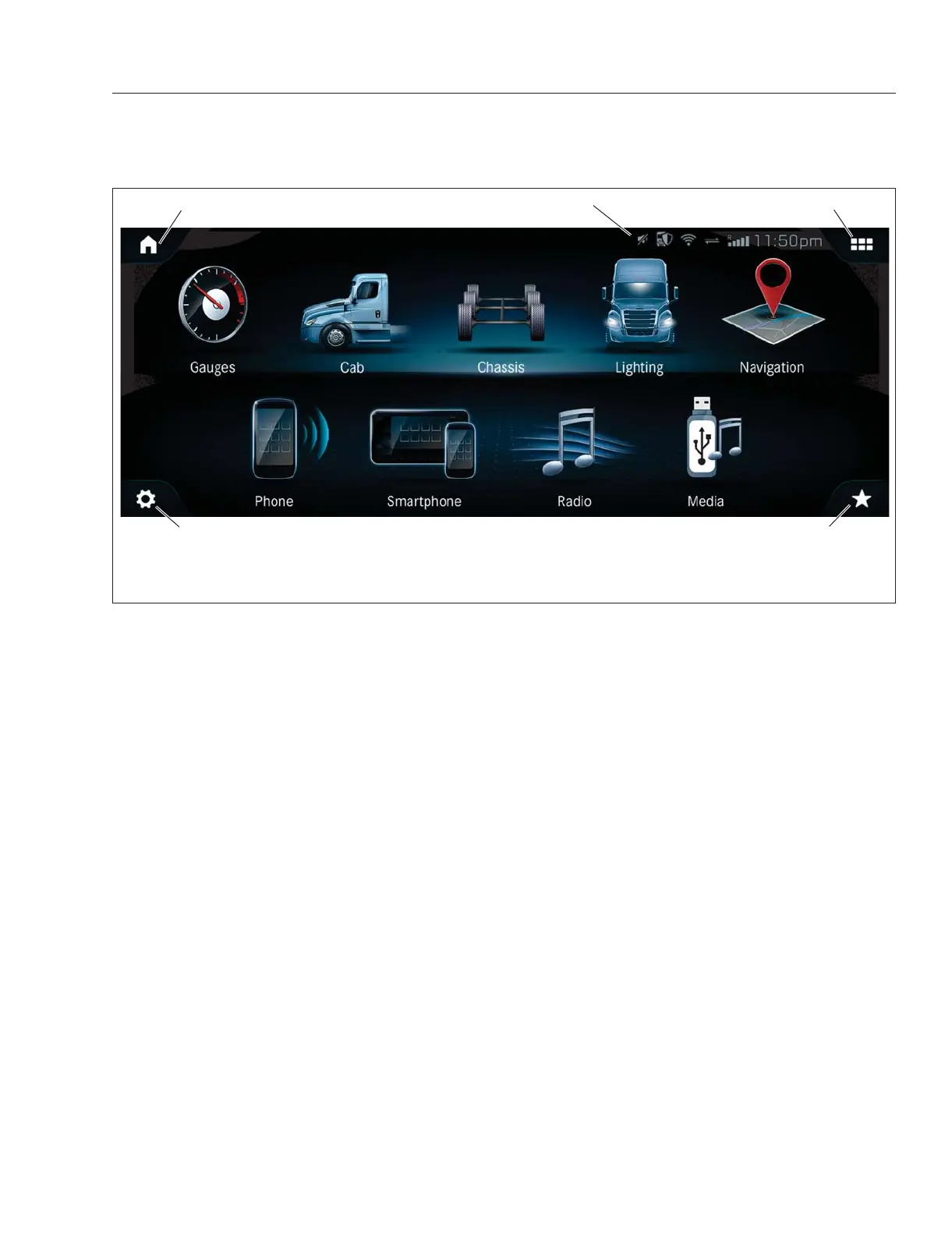
1. Home
2. Status Line
3. Digital Switches
4. Saved Favorites
5. Settings
Fig. 3.51, Infotainment Menu Options, Icons, Status Line - ICC5
Instruments
3.28



 To Next Page