ICUC Maintenance Screens
There are currently five top-level menu options under
Maintenance:
•
Alerts
•
Diagnostics
•
Engine Maintenance
•
Trans Prognostics
•
Maintenance System
The maintenance screens are used to retrieve fault
codes and other diagnostic and service information
pertaining to the vehicle.
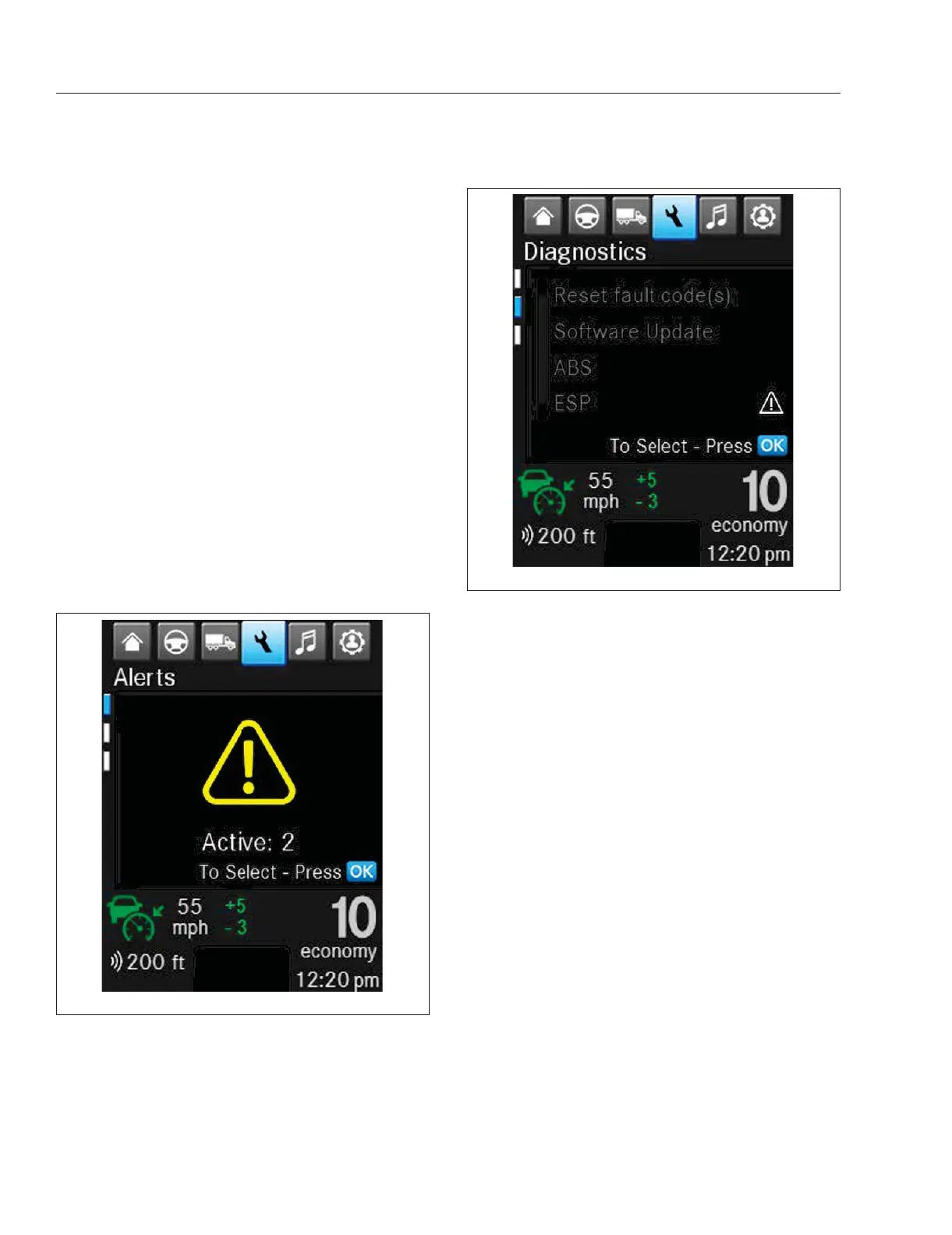
The Alerts screens show all active notices, cautions,
and warnings. See
Fig. 3.14.
Fault codes are color-coded to indicate the severity
of the fault. Red indicates a condition that may pose
a threat to control of the vehicle. Amber indicates a
condition that may result in damage to vehicle com-
ponents or derating of engine power. Blue, grey, and
green are used to indicate component status.
The Diagnostics screens show active diagnostic
trouble codes and if a software update is available.
See
Fig. 3.15.
The Engine Maintenance screen shows engine
hours. See
Fig. 3.16.
The Maintenance System screens give information
about when maintenance is required. See "Instru-
ments and Systems: ICUC" in this chapter for more
details.
ICUC User Settings Screens
The ICUC Setting Options List screens (see
Fig. 3.17) allow the driver to choose the following:
•
Dash Brightness
•
Lighting Settings
•
Units Settings
•
Time Settings
•
Gauge Settings
•
Key Alert Settings
•
Language Settings
•
Safety System Settings
Dash Brightness allows for setting the brightness of
the dashboard display.
Lighting Settings controls if the courtesy and en-
trance lights are on and how long they stay on.
f61162204/25/2019
Fig. 3.14, Maintenance: Alerts
f61162304/25/2019
Fig. 3.15, Maintenance: Diagnostics
Instruments
3.9



 To Next Page