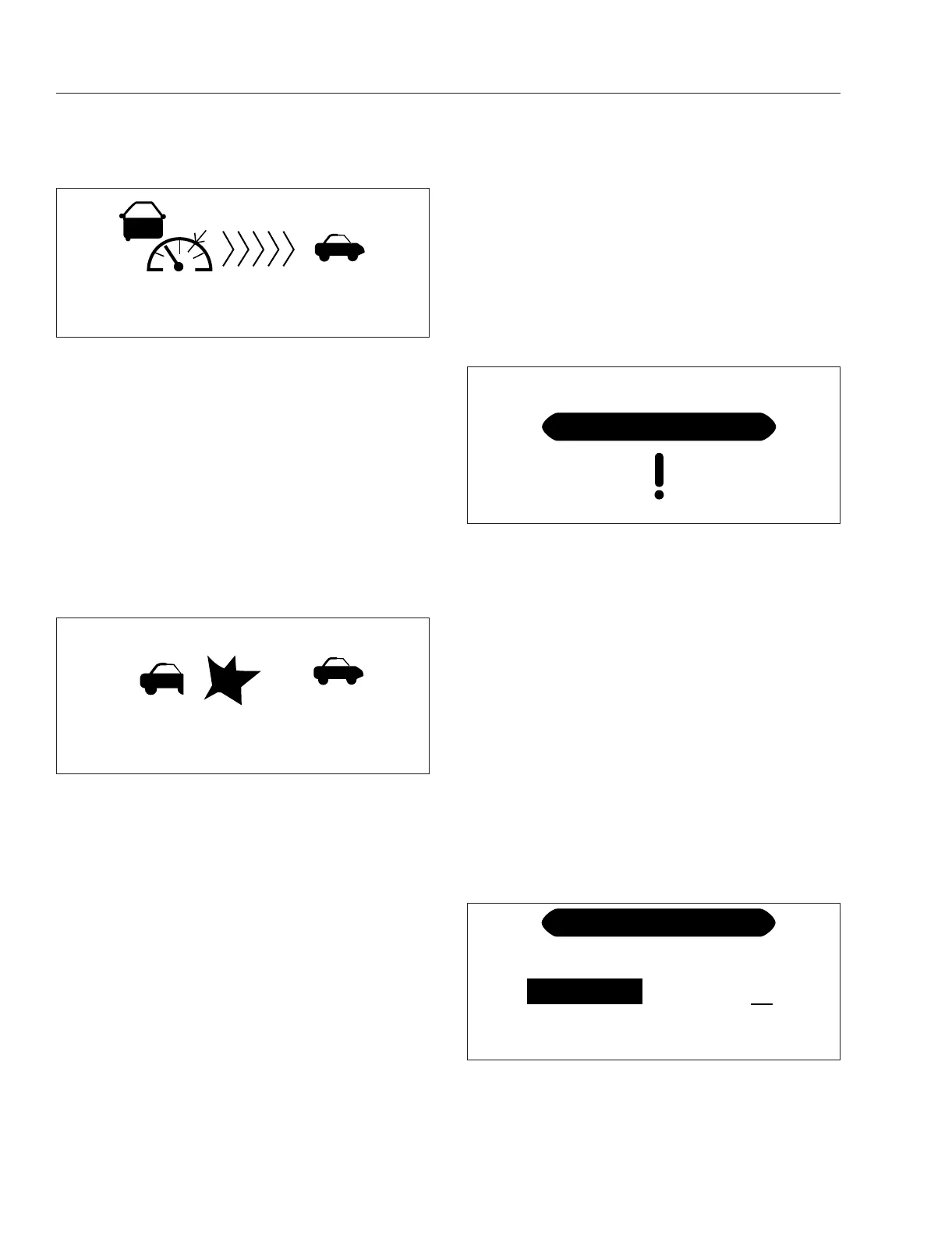
vehicle speed drops below the lead vehicle’s speed
and the following distance is increased.
NOTE: The following distance alert does not
operate at speeds below 15 mph (25 km/h) or
above 77 mph (124 km/h).
Collision Warning
If the lead vehicle is traveling slower than the driver’s
vehicle, the CMS warns of an impending collision by
emitting an urgent audible alert and displaying the
collision warning symbol with a red background. See
Fig. 7.31.
If the system determines a rear end collision is immi-
nent, it will automatically apply the brakes to reduce
the vehicle’s speed. The driver may also feel a short
brake pulse to warn of an imminent collision. The
driver must also initiate braking.
If OnGuardACTIVE detects a stationary object (such
as a disabled car), it will sound an urgent audible
alert, then a brake pulse, then apply the vehicle’s
brakes to reduce the vehicle’s speed. The driver
must also initiate braking.
Error Screens
IMPORTANT: The OnGuard collision mitigation
system is not operational when an error screen
is displayed. If a fault occurs or OnGuard fails to
properly track a vehicle, take the vehicle in for
service as soon as possible. Standard cruise
control will not function with an active OnGuard
system fault.
If a system fault is detected, the OnGuard display
unit will immediately display an error screen as
shown in
Fig. 7.32. The first error code transmitted
will be displayed first; additional faults (if any) can be
viewed using the up or down buttons. The display
does not show stored fault codes.
Refer to the OnGuard
™
and OnGuardActive
™
Colli-
sion Mitigation Systems Maintenance Manual for a
full list of error screens and messages. (
www.meri-
torwabco.com).
Additional Features
Press the MODE button to access the OnGuard dis-
play unit additional features from the CMS or ACC
main operating screen. Press the up and down ar-
rows to scroll through each menu, then press the
MODE button to select the value to be changed. In
edit mode, press the up or down arrows to change a
value setting, then press the MODE button to save
the setting. Pressing MODE in each feature screen
advances the display to the next feature.
The Display Control menu allows adjustment of the
alarm volume, LCD brightness, LCD contrast, and
U.S./metric unit conversion. See
Fig. 7.33.
f61114602/17/2017
Set: 60 MPH
55 MPH
230 FT
Fig. 7.30, ACC Lead Vehicle Detected (green)
f61114702/17/2017
Set: 60 MPH
15 MPH
15 FT
Fig. 7.31, ACC Collision Warning (red)
f61114802/17/2017
ACC1 Link Error
DATA ERROR
Fig. 7.32, OnGuard Error Screen (amber)
f61114902/17/2017
DISPLAY CONTROL
Alarm Volume
Alarm Tone
10
4
LCD Intensity
9
Fig. 7.33, Display Control Menu
Driver Assistance Features
7.23



 To Next Page