•
Sleeper climate control fan
•
Mirror heat
•
Fuel/water separator heat
•
Seat heat
•
Advertising light
•
Auxiliary circulation fan (windshield)
•
Air dryer
Activating Optimized Idle
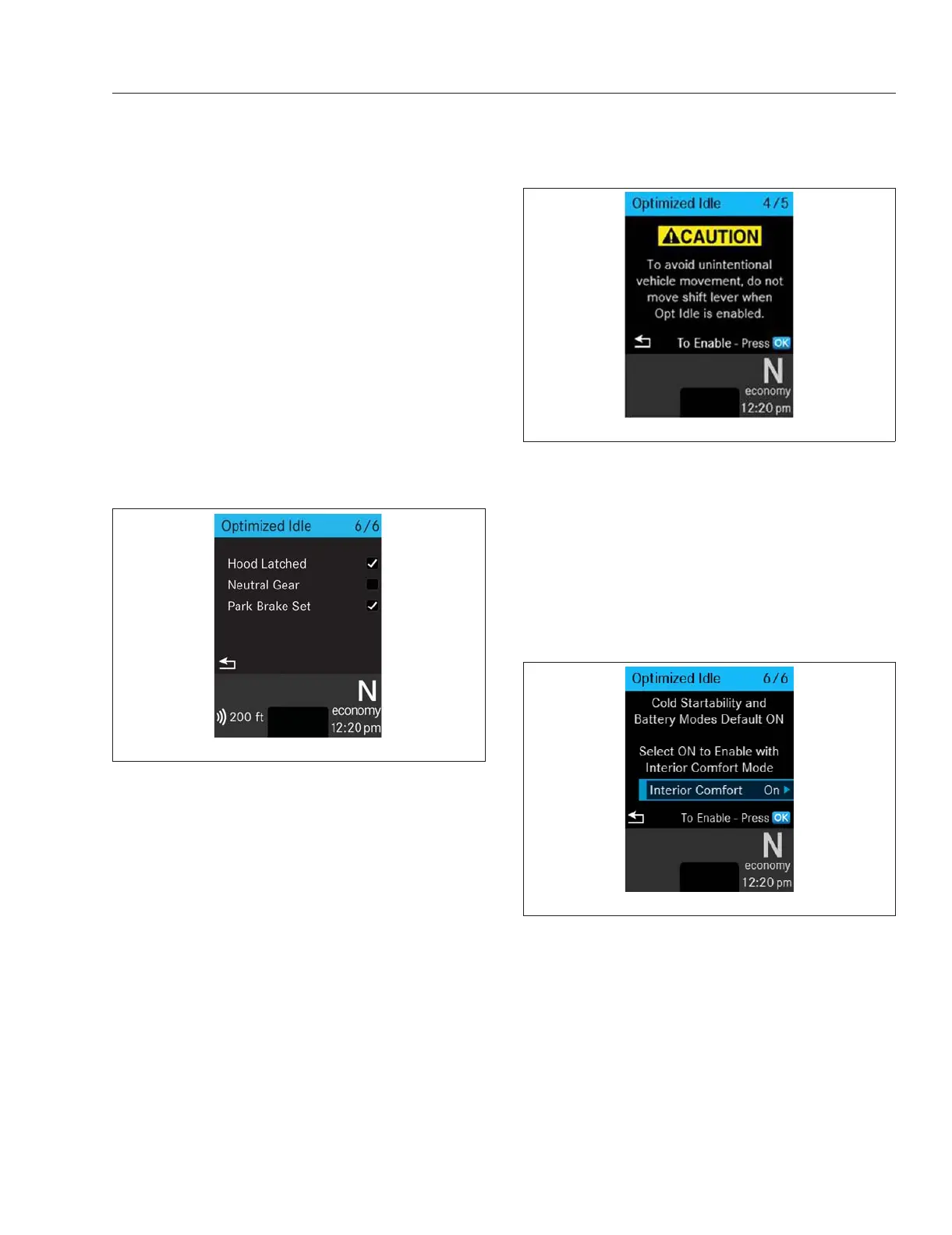
The vehicle must be in neutral gear, the hood
latched, and the park brake set for Optimized Idle to
work. Failure to meet these conditions will result in a
checklist pop-up screen showing both the met and
unmet conditions. See
Fig 13.1.
Dismiss the pop-up screen, fix the issue(s), and re-
start Optimized Idle.
NOTE: Turning the sleeper HVAC fan off will
turn off the interior comfort mode until the fan is
turned back on.
1.
Set the parking brake.
2.
If open, close and secure the hood.
3.
Allow the engine to idle if it is running. If the en-
gine is not running, turn the key to the ON posi-
tion.
4.
Put the transmission in neutral.
5.
Navigate to the Optimized Idle screen on the
driver display. See Fig. 13.2.
6.
Press OK on the steering wheel switch pod to
view the mode option screen. See
Fig. 13.3.
7.
Select OK to enable Optimized Idle, and, if de-
sired, turn on the interior comfort mode (sleeper
cabs only). The current Optimized Idle state is
displayed. See
Fig. 13.4.
When Optimized Idle is active, the Optimized Idle
telltale illuminates at the bottom of the driver dis-
play. See
Fig. 13.5.
If Optimized Idle fails to start, see the driver dis-
play for information.
8.
If the interior comfort mode is activated (sleeper
cabs only), set the desired temperature and fan
speed on the sleeper HVAC controls.
The allowable temperature range for Optimized
Idle operation is 65 to 80°F (18 to 27°C).
Optimized Idle will operate the engine, starting
and turning it off as needed to maintain battery
charge, engine oil temperature, and cab/sleeper
temperature.
f61181605/06/2020
Fig. 13.1, Optimized Idle Activation Conditions Pop-Up
f61142005/20/2016
Fig. 13.2, Optimized Idle Start Screen
f61142109/09/2016
Fig. 13.3, Optimized Idle Mode Selection Screen
Optional Engine Systems
13.2



 To Next Page