•
the turn signals are switched on;
•
the driver clearly and actively steers, brakes or
accelerates;
•
a driving safety system, such as Active Brake
Assist intervenes.
Active Lane Assist will warn the driver when chang-
ing lanes if the turn signal is not used.
Lane Departure Protection will steer a vehicle back
into the center lane position three times before going
into a passive state and requiring a key cycle to re-
activate.
Lane Keep Assist is in a passive state while the
driver actively steers the vehicle.
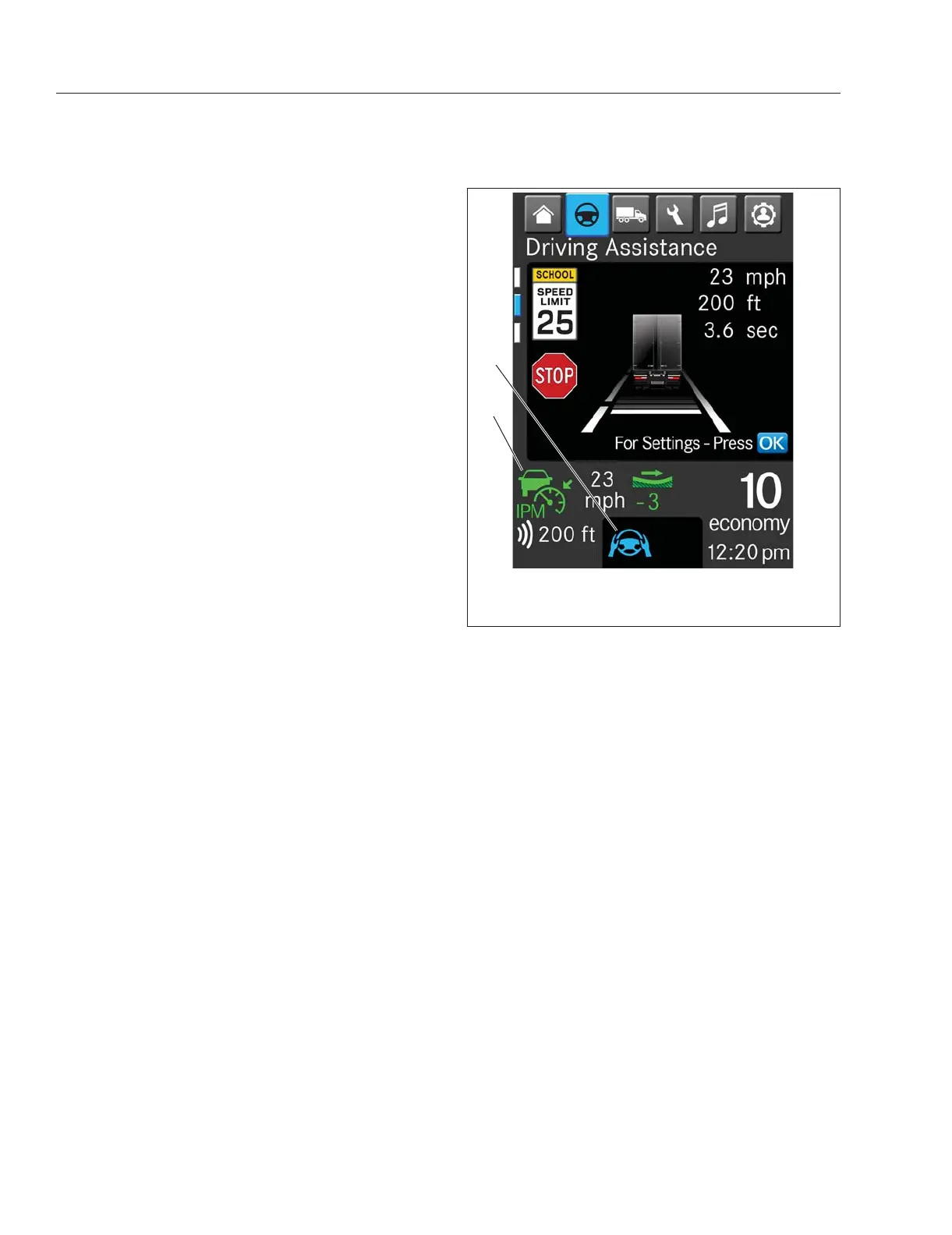
The status of Lane Keep Assist—shown with the
steering wheel indicator—is shown by the color of in-
dicator:
•
Blue steering wheel: LKA is active.
•
Grey steering wheel: LKA is in passive mode.
•
Red steering wheel: there is an error with the
adaptive power steering (APS) which deacti-
vates Active Lane Assist.
•
When the LKA is off, no steering wheel icon
shows on the driver display screen.
See
Fig. 6.20 and Fig. 6.21 for examples of the LKA
status in the driver display.
If the driver takes their hands off the steering wheel
for fifteen seconds with Lane Keep Assist (LKA) ac-
tive, an amber caution pop-up screen will appear
(see
Fig. 6.22) telling the driver to return their hands
to the steering wheel. Doing so will cause the pop-up
to disappear.
If the driver does not return their hands to the steer-
ing wheel within the next fifteen seconds, a red warn-
ing pop-up screen will appear and an acoustical
warning will start to sound every five seconds. The
warning pop-up will disappear and the acoustical
warning will cease when the driver returns their
hands to the wheel.
If the driver does not return their hands to the steer-
ing wheel, the warning pop-up remains. Starting at
fifty-five seconds the acoustical warning will start to
sound every second. At sixty-seconds this become a
continuous audible warning and Lane Keep Assist
will drop into passive mode. The warning pop-up will
remain on the driver display screen until the driver
places their hands on the steering wheel.
While the driver’s hands are on the steering wheel,
Lane Keep Assist engages in micro-steering adjust-
ments to keep the vehicle in the driver’s preferred
lane position. The preferred lane position can be set
under the Drive Time Systems menu, under Driving
Systems, under Settings. Options include: offset to
the right, offset to the left, or center.
Active Lane Assist (ALA) Switches
There are three possible switches related to Active
Lane Assist (ALA): one digital and two physical:
•
A digital Active Lane Assist (ALA) switch in the
ICU (see Fig. 6.23).
•
A physical Lane Keep Assist (LKA) switch (see
Fig. 6.24).
•
A physical Lane Departure Warning (LDW)
switch (see
Fig. 6.8)
Selecting the ALA OFF switch turns off the Lane
Keep Assist functionality of Active Lane Assist. The
switch light will illuminated on the screen to show
ALA is off. When ALA is off there will be no steering
wheel icon on the screen. To turn ALA on again, se-
lect the ALA OFF switch or restart the vehicle.
f61179808/15/2019
1
2
1. Active Lane Keep
Assist Indicator
2. Active Adaptive Cruise
Control Indicator
Fig. 6.20, Active Lane Assist - ICUC
Detroit Assurance 5.0
6.17



 To Next Page