regen. See Regen Operations, below, for instructions
on initiating a parked regen.
Regen Operations
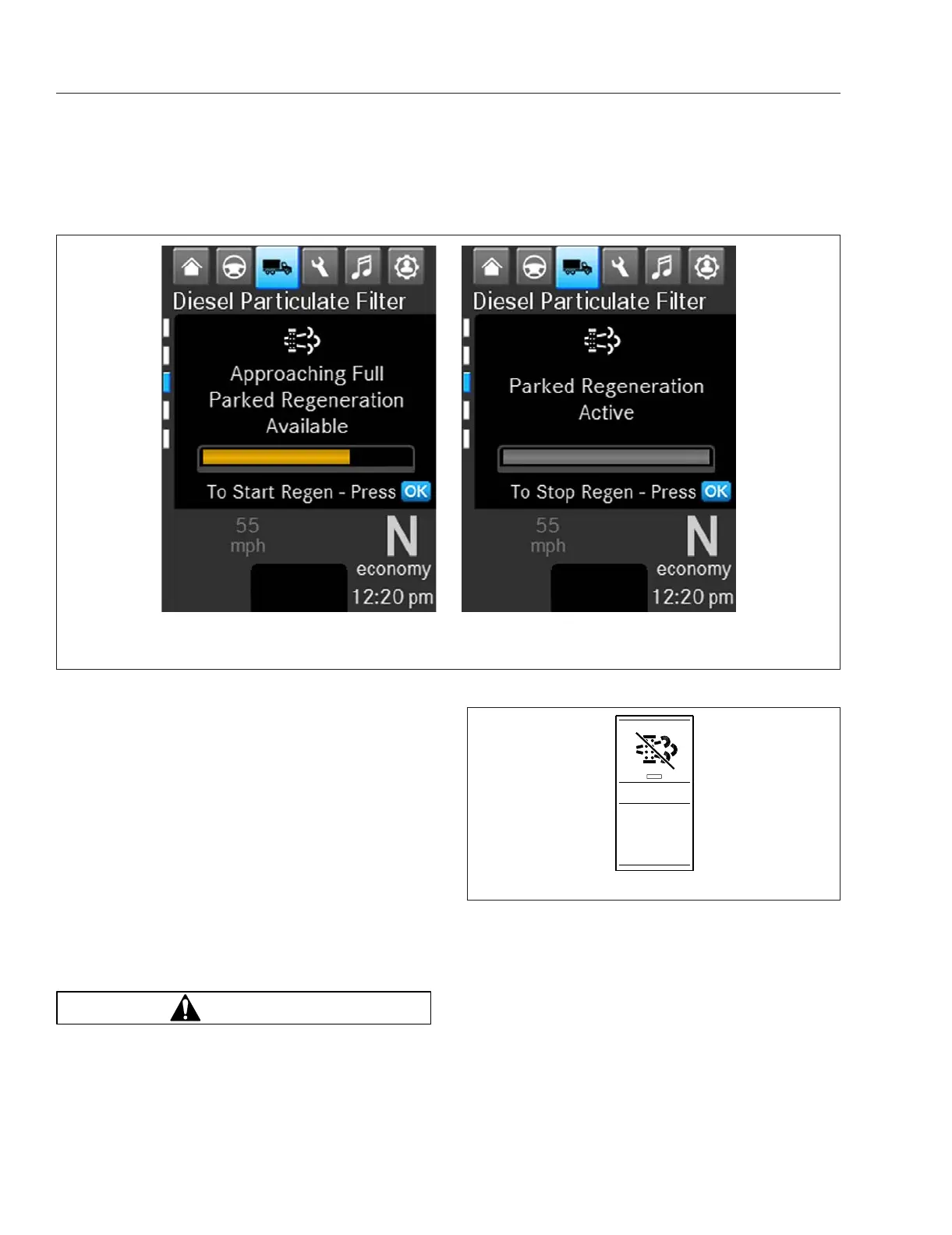
Parked regen is initiated by selecting OK when the
driver display screen shows "Parked Regen Re-
quired." See
Fig. 14.2. If the vehicle is equipped with
the optional digital STOP REGEN switch, parked
regen can be stopped by selecting OK while the
regen is in progress. See
Fig. 14.2.
Some vehicles may be equipped with a regen inhibit
switch. See
Fig. 14.3. To stop a regen in progress or
prevent the start of a regen, press the lower half of
the switch. Regen is then delayed until the switch is
no longer active.
NOTE: Parked regen can be initiated only when
the DPF lamp is illuminated.
WARNING
During parked regen, exhaust temperatures are
very high and could cause a fire, heat damage to
objects or materials, or personal injury to per-
sons near the exhaust outlet.
Before initiating a parked regeneration, make cer-
tain the exhaust outlets are directed away from
structures, vegetation, flammable materials, and
anything else that may be harmed by prolonged
exposure to high heat.
To initiate a parked regen, perform the following
steps.
1.
Park the vehicle away from all flammable materi-
als, put the transmission in neutral, and set the
parking brake.
f61139606/10/2016
AB
A. Start Regen Message Screen B. Stop Regen Message Screen
Fig. 14.2, Parked Regen Message Screens
f611395
04/18/2016
REGEN
OFF
Fig. 14.3, Regen Inhibit Switch
Emissions and Fuel Efficiency
14.3



 To Next Page