Pressing the LKA OFF switch turns off the Lane
Keep Assist (LKA) functionality of Active Lane Assist
for the key cycle. The switch light will come on to
show that Lane Keep Assist is off. Pressing the
switch or restarting the vehicle will turn Lane Keep
Assist on.
Pressing the LDW OFF switch will turn off Lane De-
parture Warning and, by extension, Lane Departure
Protection (LDP) for fifteen minutes. When the Lane
Departure Warning is off, the light on the lane depar-
ture warning alert switch will come on. A driver might
want to turn off Lane Departure Warning on winding
roads or when driving through construction zones or
other areas where lane markings are not clear.
f61154410/16/2018
1
2
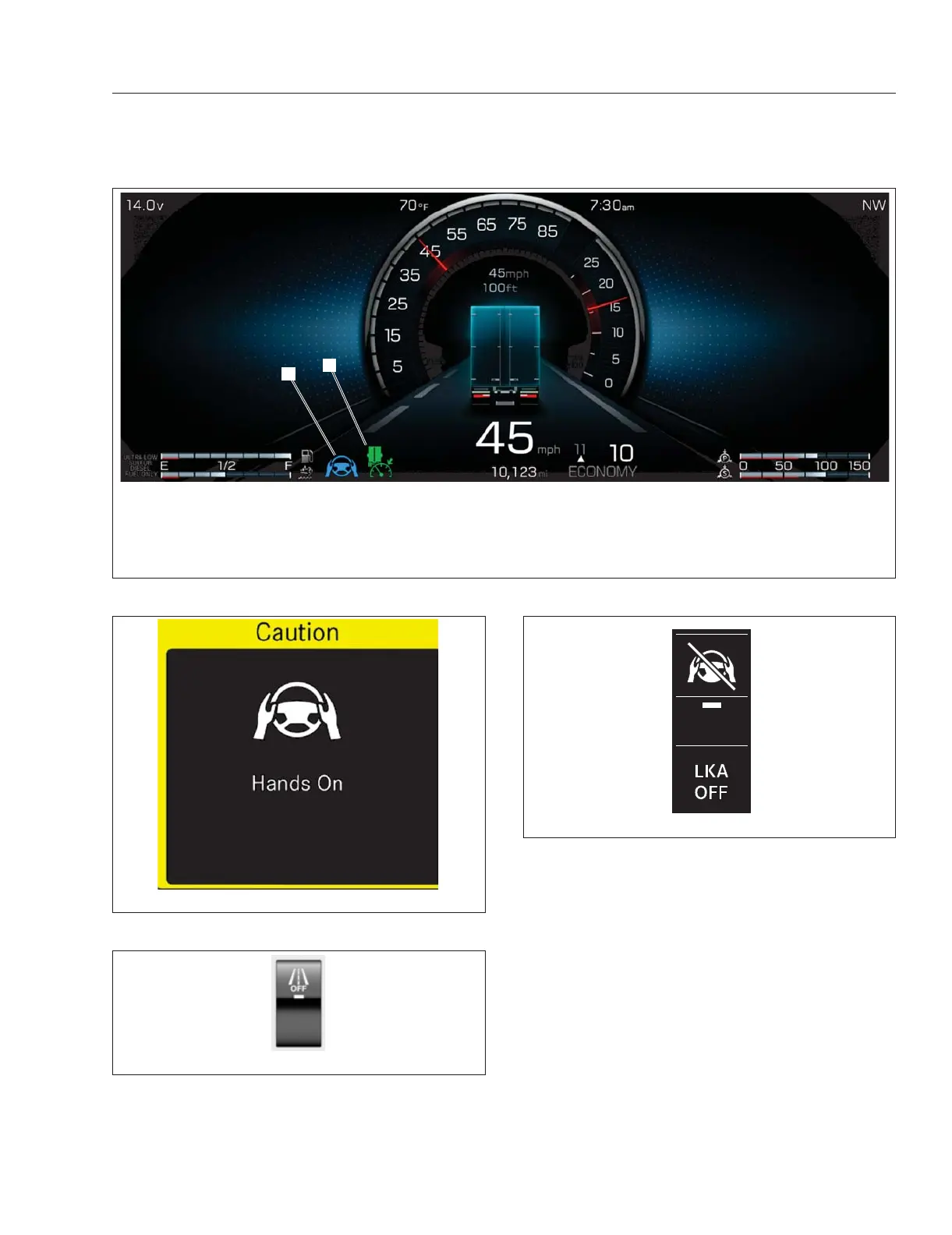
The LKA status indicator can appear as blue (active), grey (in passive mode; not shown), or red (an error with the adap-
tive power steering (APS) which deactivates ALA; not shown). The green Adaptive Cruise Control (ACC) indicator ap-
pears when the ALA feature is on.
1. Active Lane Keep Assist Indicator 2. Active Adaptive Cruise Control Indicator
Fig. 6.21, Active Lane Assist - ICC5
f61180501/24/2020
Fig. 6.22, LKA Caution Popup Screen
f61154310/16/2018
Fig. 6.23, Active Lane Assist Switch
f61179908/20/2019
Fig. 6.24, Lane Keep Assist Switch
Detroit Assurance 5.0
6.18



 To Next Page