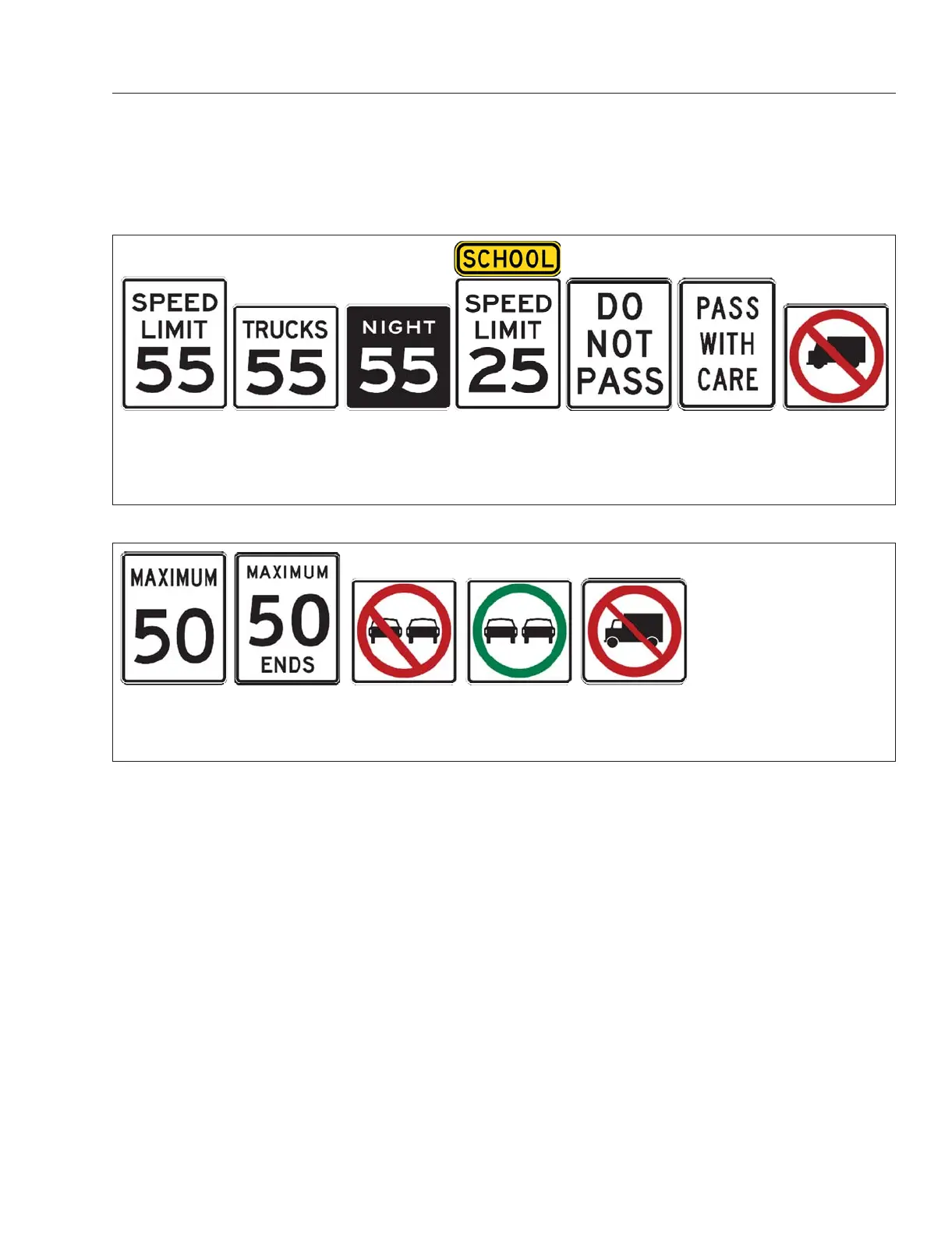
See Fig. 6.16 for currently recognized USA signs
and Fig. 6.17. for Canadian signs.
When a traffic sign is recognized by the system, an
image representing it appears in the instrument
panel. See
Fig. 6.18 and Fig. 6.19. In order to oper-
ate, the traffic sign display feature must be activated
in the instrument panel menu.
Activating or Deactivating
NOTE: When the ignition is turned on, traffic
sign display restores the state of the system
(either activated or deactivated) from the last
ignition cycle.
Activating traffic sign display in the ICUC instru-
ment panel:
1.
Navigate to "Drive Time Systems."
2.
Go to "Safety System Settings."
3.
Go to "Sign Recognition."
4.
Select "On."
Select ’Off’ to deactivate traffic sign display.
Activating traffic sign recognition in the ICC5:
1.
Press the center button in either of the steering
wheel OFN control buttons
2.
Select the "Settings" (gear) icon.
3.
Select "Driving Assistance."
4.
Go to "Traffic Sign Recognition."
5.
Move the selector switch icon to the "On" posi-
tion (a blue line will appear to the left).
Move the selector switch icon to the ’Off’ position to
deactivate traffic sign recognition and display
f00122004/15/2019
1 52 3 4 6 7
1. General Speed Limit
2. Truck Speed Limit
3. Night Speed Limit (only at night)
4. School Speed Limit
5. Do Not Pass
6. Pass With Care
7. No Trucks
Fig. 6.16, Recognized Traffic Signs, USA
f00122104/15/2019
1 52 3 4
1. General Speed Limit
2. Speed Limit Ends
3. No Overtaking
4. Overtaking Permitted
5. No Trucks
Fig. 6.17, Recognized Traffic Signs, Canada
Detroit Assurance 5.0
6.14



 To Next Page