and the longitude and latitude. To open the quick ac-
cess menu, select the symbol for the current vehicle
position or the speed display.
Traffic
Live Traffic Information
Live Traffic Information is a subscription service
which shows real-time traffic information. This service
is available free of charge for three years upon acti-
vation of Live Traffic Information. Subsequently, the
service may be extended for a fee.
Live Traffic Information is not available in all coun-
tries or regions. Further information can be found at
TomTom Traffic North America.
Activating Live Traffic Information
When first starting the navigation system, a popup
window will appear asking if Live Traffic Information
should be turned on. As soon as it is turned on the
traffic situation will be shown on the Navigation Map
and will be taken into account when the navigation
system is asked to calculate a route.
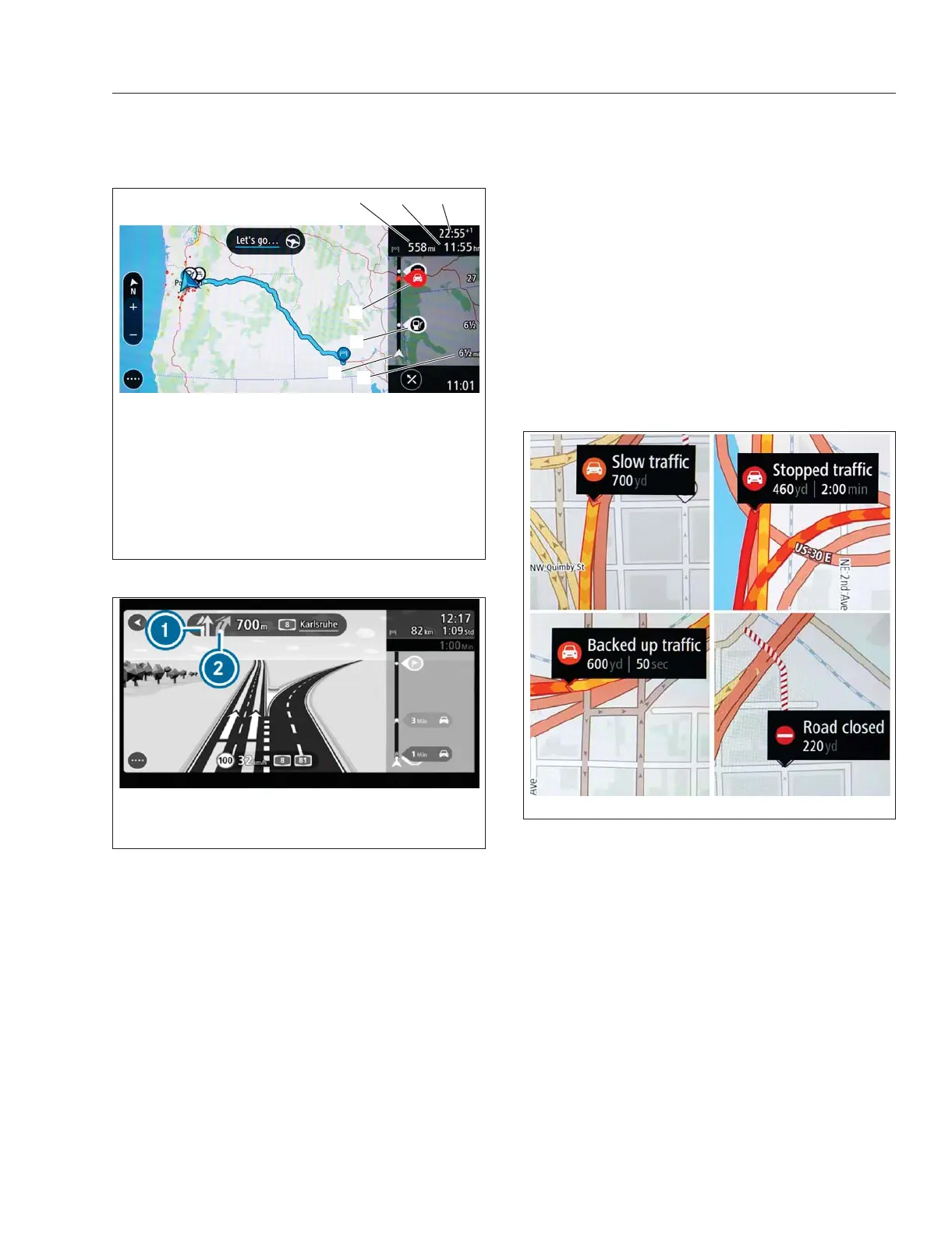
Showing Traffic Information on the Map
NOTE: The traffic disruption symbols display the
type of traffic disruption, length, and delay in
minutes. The colors display the speed of the
traffic in relation to the speed limit. Red indi-
cates stopped traffic, a mix of red and orange
indicates backed-up traffic, and mix of yellow
and orange indicates slow traffic. Red and white
indicates a closed road.
To Display Information About the Traffic
Disruption;
Select the traffic disruption on the map or route bar.
f61156508/07/2019
1 2
3
4
5
6
7
1. Distance to
Destination
2. Arrival Time
3. Journey Time
4. Traffic Disruption
5. Gas Station
6. Route Bar
7. Distance to Next Destination/POI
Fig. 7.13, Example of a Wide Route Bar - ICC5
f61156612/05/2018
1. Recommended lane (marked with colored arrows)
2. Lane not recommended (grey)
Fig. 7.14, Lane Recommendation
f61156708/07/2019
Fig. 7.15, Traffic Information Key - ICC5
Driver Assistance Features
7.14



 To Next Page