and Lane Departure Warning (LDW) in this chapter
for more information.
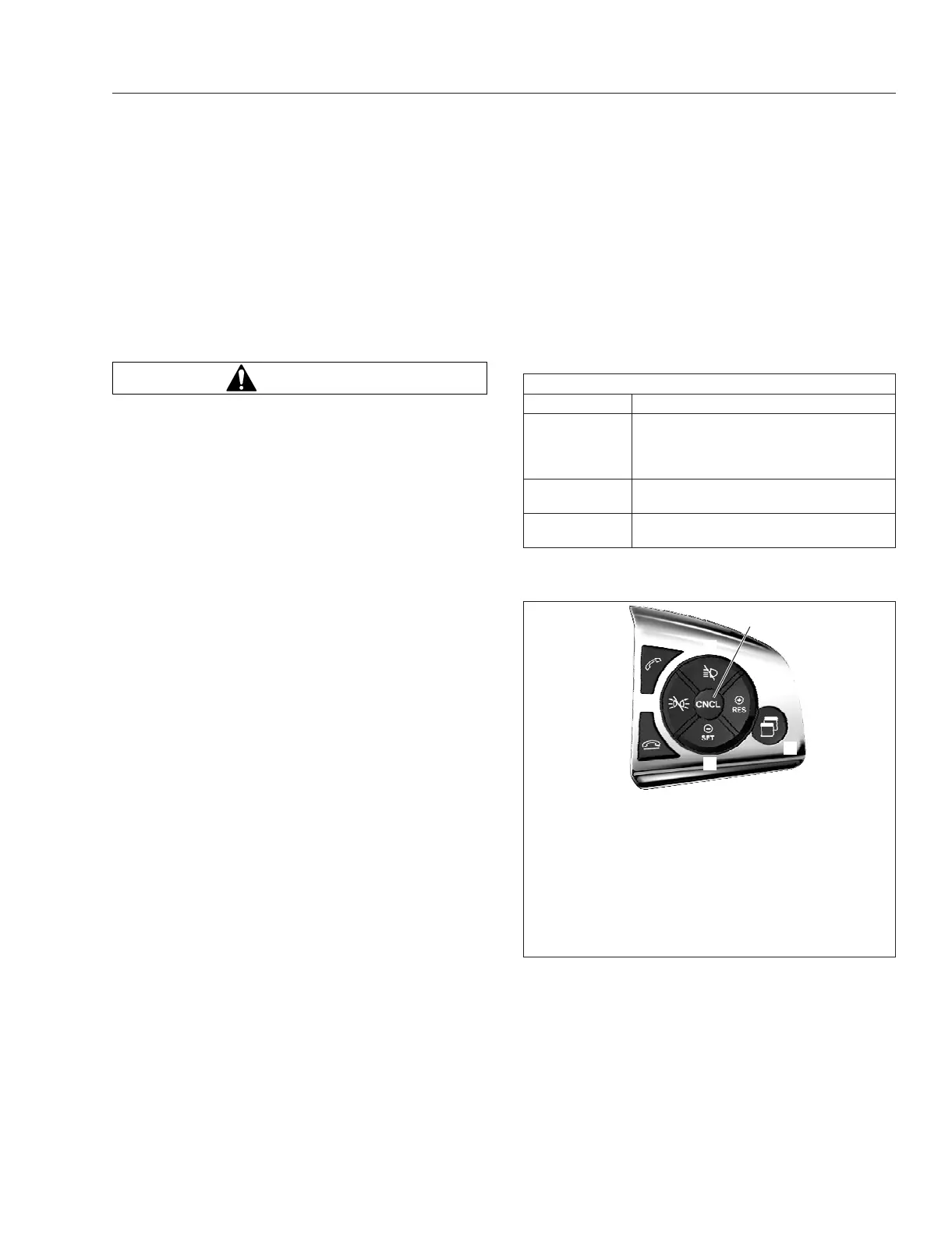
To show distance, speed, and lane markings, navi-
gate to the Driver Assistance screen in the ICUC
using the Quick Access System Settings switch on
the right-hand steering wheel switch pod. See
Fig. 6.3.
Adaptive Cruise Control (ACC)
WARNING
The Detroit Assurance Collision Mitigation Sys-
tem is intended solely as an aid for an alert and
conscientious professional driver. It is not in-
tended to be relied upon to operate a vehicle.
Use the system in conjunction with rearview mir-
rors and other instruments to safely operate the
vehicle.
The Detroit Assurance Collision Mitigation Sys-
tem is not a substitute for safe, normal driving
procedures, nor will it compensate for any driver
impairment such as drugs, alcohol, or fatigue.
Failure to drive safely and use the system prop-
erly could result in personal injury and/or death
and severe property damage.
Adaptive Cruise Control Safety
Information
Adaptive cruise control (ACC) may not detect ve-
hicles driving in a different lane or narrow vehicles,
like motorcycles, driving in front.
In particular, stay aware in the following situations:
•
when cornering, entering, and exiting bends;
•
when driving winding stretches of road;
•
when overtaking;
•
when there are vehicles driving in a different
lane;
•
when vehicles are changing lanes;
•
when vehicles are exiting the road;
•
when there are obstacles and stationary ve-
hicles.
Adaptive cruise control (ACC) does not compensate
for inattentive driving, weather, or traffic conditions.
The adaptive cruise control is only an aid. The driver
is responsible for maintaining a safe distance from
the vehicle in front, maintaining a safe vehicle speed,
braking, and remaining in a lane.
If adaptive cruise control does not detect a vehicle
driving in front, the system will accelerate to the set
speed.
Overview
See Table 6.1 and Fig. 6.3 for a description of cruise
control steering wheel switches.
Steering Wheel Controls
Description Function
–/SET
Sets the cruise speed while the vehicle
is traveling at the desired speed.
Pressing and holding decreases the set
cruise speed.
+/RES
Resumes the set speed. Pressing and
holding increases the set cruise speed.
CNCL
Deactivates cruise control, but retains
the set speed in memory.
Table 6.1, Steering Wheel Controls
When a vehicle in front is detected, the driver display
shows the speed of the detected vehicle and the dis-
tance and time to the detected vehicle. See
Fig. 6.4.
f611352e08/14/2019
8
7
1
2
3
4
6
5
1. Cruise Accelerate/Resume
2. Quick Access System Settings
3. Cruise Decelerate/Set
4. Phone Hang-Up/Reject
5. Marker Interrupt
**
6. Phone Pick-Up
7. Headlamp Interrupt
**
8. Cancel Cruise Control
**
Not available in all markets
Fig. 6.3, Steering-Wheel-Mounted Right-Hand Switch
Pod - ICUC
Detroit Assurance 5.0
6.2



 To Next Page