U60 Diagnostic Ultrasound System User Manual Operation
- 105 -
Save As
When obtaining a satisfying image:
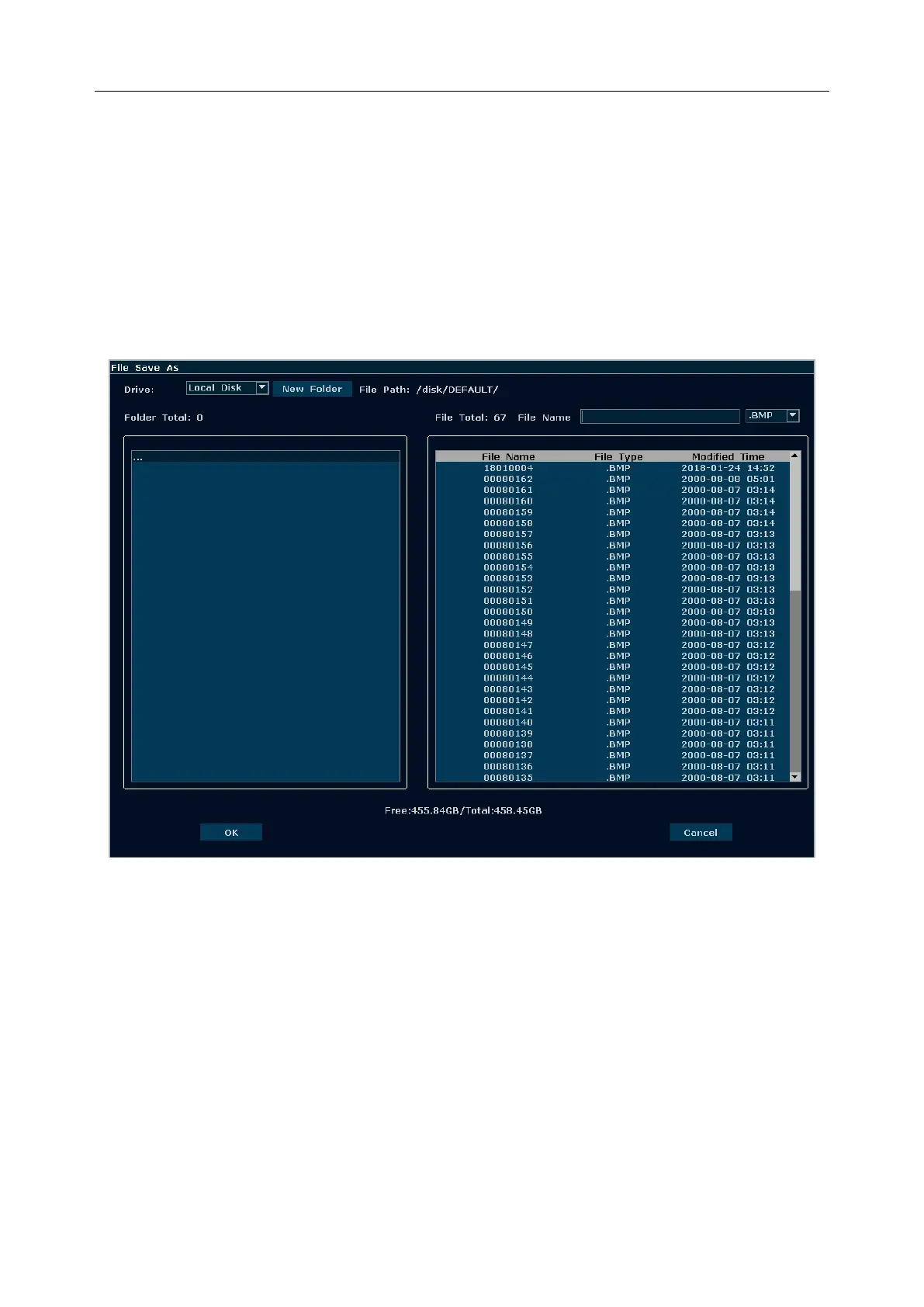
1. Press File and select Save As…in the file menu to display the File Save As dialog box.
2. Select a destination drive from the Drive pull-down menu, and a folder from the
directory on the left, or press New Folder to create a folder for storing files.
3. Press Set on the field next to File Name, enter a file name with the keyboard.
4. Press OK to save, or press Cancel to give up.
Figure 6-25 File Saving Dialog Box
NOTE:
If you do not enter the name for the file, the system will automatically number the file in
sequence. For instance, if the latest number comes to YYMM0020 (“Y” stands for “year”,
and “M” stands for “month”), and if you save a file the next time, the file is numbered as
YYMM0021.
When saving a file, the saving information is automatically displayed in the middle of image
area.



 To Next Page