U60 Diagnostic Ultrasound System User Manual System Control
- 39 -
Color mode Imaging Control
Follow the same procedure as described under B Mode to locate the anatomical area of interest.
After optimizing the B mode image, press Color, move the scan area of interest as close to the
center of the image as possible; Or after entering Color mode, press PW to display the sample
line, and press PW again to enter triplex mode (B+Color+PW). Optimize the Color mode image
parameters.
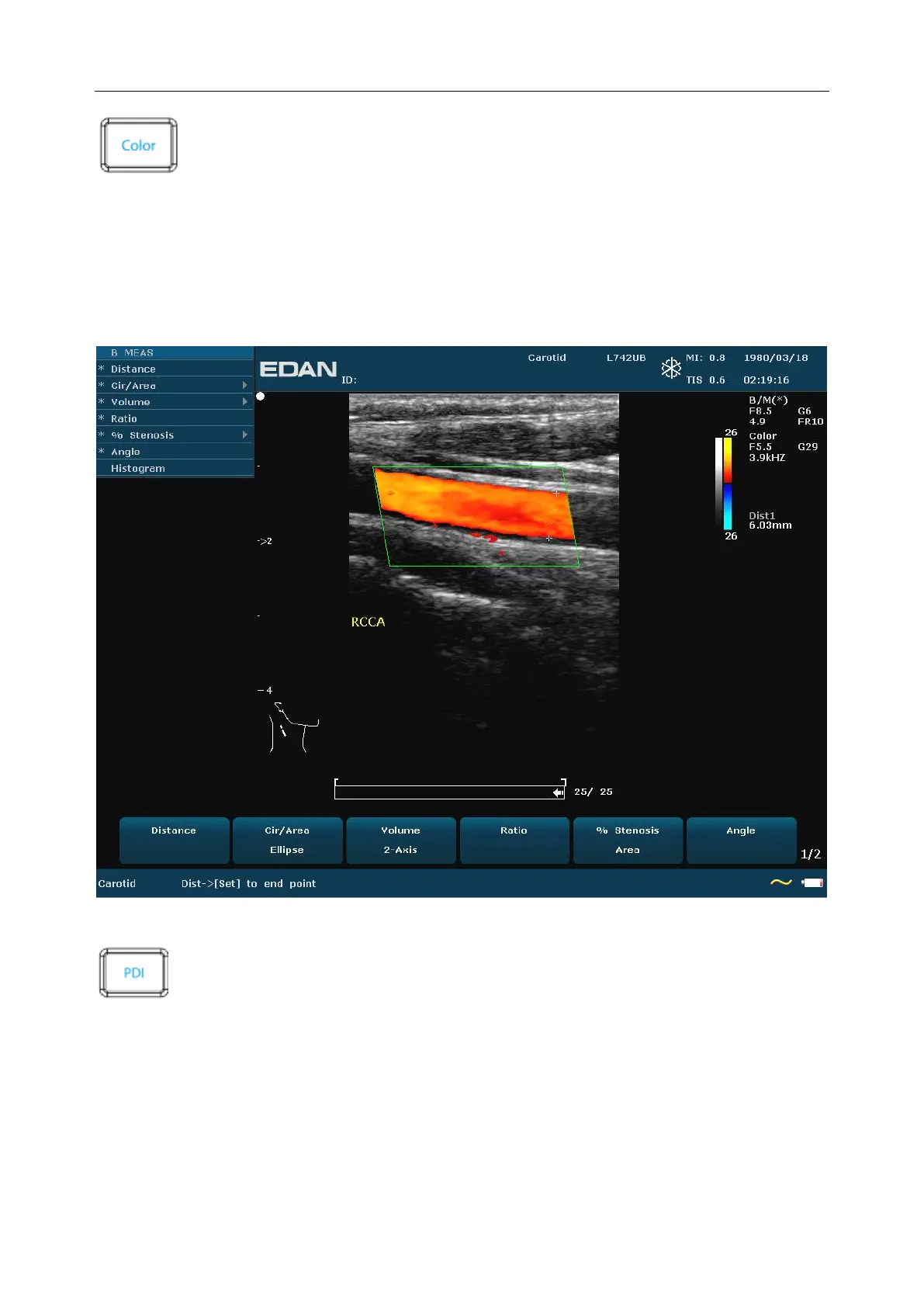
Figure 5-3 Example of B+Color Scan
PDI mode Imaging Control
Follow the same procedure as described under B Mode to locate the anatomical area of interest.
After optimizing the B mode image, press PDI, move the scan area of interest as close to the
center of the image as possible; Or after entering PDI mode, press PW to display the sample line,
and press PW again to enter triplex mode (B+PDI+PW). Optimize the PDI mode image
parameters; In PDI mode, rotate the Map menu control until the value is among 4-7, the system
enters Directional Power Doppler Imaging mode (DPDI).



 To Next Page