U60 Diagnostic Ultrasound System User Manual System Control
- 49 -
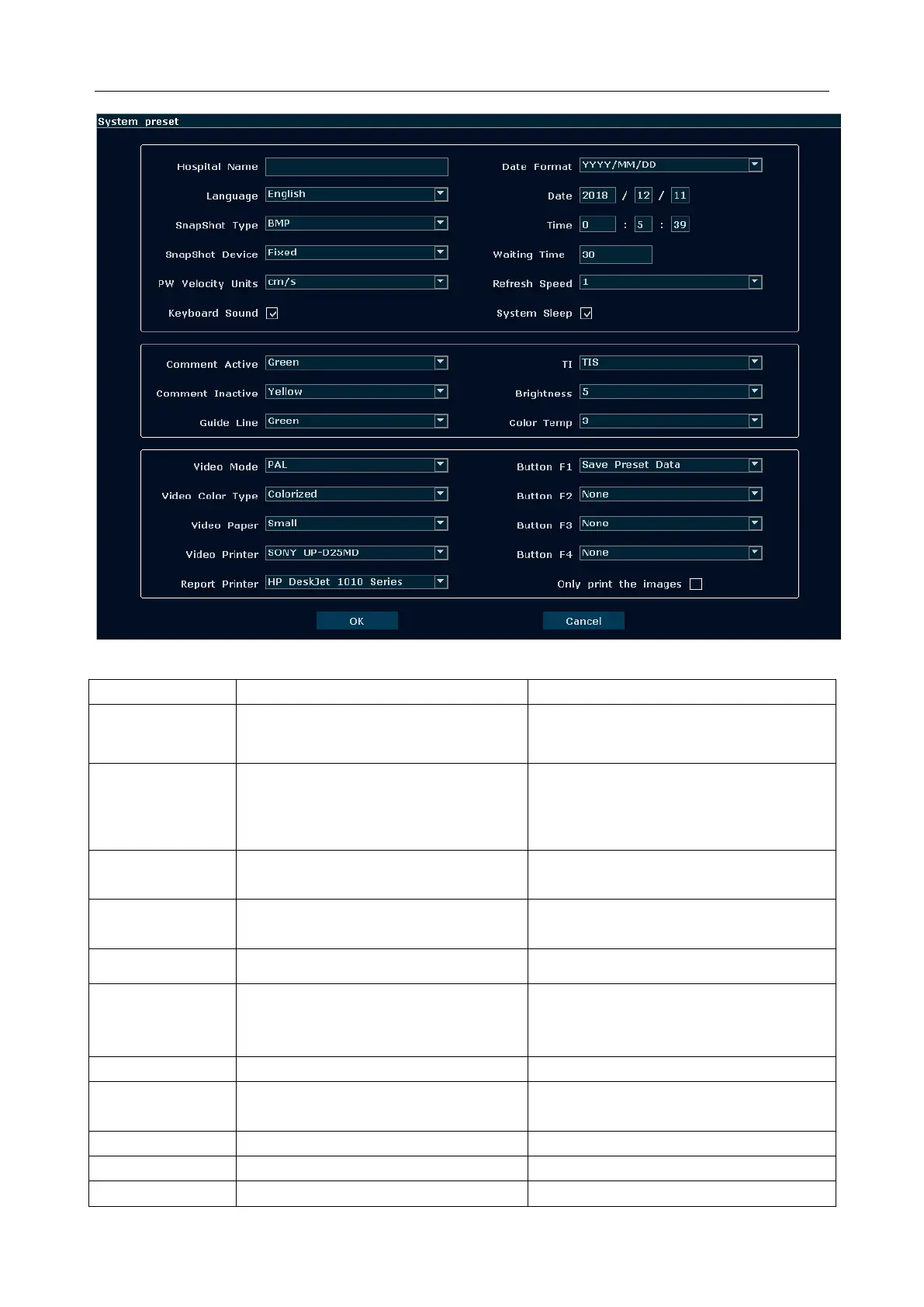
Figure 5-11 System Preset Dialog Box
Set hospital name displayed on the top
left of the screen and diagnosis report.
Chinese, English, etc.(The language
options vary with language software
installed.)
BMP/JPG/FRM/DCM (if DICOM is
installed)
Set the storage file format type of snap
shot.
Fixed(Local disk) or USB disk(A:\,
B:\)
Set the storage device of snap shot.
Set the velocity units of PW spectrum
Select whether the device enters sleep
mode when no operation is performed
for certain minutes.
Turn on or off the keyboard sound.
YYYY/MM/DD, MM/DD/YYY or
DD/MM/YYYY.
Set the system time, format: H/M/S.
Set the system waiting time to enter



 To Next Page