Fire Alarm Computer 8000C / M
Page 125
DIL switch S2
Terminal card assignment.
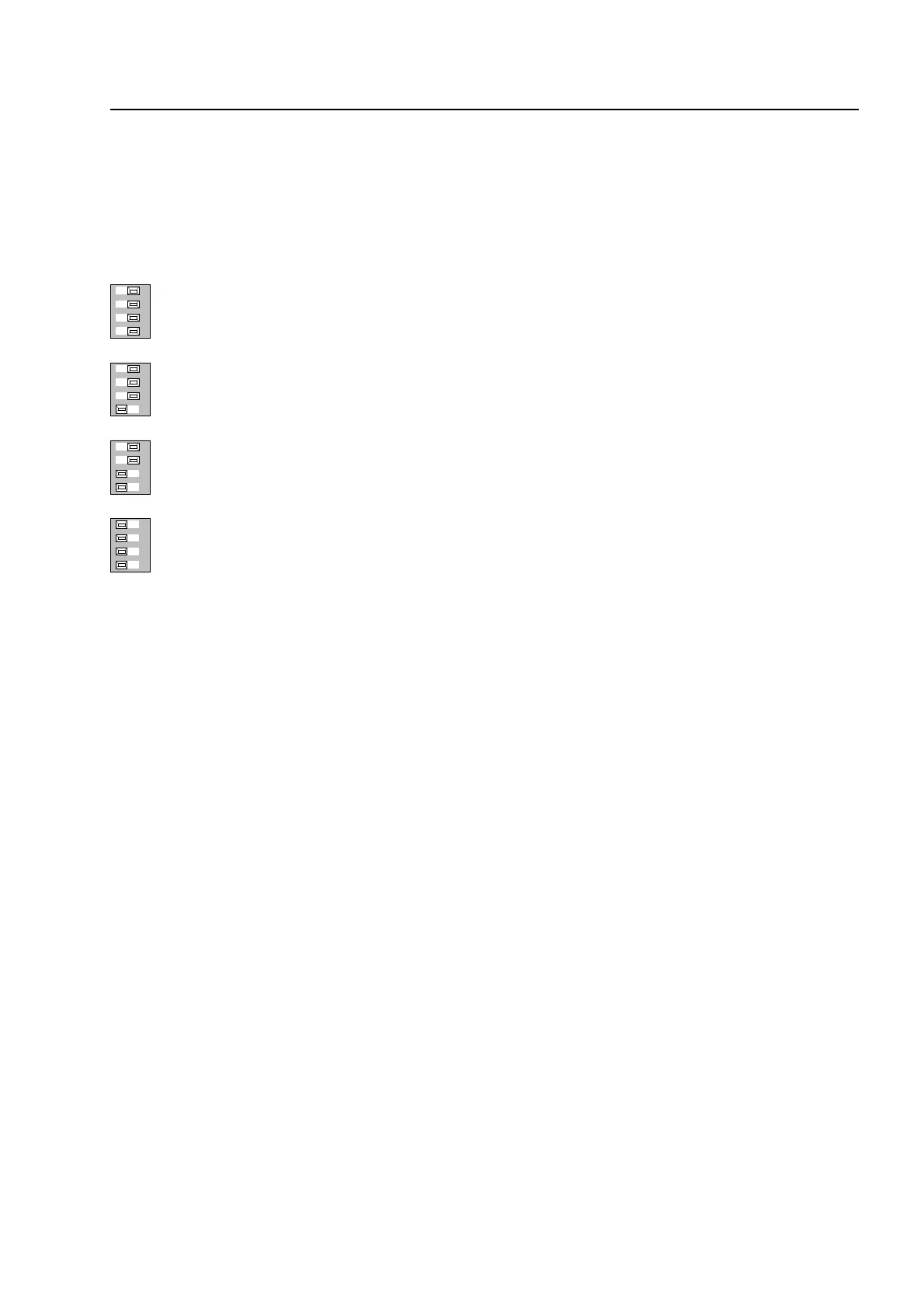
The time for the duration of the activation of the MFAB can be selected using DIL switch S2. This
selection only becomes active when "intermittent activation" is selected on switch S1!
1234
activation for approx. 6 seconds
1234
activation for approx. 2,5 seconds
1234
activation for approx. 1,5 seconds
1234
activation for approx. 0,25 seconds
CPU failure mode function
Even when the fire alarm control panel is in the CPU failure mode the master box will still be
activated in the event of a fire alarm. It is not possible to reset the master box while the fire alarm
control panel is in the CPU failure mode.
Switching off the master box
The activation of the MFAB can be inhibited, for example for service or maintenance work, on the
control panel keyboard of the fire alarm control panel.
♦
Enable keyboard (key-operated switch)
♦
Press Control (MFAB No.) Off to switch off the master box.
(The control numbers 1 to 10 are reserved for master boxes.)
An automatic switch-off of activation can be programmed in the customer data. When the fire
alarm control panel is opened (cover contact), the master box will not be activated in the case of
an event.
A switched off master box will not transmit an alarm message to assisting organisations (e.g. fire
department) in the case of an event.
Master box activation modu


 To Next Page