Page 140
Fire Alarm Computer 8000C / M
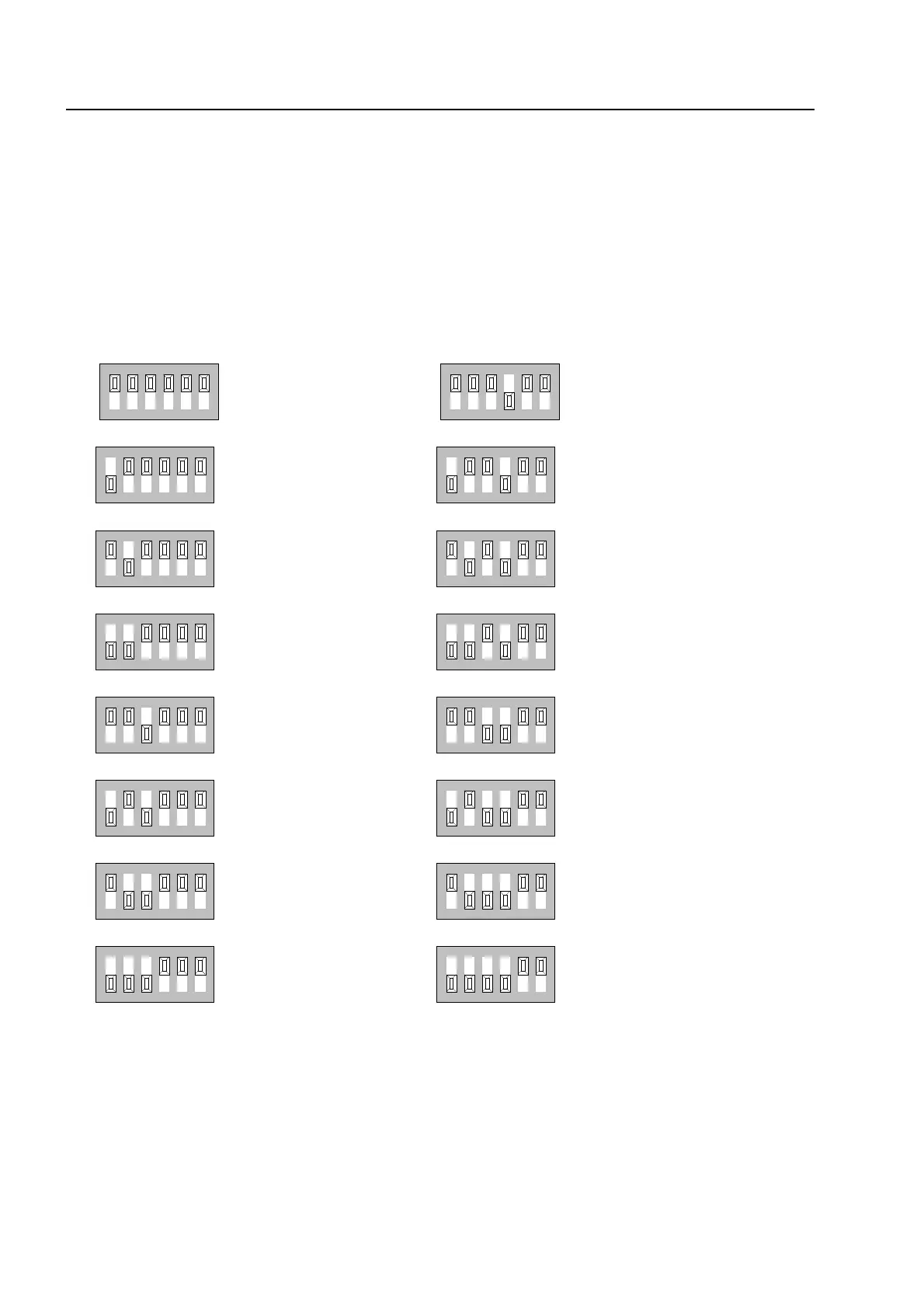
Example showing how to set the control panel address
The relevant address (control panel number) for each fire alarm control panel in the essernet
®
system is set on the essernet
®
module. The addresses must be set consecutively from address 1
to address 31 for all essernet
®
devices in the essernet
®
system.
The address (control panel number) set here on the essernet
®
module must also be programmed
with the service PC (menu item: System/control panels) in the customer data for the fire alarm
control panel.
☞
Do not change factory-set position (ON) of DIP-switch no. 6 !
This switch is intended for in-factory testing purposes.
ssernet
module



 To Next Page