3025EMC Master Control Switching & Channel Branding
Revision 3.0.3 Page 93
4.15. TIME/DATE
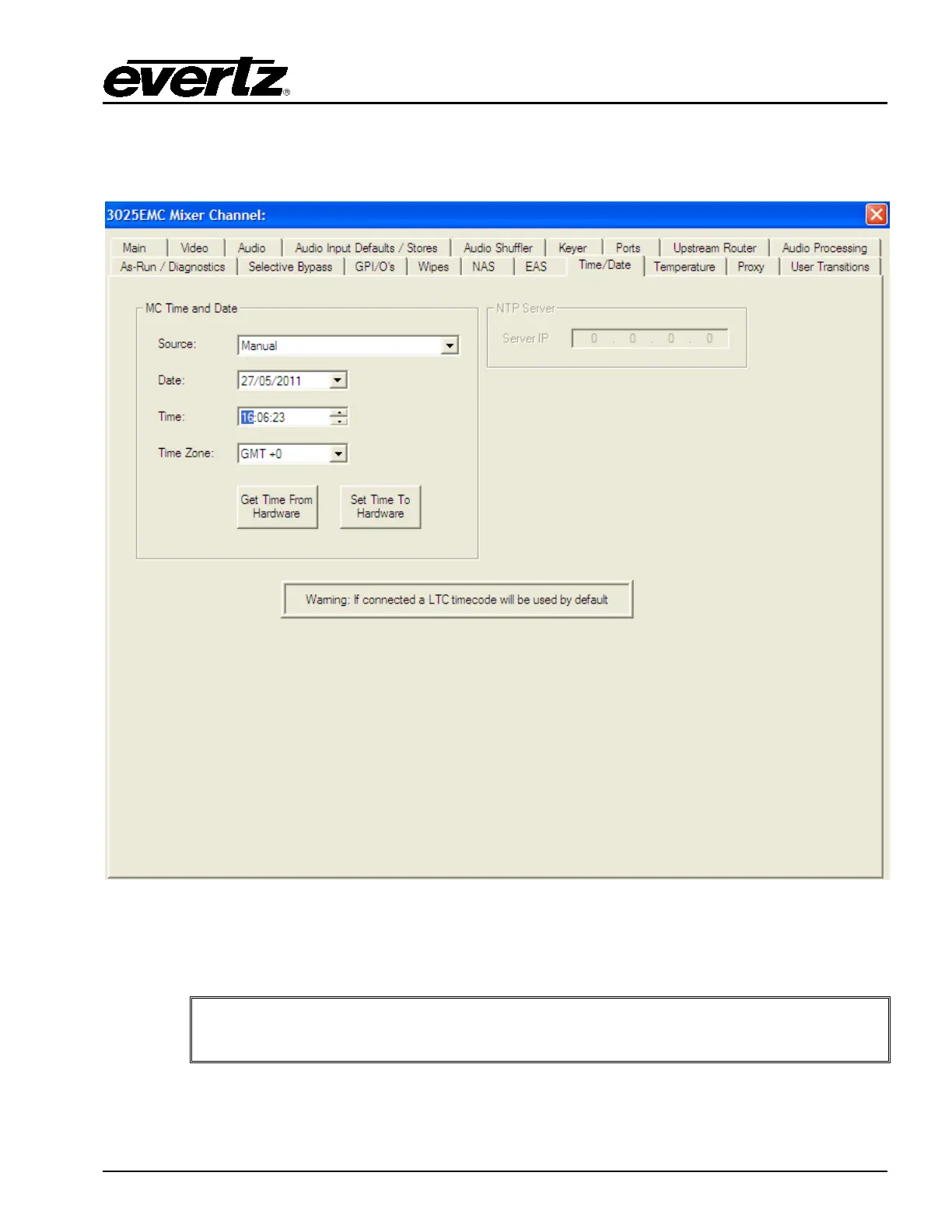
This tab enables the user to the set the time, date, and time zone.
Figure 4-34: Time/Date Tab
Source: Select a source using the drop down menu. Options include: Manual, Use this computer’s
time & date, and NTP Server.
NOTE: If LTC has been connect to the AUX-IO-1 breakout panel (see section
2.9.5.4) then, the source will ALWAYS be LTC IN.



 To Next Page