3025EMC Master Control Switching & Channel Branding
Page 152 Revision 3.0.3
Foreground Source: This is fixed to either Program (Take DVE-A) or Preset Input (Preview DVE-A) for
either a DVE-A or DVE-B move. The ratio is set to a percentage of the overall audio. A
value of 0% is will indicate that the audio from PGM/PST will be muted during the DVE
move.
Background Source: This is selectable from None, V/O1, V/O2, V/O3 or 4 for a DVE-A or DVE-B
Move. The ratio is set to a percentage of the overall audio. A value of 0% will indicate
that the audio from the Background Source will be muted during a DVE move. None
specifies that no audio effects will take place during the DVE move, i.e. the PGM/PST
audio will be unchanged as a result of the move taking place.
Audio Transition Rate: This is the transition rate that the audio is mixed during the Primary DVE move.
This is represented in term of fields for interlaced and frames for progressive. This would
normally be less than the transition rate of the DVE moves itself.
If Reverse Move: Either start fading the audio at the start of the move reverse or end of the move
reverse.
Shuffler Layout: This allows for a stored shuffle profile to be applied to the Background audio
during the DVE move.
7.2.2.6. Options
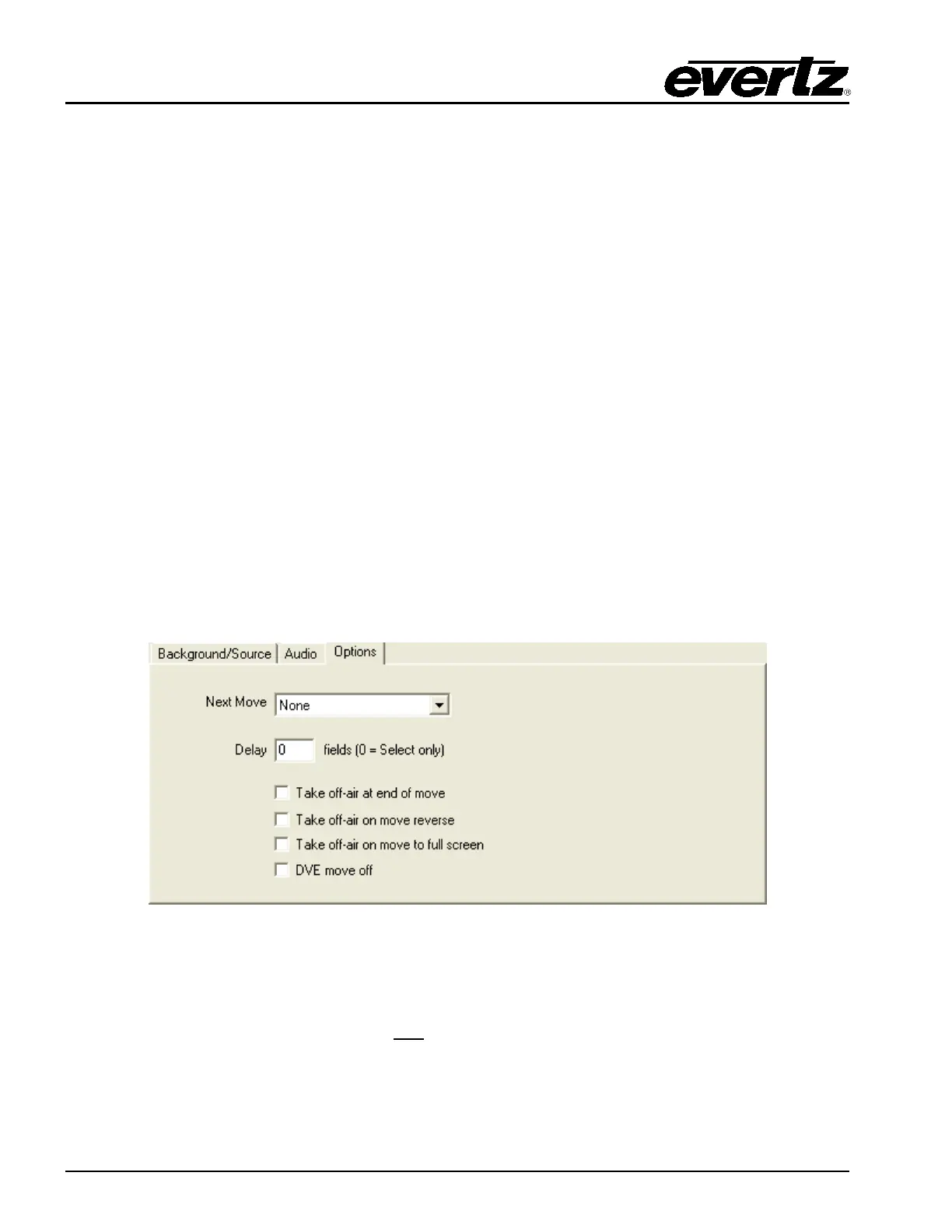
One of the options for the DVE move is to link moves together. This control allows for the DVE move to
trigger other DVE moves when it’s completed.
Figure 7-5: Options Tab
Next Move: Select which DVE move to trigger once this DVE move is completed
Delay: This is the delay (fields or frames depending on the video standard) to wait before triggering the
next DVE move. 0 will select the next move only
.
Take Off-air At End of Move: This will take the DVE Move off air when it is completed.



 To Next Page