3025EMC Master Control Switching & Channel Branding
Page 208 Revision 3.0.3
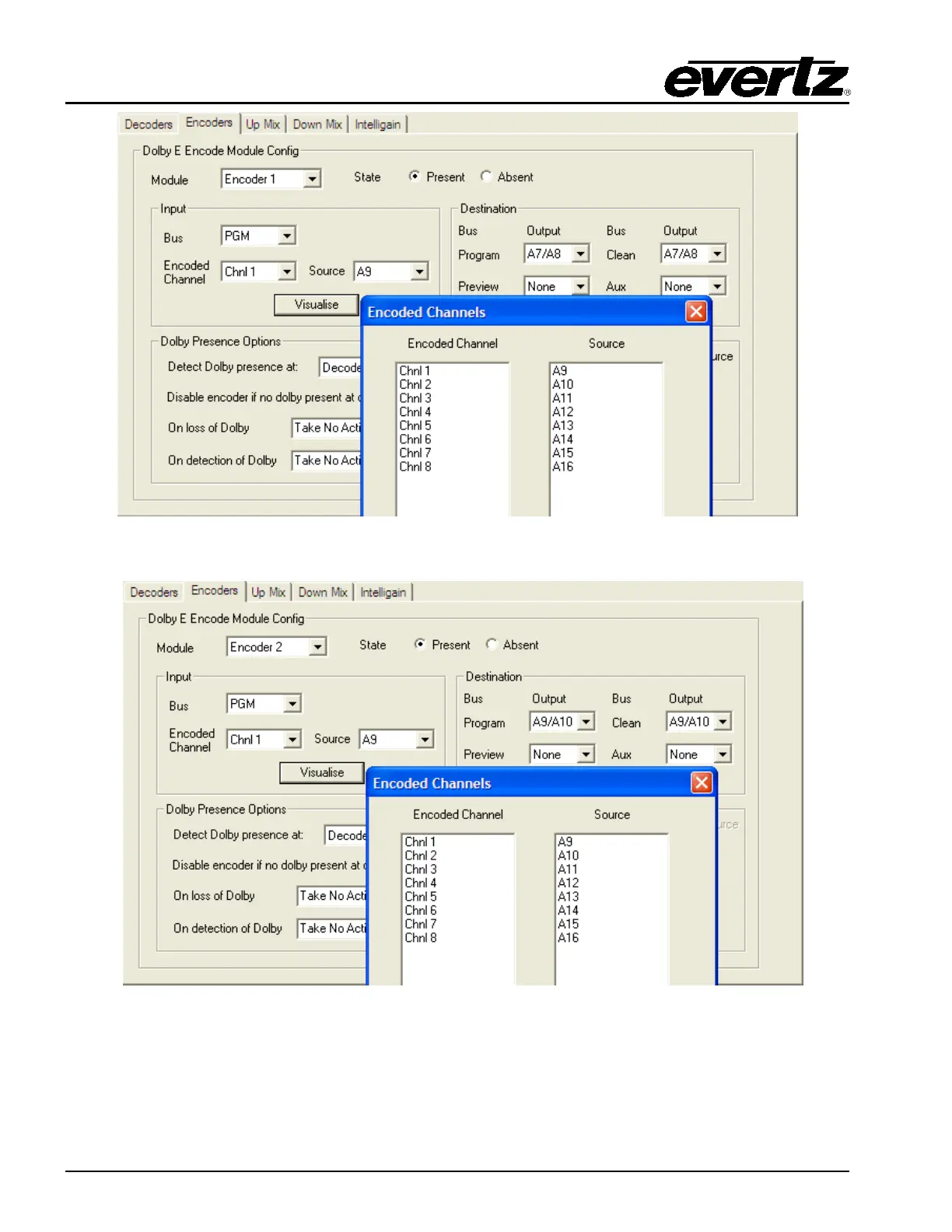
Figure 9-11: Metadata Routing Example 1 – Encoder #1 Configuration
Figure 9-12: Metadata Routing Example 1 – Encoder #2 Configuration
For the metadata routing the metadata routing should first be configured as disabled. This will have the
effect of turning the SMPTE 2020 embedding of metadata OFF. For this example no SMPTE2020
routing will be enabled, i.e. any metadata will bypass the VANC metadata processing of the 3025EMC.
When the routing is disabled the Metadata Routing dialogue will look like below…



 To Next Page