3025EMC Master Control Switching & Channel Branding
Revision 3.0.3 Page 125
The QMC-DCP offers a number of options. The +LCD option places a 4.3” LCD screen onto the panel.
This LCD panel is used for audio metering, logo preview, and multi-viewer layout preview. The +ABP
option adds 5 shaft encoders and 15 additional LCD buttons. As with all the control panels for the EMC,
all the buttons on the QMC-DCP are fully configurable to suit the customer application. The LCD buttons
also offer different colours to show status
6.2. MULTI CHANNEL PANELS
For systems that require multi-channels panels, typically the QMC-DCP is used. However, if the QMC-
CP-1000E or the QMC-CP-E is combined with the QMC-CP-2048E (“buddy panel”), they too can be
used for such systems.
6.3. CONFIGURING THE CONTROL PANELS
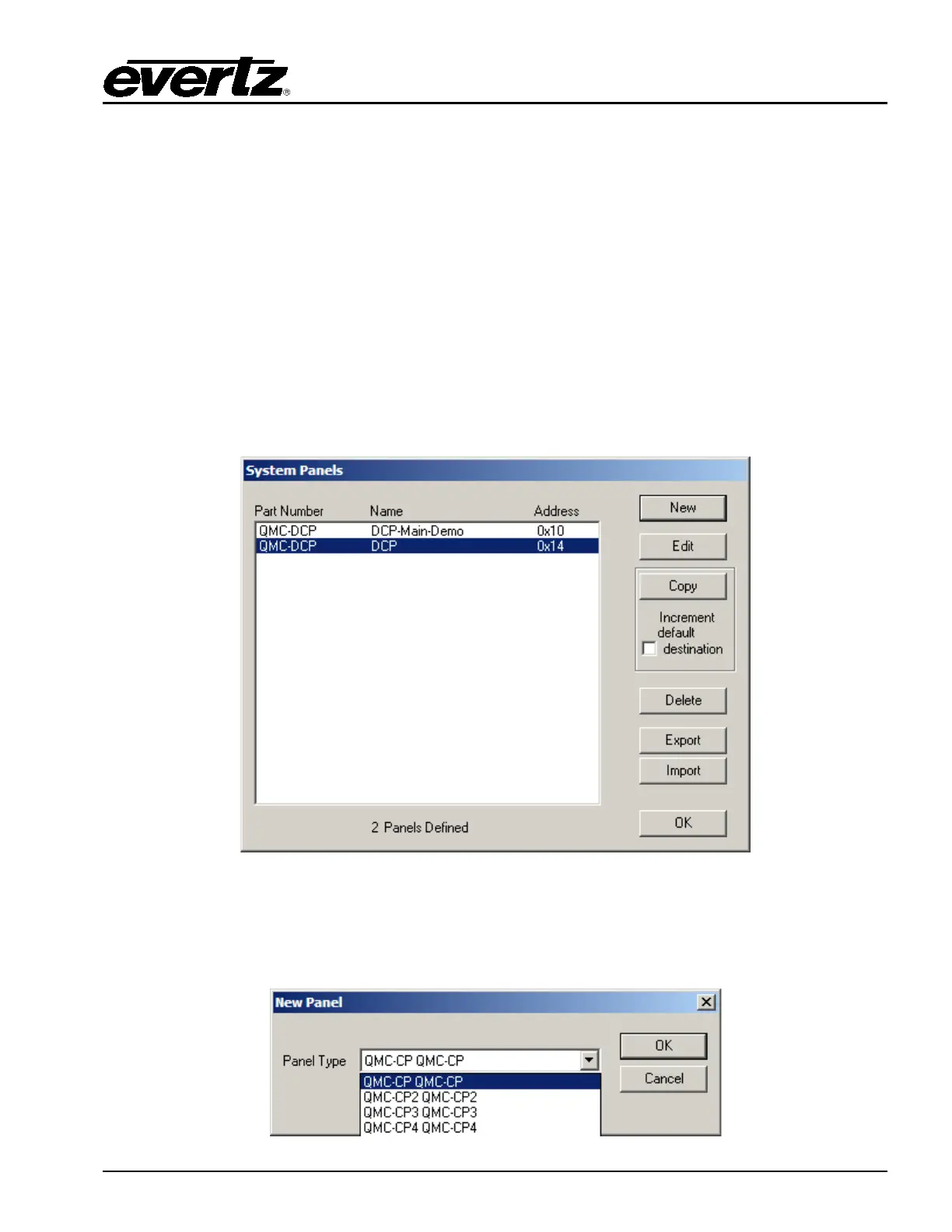
To configure the control panels, on the main EMC-Setup page select the Panels button. A System
Panels window will appear.
Figure 6-5: System Panels Window
The choices on this window are:
New: Create a new control panel. This will open up a New Panel window:



 To Next Page