3025EMC Master Control Switching & Channel Branding
Page 150 Revision 3.0.3
Horizontal Size: The horizontal size of the border can be defined by editing a specific number of
pixels or a percentage of the full horizontal pixel length.
Vertical Size: The vertical size of the border can be defined by editing a specific number of lines
or a percentage of the total number of vertical lines.
Inside Softness: The inside of the border can have a softness applied to it. A value of 0% indicates
no softness and a sharp inside edge for the DVE move.
Colour: A colour can be given to the border by specifying a particular Y, Cb, and Cr value
or by selecting the Choose button for a colour palette.
Outside Softness: The outside of the border can have a softness applied to it. A value of 0%
indicates no softness and a sharp outside edge for the DVE move.
7.2.2.4. Background/Source
For both a Primary DVE and Secondary DVE the user can configure both the foreground and
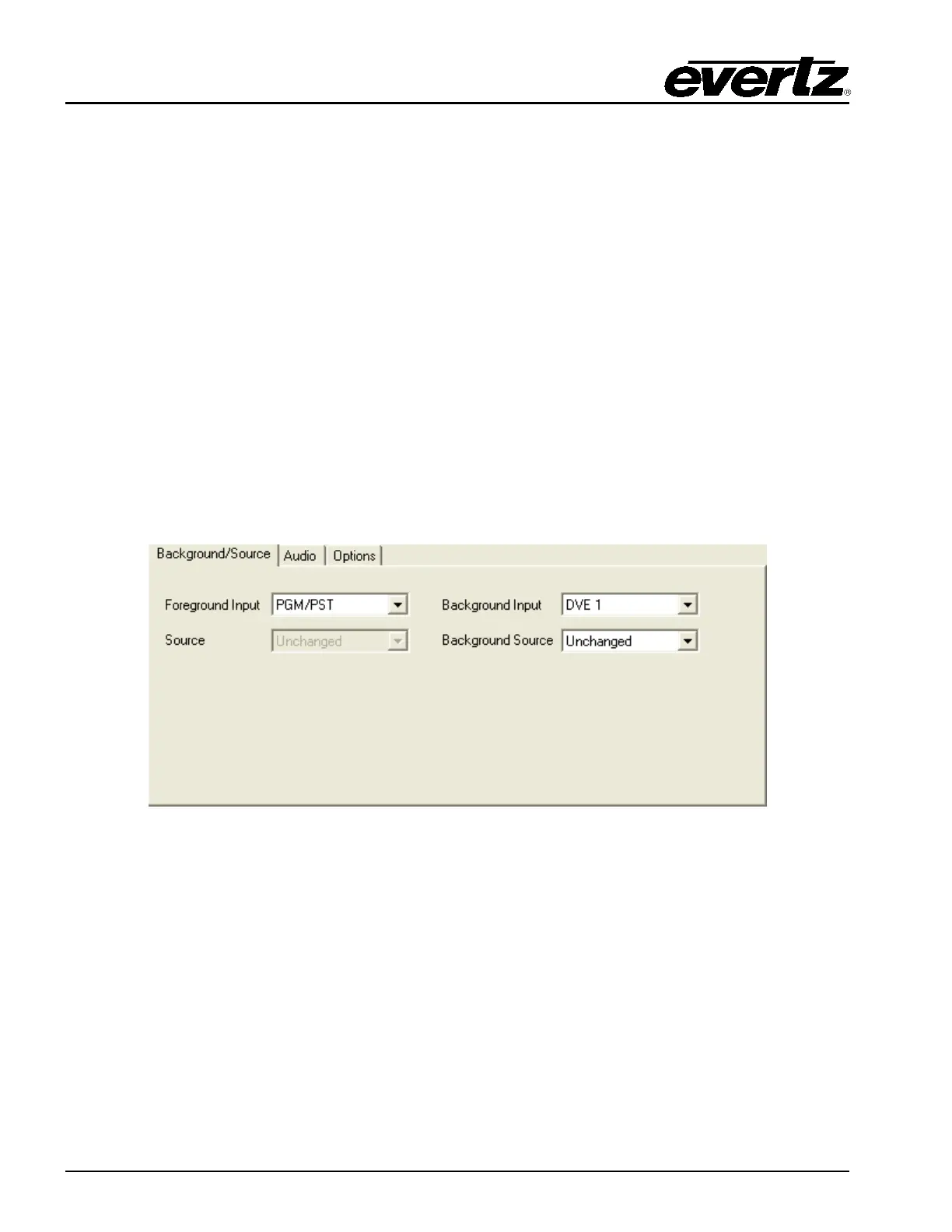
background sources that will be used. In the below example, when the DVE Move is previewed the DVE
Background Source will be DVE 1 (DVE 1 I/P) and the DVE Foreground Source will be PST.
Figure 7-3: Background/Source Tab
Foreground Input: When the DVE is triggered this is the 3025EMC input that will be used for the DVE
A or DVE B foreground. If the foreground input is configured for PGM/PST then the
foreground will be PST if the move is previewed and PGM if the move is taken on-
air. Other possible sources are KEY/FILL 1, 2 & 3, DVE 1 & 2, EMG and AUX 1, 2
& 3.
Source: If a source change is required on the specified input then the required upstream
router source is configured here. Whenever the DVE move is either pre-selected or
triggered this source will be routed to the specified foreground input selected. This
will only happen if:
(1). A Source is specified in this dialogue.
(2). The upstream destination for the specified input has been configured in the
channel upstream router tab.



 To Next Page