3025EMC Master Control Switching & Channel Branding
Page 62 Revision 3.0.3
4.6.7. Foreground Ratio
This option has been removed from the configuration.
4.6.8. Stores
The EMC offers ten Audio Input Stores which can be applied to any bus. Not all settings apply to all
buses.
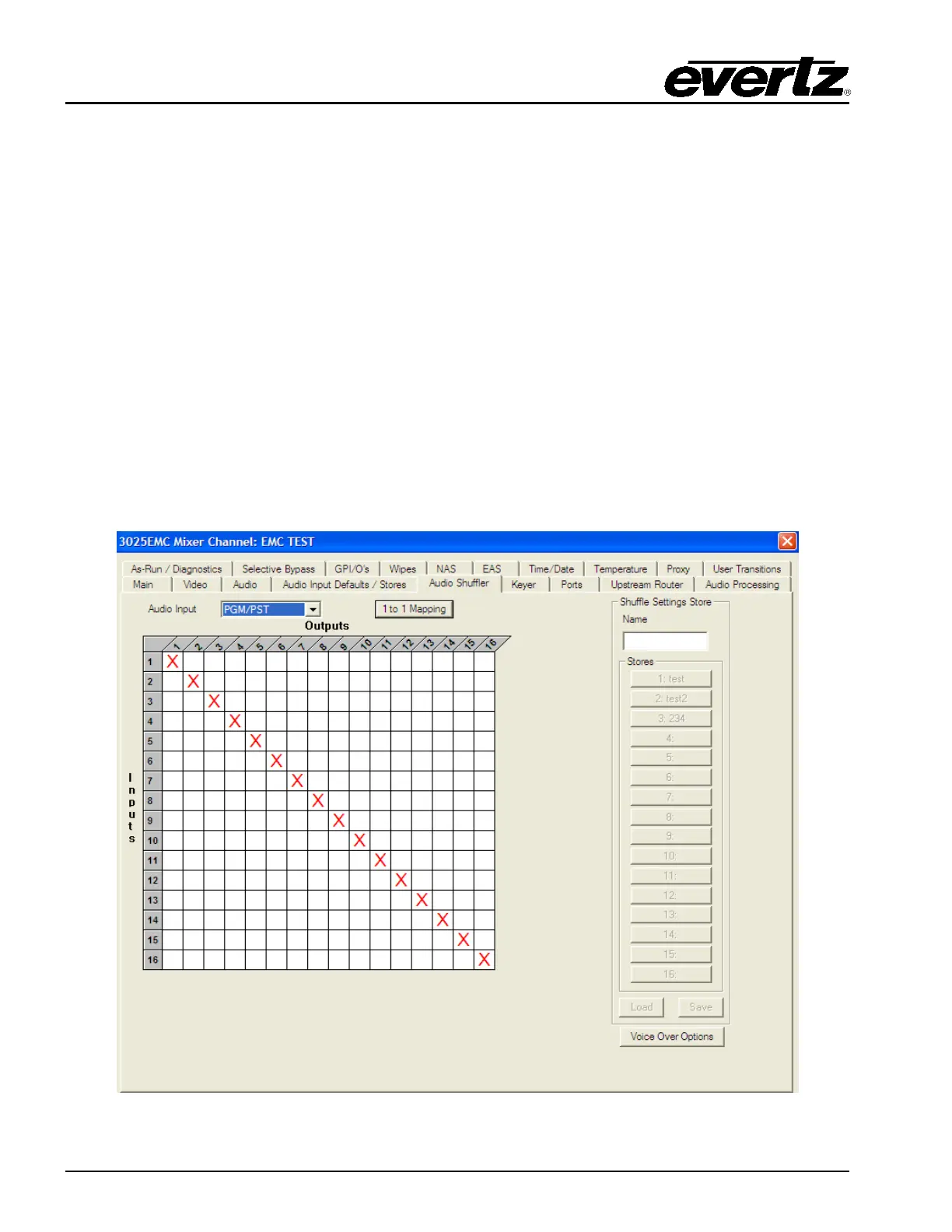
4.7. AUDIO SHUFFLER
This tab allows users to configure the audio shuffler. This allows the audio input channels (A1, A2, etc) to
be mapped to the audio output channels. Each 16 channel audio bus (PGM, PST, EMG, VO1, VO2,
VO3, VO4 and VO5) can be configured to have a default shuffle mapping, i.e. mapping that will be active
for each bus after a configuration upload OR after a power-cycle/reboot.
The default mapping for each bus is set using the “Audio Input” drop down menu. The number of inputs
the PGM, PST and Emergency buses have is always 16. The number of inputs that the voiceover buses
have available changes based on the Audio Input parameters that have been configured for that bus.
See section 4.5.1 for more details about Audio Input parameters.
Figure 4-19: Audio Shuffler Tab



 To Next Page