3025EMC Master Control Switching & Channel Branding
Page 168 Revision 3.0.3
EAS
DECODER
3025EMC
7720ADC-A4
MADI IN 1 – VO1 1&2
MADI IN 2 – VO1 3&4
MADI IN 4 – VO2 3&4
MADI IN 3 – VO2 1&2
Tally O/P
Text CG
RS232
GPI – VO Enable
RS232 – Serial 3,4
or 6
Video
Inputs
Preset
Output
Program
Output
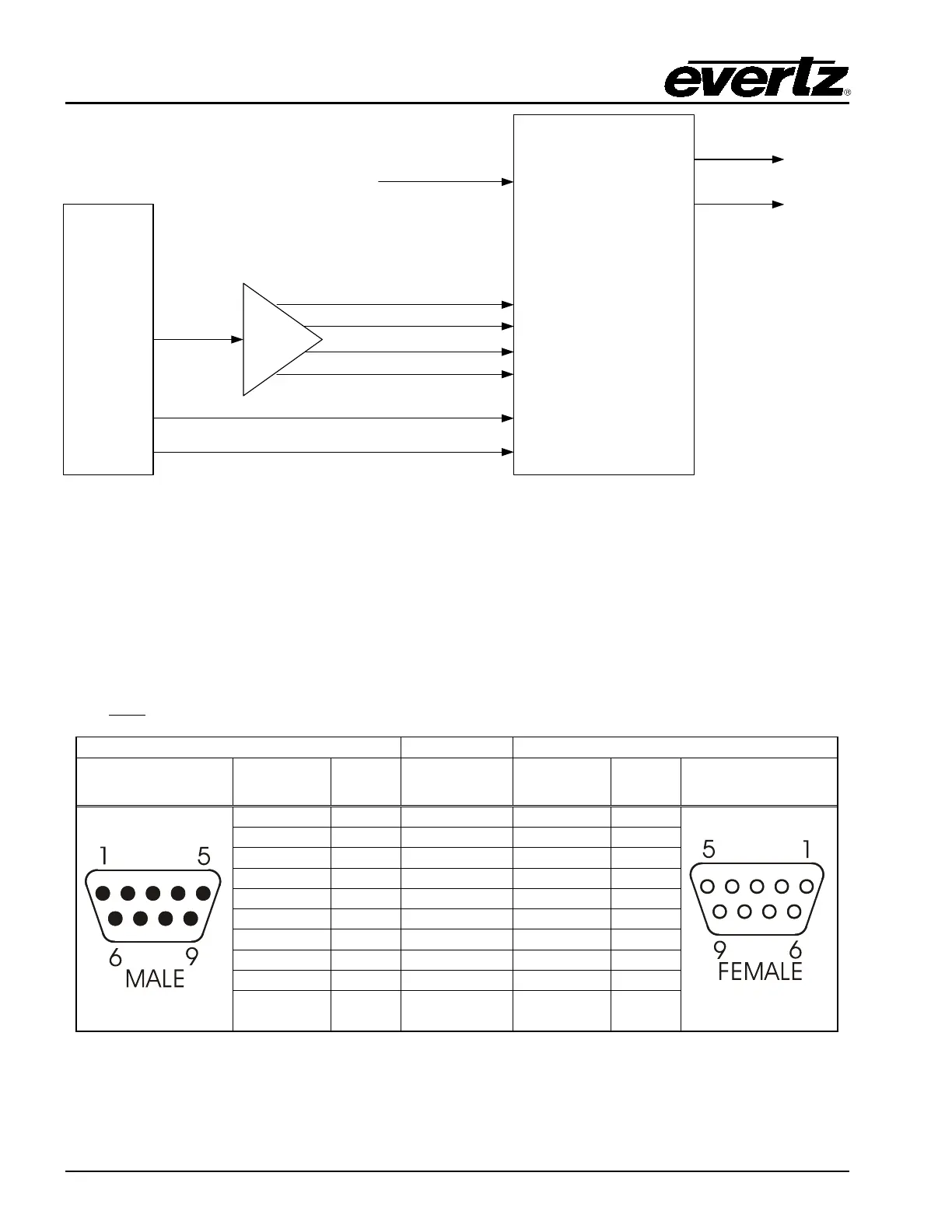
Figure 8-2: AS Decoder Connection
8.3.2. Connecting the Serial Port
Connect a straight-through RS232 cable (shipped with unit) to serial 3, 4 or 6 (if the additional AUX I/O
breakout is connected to the EMC). The other end of the cable will connect to the EAS decoder. (See
the section specific to your encoder manufacturer). For a permanent installation, you will require a
custom length cable that fits between the EAS decoder unit and the EMC. You can purchase any off the
shelf 9 pin straight-through serial cable, or you may make this cable yourself according to the cable
drawing in Table 8-2. This cable should not exceed 50 feet. Note that an RS232 serial port on the
EMC must
be used.
9 pin D
Male
Pin
Belden
9729
9 pin D
Female
Pin
Shield
---drain 2----
Shield
Table 8-2: EAS Decoder Extender Cable



 To Next Page